
Affiliate Disclosure
Some links on this page are affiliate links. As an Amazon Associate, we earn from qualifying purchases — at no extra cost to you. We do not buy, install, or physically handle the cameras we cover; our rankings come from aggregated owner reviews, ratings and expert consensus. Commissions never change our verdicts. How we rank · full disclosure.
Short version: the question "what is the best home security camera" has no answer, and the question "what is the best camera for this specific spot" has a very good one. An apartment imposes constraints a house never does. A front door needs a shape of coverage a yard camera cannot produce. A backyard fifty feet from the router has a WiFi problem before it has a camera problem. These guides start from the situation and work backward to the hardware.
How we work: we do not buy, install or physically handle any of these cameras. Every ranking on this site comes from aggregated owner ratings weighted by review volume, the complaints that repeat across thousands of reviews, verified specifications and expert consensus. The full method is on how we rank, and the commercial side is on affiliate disclosure.
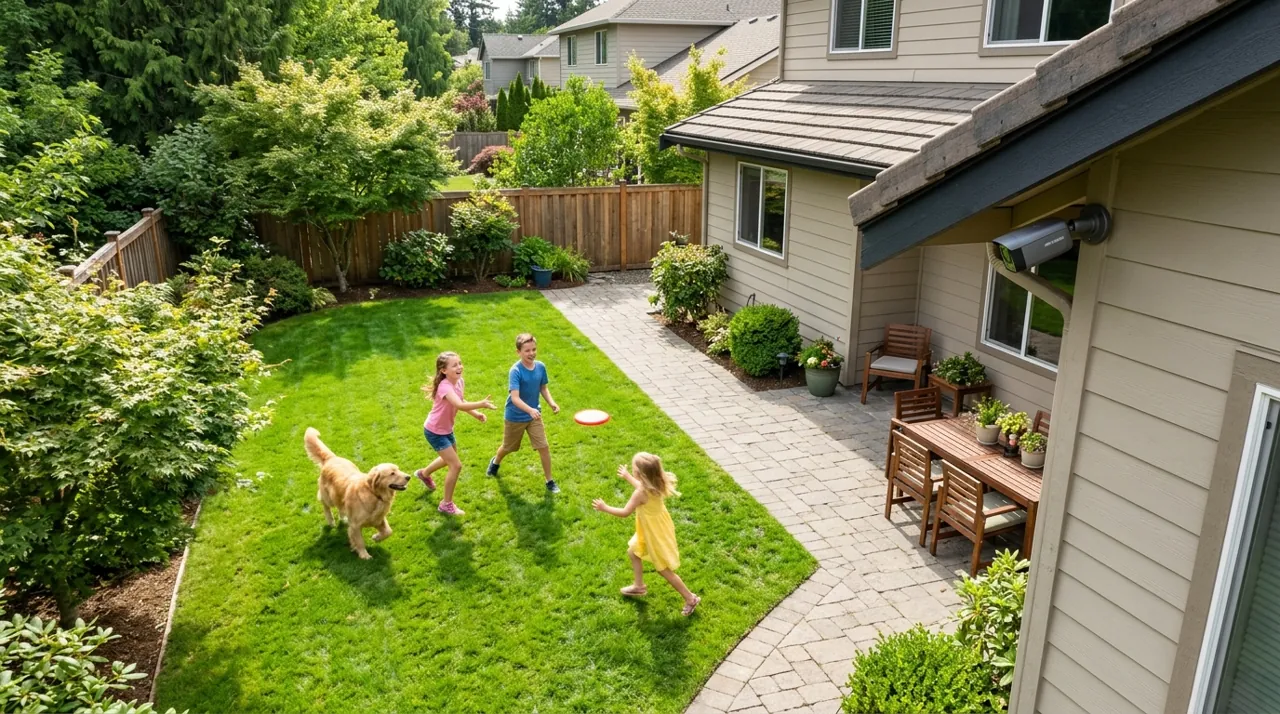
Why the Situation Beats the Spec Sheet: Security Camera Use Case Basics
The direct answer: field of view, power source and mounting method are dictated by where the camera goes, and those three things matter more to your daily experience than resolution, brand or price.
Consider the same budget spent three ways. In an apartment, the constraint is that nothing may be drilled and the whole setup has to leave with you — so the money goes to an indoor camera with a magnetic or shelf mount, and the outdoor problem is largely somebody else’s. At a front door, the constraint is a narrow strip of ground where packages land and faces appear — so the money goes to a doorbell with a tall vertical field of view and a fast two-way talk handoff. In a backyard, the constraint is a hundred square feet of open ground fifty feet from the nearest access point — so the money goes to a wide lens, a spotlight, an IP65-or-better housing and, quite often, a WiFi extender before the camera is even mounted.
Three completely different products, all correct. That is the entire argument for shopping by use case.
Apartments and Rentals: The Constraint Is the Lease
Renting changes the problem in a way most buying guides ignore. You cannot drill into a shared corridor wall. You cannot rewire a doorbell you do not own. You will probably move within two or three years and you want the equipment to come with you and be re-installable in a different floor plan.
What survives those constraints is a small indoor camera on a shelf or an adhesive mount, aimed at the entry door and the main living space, backed up by a peephole or clamp-mounted doorbell if the building permits one. Pan-and-tilt indoor units earn their keep here specifically because a single camera in a one-bedroom can cover most of the floor plan by rotating, which is not true in a house.
The other renter-specific issue is privacy in a shared building. A camera aimed down a communal hallway records your neighbors going about their lives, which is a much bigger deal socially and legally than filming your own hallway. Aim inward. The full picks are in best security camera for apartment, and the broader category sits in indoor cameras.
Front Doors: Packages, Visitors and Speed
The front door is where most households buy their first camera, and for good reason. It is the delivery point, the visitor point and, according to every set of residential burglary statistics, one of the two most common entry points in a break-in.
It is also the position with the most distinctive coverage requirement. A parcel on the mat is close to the wall and low down; a face is five to six feet up and slightly further out. Catching both in one frame is why video doorbells adopted tall head-to-toe aspect ratios rather than the wide letterbox shape used everywhere else. A conventional wide-angle camera mounted above the door misses the package entirely or renders the visitor as a hat.
The second front-door requirement is response time. Owners consistently report that the deterrent value is in speaking to someone while they are still on the path, not in reviewing the footage afterward — which means notification latency and how fast the app opens to live view matter more than the sensor. The picks are in best security camera for front door, with the wider category in video doorbells and the floodlight alternative in outdoor cameras.
Backyards: Distance, Weather and Signal
Backyards are where camera projects most often go wrong, and it is rarely the camera’s fault.
The first problem is area. A backyard is not a doorway; it is an open space where a person can be forty feet from the lens. That demands a wide field of view, a longer usable night-vision range, and realistically a spotlight, because monochrome infrared at forty feet tells you something moved but not who or what.
The second problem is signal. Consumer WiFi degrades hard through exterior walls, and the far corner of a yard is often two walls and fifty feet from the router. Owner reviews of every outdoor brand are full of one-star ratings that are actually descriptions of a weak connection — clips that never upload, live view that buffers, a camera that shows offline half the day. Check signal strength at the exact mounting point before you buy, and budget for a mesh node or an outdoor access point if it is marginal. Where there is no realistic way to reach the spot, no-WiFi and cellular cameras or a wired PoE run become the sensible answers.
The third problem is weather and power. An outdoor camera needs an IP65 rating at minimum, and a battery unit in a shaded corner will need a ladder every few weeks — which is exactly the case solar cameras exist to solve. The full backyard rankings are in best security camera for backyard.
Building Coverage in the Right Order: Types of Cameras by Position
Households that end up happy tend to have added cameras in roughly this order. First, the front door, because it covers deliveries, visitors and the most common approach. Second, the back door or rear slider, which is the least-overlooked entry in most homes and the one neighbors cannot see. Third, the driveway or garage, which covers vehicles, tools and the side approach. Fourth, the open yard or side gate, which is coverage rather than an entry point.
Past four cameras, the returns fall off quickly and the alert load rises. Every additional camera is another stream of notifications you have to either care about or learn to ignore, and ignoring them is how systems quietly stop working. If you genuinely need six or more positions, that is the point where a NVR camera system with continuous local recording becomes cheaper and better than six individually subscribed cloud cameras.
What These Setups Cost: A Quick Buying Guide
A renter’s indoor setup for one or two cameras is genuinely affordable, which is why apartment security is the best value in this entire category. A front-door doorbell costs more depending on resolution and whether it is battery or wired. A capable backyard camera with a spotlight costs a bit more again, plus extra if a mesh node is needed to reach it. A four-position house is a noticeably bigger hardware investment.
Then the recurring cost. Cloud plans typically run a modest monthly fee for one camera and more for a household, and over five years that frequently exceeds the hardware. Whether that is worth paying is exactly the question in is Ring worth it, and the local-storage escape route is covered across buying guides.
Pros and Cons by Situation
Apartment: pros — cheapest to own, no drilling, moves with you; cons — indoor-only coverage, limited to what a landlord permits. Front door: pros — fastest deterrent value, catches both a face and a parcel; cons — a narrow field of view that misses everything beside the mat. Backyard: pros — the widest coverage of any situation on this page; cons — the most exposed to weather and the weakest WiFi signal.
Warranty and Returns Across These Situations
Whichever situation applies, treat the return window as part of the plan rather than an afterthought. Consumer cameras typically carry a one-year manufacturer warranty, and Amazon’s standard 30-day return period is what actually protects you if the WiFi signal at a backyard mounting spot turns out to be unusable, or an apartment’s shared corridor rules block a doorbell install. Test the exact spot before that window closes.
How to Choose: What to Look For in Your Specific Situation
Start from the constraint that cannot be negotiated, because it eliminates the most options fastest. In a rental it is the lease. In a backyard it is the WiFi. At a front door it is the shape of the coverage. Once that constraint is named, the rest of the decision is short.
Then work through four things in this order. Mounting method: can anything be drilled here, and will it come down again when you move? Power: is there an outlet, a cable route, or only a battery and a ladder? Light at night: does the position have any, or does the camera need to bring its own? Coverage shape: tall and narrow for a doorway, wide for open ground, rotating for a single room.
Resolution, brand and price come after all four. A 4K camera in the wrong position is worse than a 1080p camera in the right one, and that is the single most useful thing to know before comparing spec sheets across Ring, Arlo, Eufy, Wyze, Blink, Reolink and TP-Link Tapo.
Renter Friendly Setups: No Drilling, Lease Agreement and Landlord Approval
Renting is the situation with the hardest rules and the cheapest solution. The relevant clause in almost every lease agreement is the alterations clause, which covers anything fixed to a wall, a door frame or the exterior of the building. A camera that sits on a shelf or holds on with removable adhesive falls outside it. A doorbell screwed to the frame does not.
That makes the no drilling route the default for renters: an indoor camera on a bookshelf aimed at the entry, a peephole camera that replaces an existing fitting, or a clamp mount on a shelf edge. Where you do want something on the exterior, ask for landlord approval in writing before it goes up rather than after, and expect a condo board or HOA rules to apply as well if the building has them — shared corridors and exterior elevations are usually common property, not yours.
The other renter-specific rule is social rather than legal: aim inward. A camera covering a communal hallway records neighbors going about their lives, and audio makes that materially more sensitive than video in several states.
Package Theft and the Types of Coverage That Actually Help
Package theft is the reason most households buy their first camera, and the honest position is that cameras document it far more often than they prevent it. What owner reviews consistently credit is speed, not resolution: being able to speak to someone while they are still on the path.
Three types of coverage help in practice. A doorbell at standard height frames both the parcel on the mat and the face above it, which no wide-angle camera mounted above the door manages. A second camera covering the approach gives you the vehicle and the direction of travel, which is what a police report can actually use. And a delivery notification that arrives in seconds lets you ask a neighbor to collect the parcel before anyone else does.
What does not help is a camera mounted too high, aimed at the street, or left on default motion settings until every passing car has trained you to ignore it.
Installation, Subscription and Budget by Situation
Each situation carries a different installation job and a different running cost, and the running cost is the one people underestimate.
An apartment setup is the cheapest to own: no installation beyond plugging it in, and a microSD card instead of a subscription keeps the budget at the price of the hardware. A front door is a twenty-minute battery install, or an electrician if you choose a mains-wired floodlight camera instead of a doorbell. A backyard is the most expensive situation to run, because the far positions often need a mesh node, a solar panel or a cable route before the camera is even useful.
On top of hardware, a cloud subscription runs a modest monthly fee for one camera and more for a household, which over five years frequently exceeds the hardware in every one of those situations. The frequently asked questions below cover the lease, camera-count and positioning questions that come up most, and buying guides covers the subscription decision in full.
Where to Start: Use Case Guides by Situation
Rent your home? Start with best security camera for apartment. Buying your first camera for a house? best security camera for front door is where the value is. Already covered at the door and looking at the ground behind the house? best security camera for backyard. And whichever you pick, how to install a security camera covers the mounting height, weatherproofing and signal checks that decide whether the footage is worth having.