
Affiliate Disclosure: Some links on this page are affiliate links. As an Amazon Associate, we earn from qualifying purchases — at no extra cost to you. We do not buy, install, or physically handle the cameras we cover; our rankings come from aggregated owner reviews, ratings and expert consensus. Commissions never change our verdicts. We're reader-supported: commissions fund hosting, research and updates, so if a guide helped, buying through our links keeps it going. How we rank · full disclosure.
The short version: the REOLINK RLK8-410B6 is the best PoE security camera system in this field by rating, and six 5MP cameras on one NVR with a 2TB drive is the specification that leaves an average house with no blind side. If you want detail over camera count, the 4K RLK8-800D4 is the same idea with four sharper cameras. And if you already own an NVR, the RLC-520A two-pack adds wired 5MP coverage at an entry-level price per camera, which is the best cost-per-angle anywhere on this site.
This page is the wired-PoE specialist: every kit ranked here is PoE, and nothing else. PoE is the most reliable arrangement available to a homeowner, and it is also the most work to install. If you have not yet settled on PoE over WiFi-NVR or analog DVR, start one level up at the umbrella best home security camera system guide, which compares all three system types and routes you to the right one. Otherwise, read the wired PoE cameras hub for the cabling reality, and check our outdoor security camera picks if a single wireless camera would actually solve your problem.
In Plain English
A PoE camera system is a set of wired cameras plus a recorder box. Each camera connects with a single Ethernet cable that carries both power and video (PoE means Power over Ethernet). The recorder, called an NVR, keeps everything on a hard drive in your house.
Once it is installed, owners say they stop thinking about it. There are no batteries to charge, no WiFi dropouts and no cloud bills. The system records around the clock, so you can scroll back to any moment.
Think of it like the CCTV setup in a small shop, sized for a house.
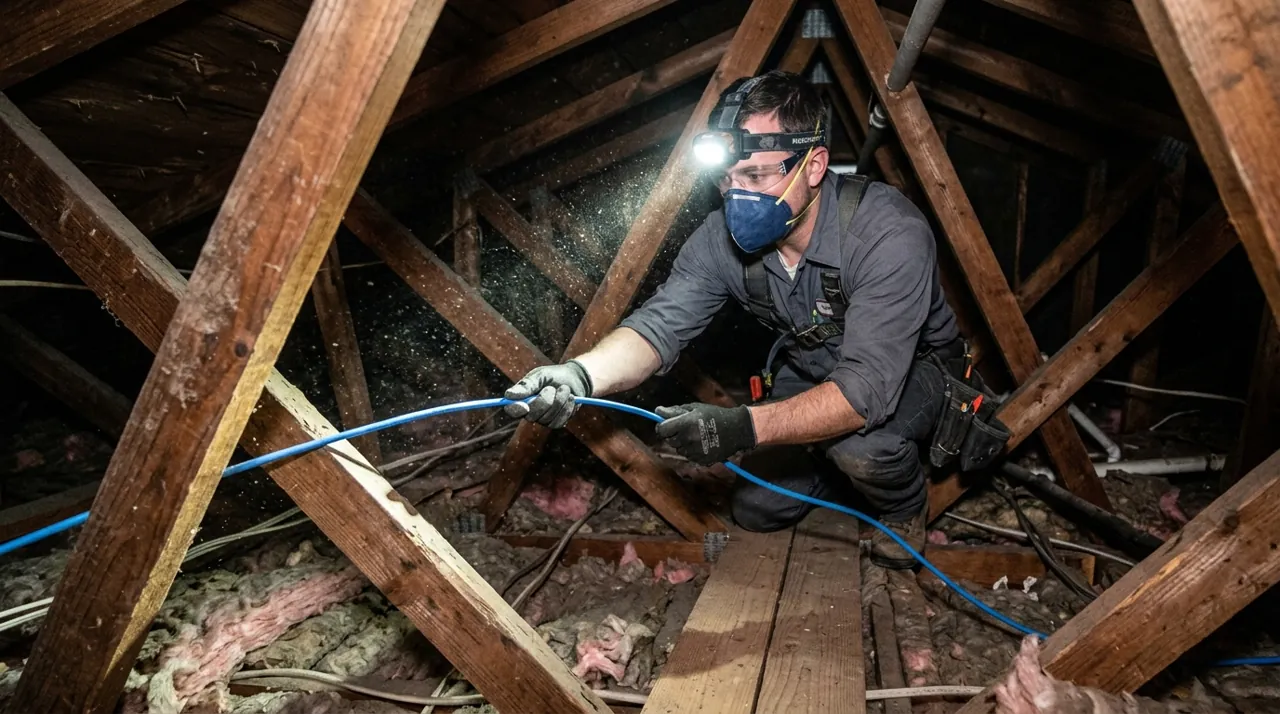
The hard part is installation. You run one cable to every camera position, often through an attic or crawl space. Plan on at least a day of your weekend.
The one thing to decide: more cameras or sharper cameras. Six 5MP cameras cover more ground. Four 4K cameras capture more detail, but they fill the same hard drive faster, so storage matters more.
Top Rated Picks at a Glance
Our #1 Pick and Best Overall: REOLINK RLK8-410B6 5MP System
This kit tops the list because it gets the balance right on the three things that decide whether a PoE system stays in use: camera count, resolution and storage. Six cameras is the number at which a typical house runs out of uncovered approaches. 5MP is enough detail to identify a person at normal driveway distance without generating the storage load of 4K. And the 2TB drive is in the box, recording continuously, with nothing gated behind a plan.
Consensus Score █████████░ 9.1 — from a solid, well-rated base of owner ratings.
Owners consistently report the same thing after the first month: the system stops being something they think about. There is no app telling them a camera went offline, no pack to recharge, no cloud renewal email. That is the entire value proposition of PoE, and it is why systems in this category hold higher average ratings than the far more popular wireless cameras despite costing more and demanding real installation work.
The honest weaknesses: the review base is still thin next to the tens of thousands behind a mainstream wireless camera, so long-term reliability is less proven statistically. The install is a genuine project — six Ethernet runs, an attic or a crawl space, and a day of your weekend at minimum. The NVR interface is functional rather than polished, and owners moving from a consumer app say so plainly. And 5MP is a deliberate compromise: sharper than the 1080p mainstream, short of the 4K kit below.
The Ranked Field: Star Rating, Consensus and Price

Best for covering a whole house with one wired system and no monthly fee.
- Six 5MP wired PoE bullet cameras and an 8-channel NVR.
- 2TB hard drive included for 24/7 continuous recording.
- Person, vehicle and pet detection to cut false alerts.
- No subscription — everything records locally.
Why buy it: It’s the highest-rated multi-camera PoE kit in this field, and six cameras is the point where a house genuinely has no blind side left.

Best for adding two wired cameras to an NVR or network you already own.
- Two 5MP wired outdoor dome cameras in one box.
- Infrared night vision to roughly 100 feet.
- Smart human, vehicle and animal detection.
- Records to microSD up to 512GB or to an NVR.
Why buy it: An entry-level price per wired 5MP camera is the best cost-per-angle on this page, and the dome housing resists tampering better than a bullet.

Best for owners who want 4K detail rather than a wider camera count.
- Four 8MP/4K dome cameras with an 8-channel NVR.
- 2TB drive included, expandable channel count to eight.
- H.265 encoding to keep 4K storage manageable.
- Continuous 24/7 local recording, no cloud plan.
Why buy it: 4K on a wired connection is where footage stops recording an event and starts identifying a person.

Best for the one angle where you need maximum detail.
- 12MP resolution, the highest on this page.
- 700-lumen spotlight for full-color night video.
- Human, vehicle and pet detection filtering.
- 24/7 recording to a 512GB microSD card or an NVR.
Why buy it: It’s the sharpest camera here by a clear margin and it doesn’t require you to replace a system to add it.

Best for large or awkward lots where fixed cameras leave gaps.
- Six 8MP PTZ cameras with 360-degree coverage.
- Automatic human tracking follows movement across the frame.
- 2TB hard drive for 24/7 recording included.
- Two-way audio and plug-and-play pairing.
Why buy it: Six 4K pan-tilt cameras for a mid-range system price is the cheapest way to cover a large property without accepting fixed blind spots.
Comparison Table: Price, Resolution and Storage
| Product | Best for | Buy |
|---|---|---|
| REOLINK RLK8-410B6 8-Channel 5MP PoE System, 6 Cameras | Best Overall System | Price |
| REOLINK RLC-520A 5MP PoE Dome Camera, 2-Pack | Best Value Pair | Price |
| REOLINK RLK8-800D4 8-Channel 4K PoE System, 4 Cameras | Best 4K Kit | Price |
| REOLINK RLC-1224A 12MP PoE Dome Camera | Best Single Camera | Price |
| Hiseeu 4K PoE Security Camera System, 6 PTZ Cameras | Best PTZ Kit | Price |
How We Rank
We do not buy, install or physically handle PoE camera systems. No cable has been run on our behalf and we are not going to imply otherwise. Our rankings come from aggregated owner star ratings weighted by review volume, the recurring themes inside negative reviews, published specifications cross-checked against what owners report after a season outdoors, and expert consensus across the category. In this category in particular we weight the negative reviews heavily, because PoE systems fail in predictable and specific ways — a channel that will not hold a link, an NVR fan, a drive that fills faster than expected — and those patterns only surface at volume. A system with a thin review history can still place on merit, but it is flagged as unproven rather than promoted. Full method on how we rank.
Every PoE Camera Kit Reviewed From Owner Reviews
1. REOLINK RLK8-410B6, 6 Cameras — Best Overall System
Six 5MP wired bullet cameras, an 8-channel NVR with two spare channels for later, and a 2TB drive recording around the clock. What owners praise: reliability that makes the system disappear into the background, night vision that reaches usefully far, smart detection that filters cars and animals out of the alert stream, and remote viewing that works without a fee. What owners complain about: the install effort, an NVR menu system that feels dated next to a phone app, bullet housings that collect spider webs and trigger night-time motion, and a 2TB drive that fills in roughly five days of continuous recording across six channels at default settings.
2. REOLINK RLC-520A 5MP Dome, 2-Pack — Best Value Pair
The expansion buy. Two 5MP wired dome cameras for an entry-level combined price, working with an existing NVR, a PoE switch or a microSD card on their own. What owners praise: the cost per camera, dome housings that are harder to tamper with or knock out of alignment than bullets, roughly 100 feet of infrared night reach, and detection that separates people from vehicles from animals. What owners complain about: infrared-only night vision means grey footage rather than color, the fixed lens gives no zoom flexibility once mounted, and dome cameras are fussier to aim precisely during install than bullets are.
3. REOLINK RLK8-800D4 4K, 4 Cameras — Best 4K Kit
The same system architecture as our top pick with the trade reversed: four cameras instead of six, at 8MP/4K instead of 5MP. What owners praise: detail that makes a zoomed still genuinely useful, H.265 encoding that keeps 4K storage from becoming absurd, dome housings, and the same no-subscription local recording. What owners complain about: a 4.3 average that is the lowest here, driven by scattered reports of channels dropping and NVR firmware quirks; four cameras leaving gaps on a larger property; and a 2TB drive that Reolink itself estimates at only about eight days of continuous recording across the four cameras at default settings.
4. REOLINK RLC-1224A 12MP PoE Dome — Best Single Camera
The sharpest camera on this page and the right answer when one specific angle matters more than the rest. 12MP, a 700-lumen spotlight for color night footage, and 24/7 recording to a card or an NVR. What owners praise: resolution that finally supports meaningful digital zoom, true color at night rather than infrared grey, and no ongoing fee. What owners complain about: file sizes and bandwidth that catch people out, a spotlight bright enough to annoy a neighbor if aimed carelessly, and app software that assumes more technical patience than a mainstream brand does.
5. Hiseeu 4K PoE System, 6 PTZ Cameras — Best PTZ Kit
An unusual proposition: six 8MP pan-tilt cameras with automatic human tracking, a 2TB drive and an NVR, at a mid-range system price. On paper that undercuts every fixed-camera 4K kit here. What owners praise: 360-degree coverage per camera, tracking that follows a person across the frame instead of losing them, plug-and-play pairing that is easier than expected, and the price per 4K channel. What owners complain about: a 195-rating review base, which is by far the thinnest here; tracking that hunts back and forth on busy scenes; moving parts that add a mechanical failure point fixed cameras do not have; and build quality that owners describe as good for the money rather than good outright.
Buying Guide: What to Look For in a PoE NVR Security Camera System
The direct answer: count your approaches before you shop, then buy an NVR with at least two more channels than cameras you need today. Camera count and channel headroom decide satisfaction far more than the difference between 5MP and 4K.
NVR Channels, Cameras and Headroom
An 8-channel NVR with four cameras is a better buy than a 4-channel NVR with four cameras at the same price, because the fifth camera you will want next year is an entry-level purchase rather than a system replacement. Most houses need four to six cameras: front door, driveway, back door, and the two sides where a fence gate opens. Larger or irregular lots push toward six or more, or toward the PTZ approach covered in our PTZ pan-tilt cameras hub.
Resolution and Storage, Together
These two numbers are one decision, and the figure that links them is bitrate. Reolink ships the cameras in both its 5MP and 4K kits at a default 6,144 kbps, which works out to roughly 66GB per camera per day — about eight days on a 2TB drive from four cameras, and about five from six. Turn the bitrate up to get the most out of 4K or 12MP and the retention shrinks in proportion. H.265 encoding, which the Reolink cameras here support, holds similar quality at a lower bitrate than H.264 and should be enabled. If a month of history matters to you, plan on 4TB or more, or reserve continuous recording for the two channels that actually matter and set the rest to motion-triggered.
Cabling: Cat5e, Cat6, Ethernet Cable and the PoE Switch
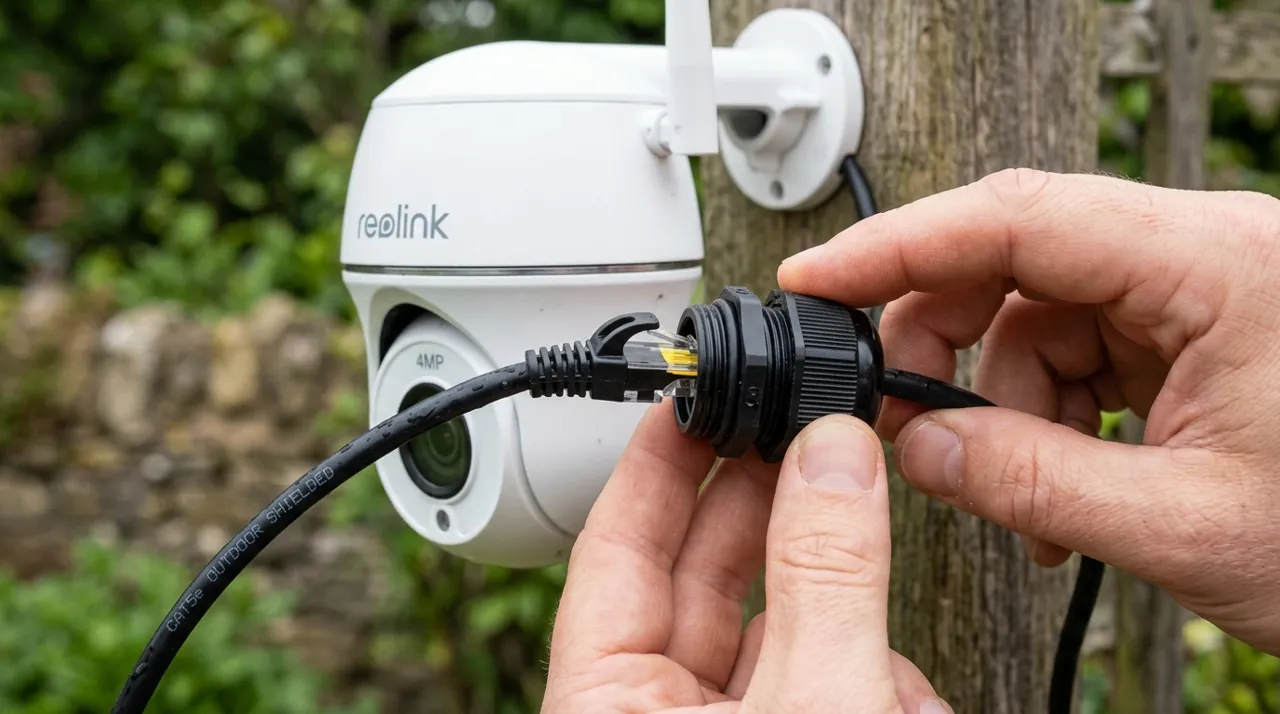
Cat5e is sufficient for every camera on this page; Cat6 costs slightly more and future-proofs the run. Buy outdoor-rated cable for anything exposed to sun or weather, and pre-terminated lengths if you would rather not learn to crimp. Standard PoE reaches roughly 100 meters, about 328 feet, per run — beyond that you need a switch or an extender in between. The most common install regret in reviews is not the cable itself but the route: plan how you will get from the NVR location to each camera before you buy, not after.
Night Vision, Detection and Placement
Infrared gives you range and grey images; spotlight-equipped cameras give you color and a deterrent, at the cost of attention. On a driveway, color is worth it. On a fence line, infrared is fine. Smart detection that filters people, vehicles and animals is close to mandatory on a six-camera system, because six cameras generating raw motion alerts produces an unusable notification stream within days. Mount at eight to ten feet, angled across approach paths rather than straight down them.
Pros and Cons: Always-On Power Against the Cabling Job
Every kit here runs on Power over Ethernet, so one Ethernet cable per camera carries both electricity and video. The trade-offs are identical across all five.
Pros. Always-on power, which means no battery to recharge and spotlights that can run at full output instead of rationing runtime. No WiFi dropouts, because the camera at the back fence is on a physical wire rather than fighting three walls of interference. Continuous local recording with no monthly fee. A recorder that keeps working through an internet outage. And storage you size yourself rather than rent.
Cons. The cabling job is real — an attic, a crawl space and a weekend, or an electrician's day rate. The ecosystem is closed, so you cannot add another brand's camera later. The recorder is a single point of failure and worth siting somewhere non-obvious. Expansion past the recorder's ports needs a PoE switch, or a PoE injector if you are only adding one camera to an existing run. And none of it suits a rental.
Warranty, Returns and Replacing a Failed Channel
Reolink’s kits and cameras carry a two-year limited warranty on cameras and recorder according to its product pages, and other brands vary, with the bundled hard drive sometimes warranted separately by the drive maker rather than the system brand — check the listing, because the drive is the component with a duty cycle. Amazon's standard 30-day return window covers the kit as a whole, and single cameras bought as expansion are covered the same way.
What owner reviews describe in practice: when one channel dies, brands generally ship a replacement camera rather than asking for the full system back. The more useful detail is that the fault usually is not the camera at all — a channel that will not hold a link almost always traces to a cable termination or a run near the distance limit. Test each run before you close up a wall.
What Owner Reviews Actually Complain About
The complaint pattern in PoE reviews is quite different from wireless cameras, and it is worth knowing before you commit. The same themes recur under REOLINK, Amcrest, Lorex, Annke and Hiseeu kits alike, which suggests they belong to the category rather than to any one brand.
The install is harder than expected. This is the dominant negative theme. Mounting is easy; getting Ethernet from an attic to six exterior walls is not. Owners who hired an electrician generally report they should have done it from the start.
Storage fills faster than the box implies. Continuous recording across six channels at Reolink’s default bitrate consumes a 2TB drive in about five days. Owners expecting a month are consistently surprised. This is arithmetic, not a defect, but it is arithmetic nobody does before buying.
NVR software feels dated. Compared with a modern phone app, these interfaces are dense and technical. Reviews describe the mobile app as fine and the on-screen NVR menus as a chore.
Spiders and webs on the lens. Genuinely one of the most common recurring complaints on any outdoor camera with an infrared illuminator, and PoE bullets are no exception. Webs across the housing trigger night-time motion repeatedly until they are cleaned off.
Individual channel dropouts. Scattered but persistent reports of one camera losing link, usually traced to a cable termination or a marginal run length. It is the one failure mode wired systems have that owners find genuinely annoying, because troubleshooting means going back to the cable.
How to Choose
If you want a complete system and no blind spots: the REOLINK RLK8-410B6 with six 5MP cameras. Best-rated kit here and the most sensible balance in the category.
If detail matters more than camera count: the 4K RLK8-800D4, with a bigger drive if you want more than about eight days of continuous history.
If you already own an NVR: the RLC-520A two-pack, at an entry-level price per wired 5MP camera.
If one angle needs to identify people rather than record them: add a single RLC-1224A at 12MP.
If the property is large or awkwardly shaped: the six-camera Hiseeu PTZ kit, accepting the thin review base and the moving parts.
On value tiers: the RLC-520A two-pack is the best value buy on this page at an entry-level price per wired camera, and the 12MP RLC-1224A is the closest thing to a best premium pick. There is no best budget system here in the usual sense — a complete wired kit starts at a mid-range system price, and anything cheaper is a single camera. If that is beyond what the situation warrants, the budget cameras hub is the honest alternative.
If running cable is genuinely impossible: stop here and read which outdoor security cameras owners rate highest or the solar cameras hub instead. A badly installed PoE system is worse than a well-placed wireless one.
Going Deeper: How H.265 Keeps 4K Storage Manageable
Every system on this page records continuously to a hard drive, so the size of each hour of video decides how many days fit before the oldest footage is overwritten. That size depends heavily on the video codec — the method used to compress each frame — and several kits here, including the RLK8-800D4, a 4K PoE security camera system, use H.265, also called HEVC.
HEVC is a joint standard of ITU-T and ISO/IEC. According to the Fraunhofer Heinrich Hertz Institute, “compared to its predecessor H.264/AVC, HEVC achieves about 50% bit-rate reduction at the same subjective video quality.” In practical terms, a camera delivering the same picture quality needs roughly half the data per hour, so a given drive can hold roughly twice as much footage.
That halving is what makes 4K recording workable on a 2TB drive at all, and the figures on this page show it is still tight. Reolink estimates about eight days of continuous recording across the four 4K cameras of the RLK8-800D4 on the included drive, while the same default bitrate works out to roughly five days across the six cameras of the RLK8-410B6. Resolution, frame rate, scene activity and bitrate settings all move those numbers.
When the included drive isn’t enough, the replacement should suit the job. Seagate says its SkyHawk surveillance drives are built for systems that work 24/7, with workloads up to 180TB per year and support for simultaneous HD video streams from up to 64 cameras, plus firmware intended to reduce frame loss — ratings aimed at the constant writing an NVR performs. A larger drive extends retention roughly in proportion to its size, and switching quieter cameras to motion-triggered recording stretches it further.
The Verdict on the Best PoE Security Camera Systems 2026
The REOLINK RLK8-410B6 is the PoE system we would point most homeowners toward. With one of the highest scores in the category, it pairs that with the camera count that actually finishes the job, and it does it with local recording and no subscription attached. Add a larger drive if you want more than about five days of continuous history, budget a full weekend or an installer for the cabling, and it becomes the sort of system that owners describe, accurately, as something they stopped thinking about.
The category-level point is worth stating plainly: PoE rates higher than wireless in owner reviews because it removes failure modes rather than adding features. If you can run the cable, run the cable. If you can’t, buy the best wireless camera you can and place it well — that is a better outcome than a wired system installed badly. Our buying guides hub covers that decision in more depth.
Related Accessories


Best for extending 24/7 recording history beyond the included drive.

Best for maximum retention on a larger camera count or 4K system.
Sources & References
- RLK8-410B4 Smart PoE NVR System (RLK8-410 family spec sheet) — Reolink
- RLK8-800D4 4K PoE Security Camera System — Reolink
- RLC-520A 5MP PoE Dome Camera — Reolink
- RLC-1224A 12MP PoE Camera with Spotlight — Reolink
- What Is Power over Ethernet (PoE)? — Cisco
- ONVIF Profile S — ONVIF
- H.265 / HEVC — Fraunhofer Heinrich Hertz Institute
- SkyHawk Video Hard Drives — Seagate