
Affiliate Disclosure: Some links on this page are affiliate links. As an Amazon Associate, we earn from qualifying purchases — at no extra cost to you. We do not buy, install, or physically handle the cameras we cover; our rankings come from aggregated owner reviews, ratings and expert consensus. Commissions never change our verdicts. We're reader-supported: commissions fund hosting, research and updates, so if a guide helped, buying through our links keeps it going. How we rank · full disclosure.
Short version: a solar security camera is a battery camera that mostly stops asking you for a ladder. Where the mounting spot gets two to four hours of genuine direct sun, solar removes the single worst thing about battery cameras — the recharge chore — and gives you something close to wired convenience with no cable run. Where it does not, solar is a marketing sticker on a camera you will still be charging by hand, and you should buy on battery capacity instead.
How we work: we do not buy, install or physically handle any of these cameras. Every ranking here comes from aggregated owner reviews, star ratings weighted by review volume, and expert consensus. Method on how we rank; funding on our affiliate disclosure. This page is the buying guide for the category — sunlight exposure, panel angle, battery drain on cloudy days and how solar charging behaves through a real winter. For models, go to the best solar security cameras rankings.
In Plain English
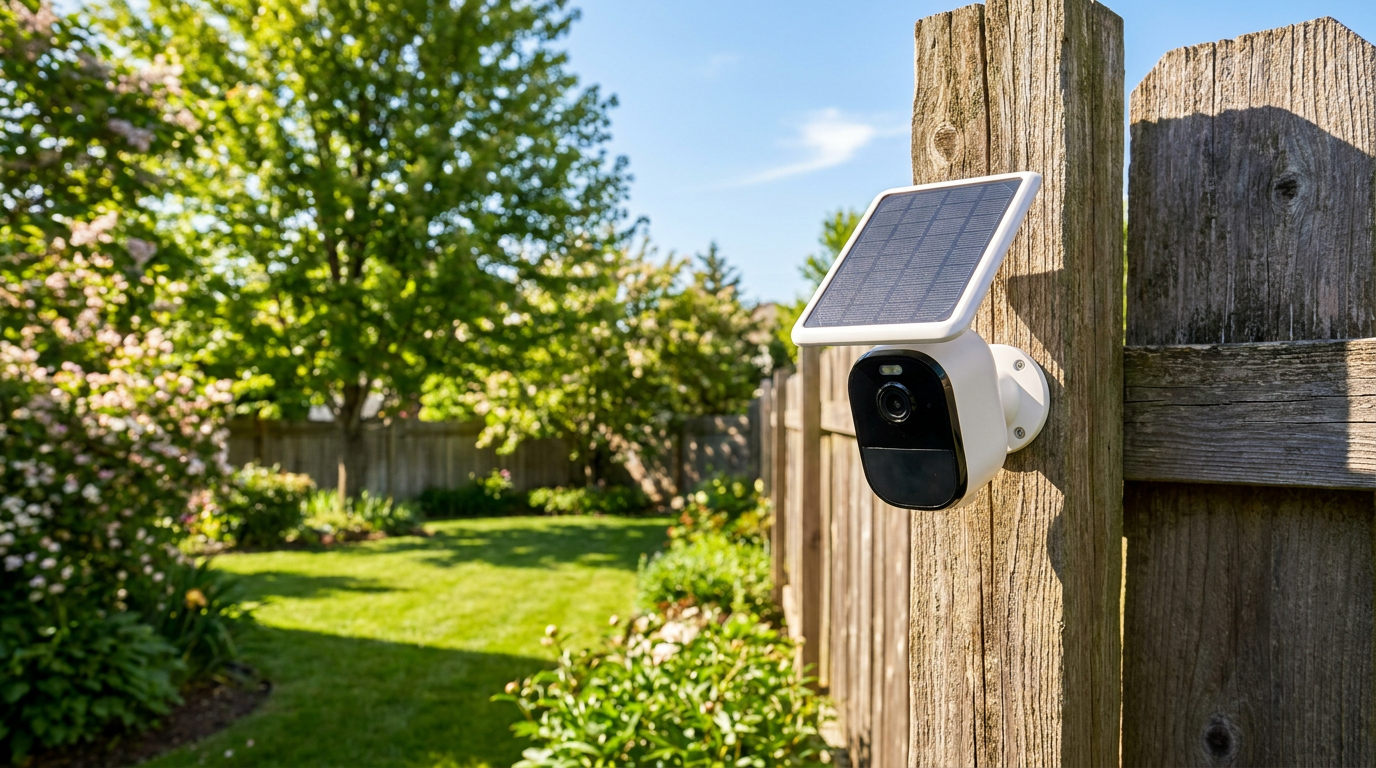
A solar security camera is a battery camera with a small solar panel attached. The panel does not run the camera directly. It tops up the battery during the day, and the battery runs everything, day and night. Think of a water tank with a slow tap filling it: as long as more goes in each day than comes out, the tank never runs dry.
Three things decide whether the tank stays full: how many hours of direct sun reach the panel, how big the battery is, and how often the camera wakes up to record. A busy driveway drains it faster than a quiet side yard. The one thing to do before buying is check the exact mounting spot at 9am, noon and 4pm. If it sits in shade for most of that time, choose a camera with a detachable panel you can move into the sun, or skip solar.
How Solar Security Cameras Actually Work
The direct answer: the panel does not power the camera. It trickle-charges the battery inside the camera, and the battery powers everything. That distinction explains almost every solar camera review you will ever read.
A typical panel in this category is rated somewhere between 2 and 6 watts. That is a small amount of power — nowhere near enough to run a camera’s radio and encoder in real time. What it is enough for is to put back more charge across a sunny day than the camera consumed during that day. The system works on a daily surplus, not on live supply. If the surplus is positive on average across a week, the battery stays near full indefinitely and you never touch the camera. If it is negative, the battery declines slowly and you get a low-battery notification eventually — sometimes months later, which is why the failure mode feels so sudden.
This is also why event volume matters as much as sunshine. Two identical cameras with identical panels, one on a quiet garden wall and one facing a busy sidewalk, sit on opposite sides of that break-even line. The camera itself is not the variable. The traffic in front of it is.
Solar Panel Size, Sunlight Exposure and Panel Angle
Three numbers decide whether a given installation stays charged.
Direct sun hours at the panel. Not daylight hours — direct sun hours. Bright overcast delivers a small fraction of full-sun output, and dappled shade under a tree is worse than it looks because a partially shaded panel can lose disproportionate output. The consensus requirement across the category is two to four hours per day, and the honest way to check is to look at the mounting spot at 9am, noon and 4pm rather than assuming.
Panel wattage. Bigger panels genuinely help, and the difference between a 2W panel and a 5W panel is meaningful in marginal locations. But panel size cannot rescue a shaded position. Owners who upgrade panels in a shaded spot report modest improvement; owners who move the same panel eight feet into the sun report the problem disappearing.
Battery capacity. This is the buffer that carries the camera through a stretch of gray days. A larger battery does not generate power, but it decides whether five overcast days in a row is a non-event or a dead camera. In northern climates, battery capacity is arguably the more important of the two numbers.
Mounting angle is the free upgrade almost nobody uses. A panel flat against a vertical wall receives sunlight at a poor angle for most of the day, especially in summer when the sun is high. Angling the panel upward toward the midday sun, using the adjustable bracket most kits include, is a genuine output gain that costs nothing. In snow country it has a second benefit: a tilted panel sheds snow instead of collecting it.
Cloudy Days, Battery Drain and the Winter Problem
Every review of this category should say this plainly, and most do not. Solar cameras are meaningfully harder to keep charged from November through February above roughly the 40th parallel.
Four things stack up at once. Daylight hours shrink. The sun sits lower, so a vertically mounted panel that was poorly angled in summer is now better angled but receiving weaker light through more atmosphere. Cold reduces the usable capacity of the lithium cell, so the same charge does less work. And snow physically covers the panel, which takes output to zero until it melts or gets wiped.
Owner reviews from the northern half of the US are consistent about the practical result: a camera that ran untouched from spring to fall wants one or two manual charges over the winter, and the low-battery alert arrives during the first long cold snap. This is not a product defect and it is not a reason to avoid solar. It is a reason to buy a model with a removable or swappable battery if you live somewhere that gets a real winter, and to mount the panel where you can reach it without an extension ladder in February.
Southern and southwestern owners essentially never encounter this. In Arizona, Texas, Florida and Southern California, solar cameras in a sunny position are reported as genuinely set-and-forget, which is exactly what the category promises.
Top 3 Recommended Solar Cameras

The aosu D1 Classic holds the deepest review base of any solar camera tracked on this site, sold as a four-camera kit for covering a whole property with no wiring and no monthly fee. Each camera includes 360-degree auto-tracking, and the four share 32GB of local storage on the included aosuBase hub. Owners consistently credit it as the kit that genuinely stops needing attention once positioned correctly in the sun. It is a fully wire-free installation on any sunlit wall.
Why You Should Get This
If you want to cover a whole property with solar cameras that genuinely stop needing attention, this is the best-evidenced kit.
Benefits
- Deepest review base of any solar camera tracked on this site.
- 32GB shared storage on the included hub, no subscription required.
- Four-camera kit covers a whole property in one purchase.
Pros and Cons
- Largest, most trustworthy review base in solar.
- 360° auto-tracking on every camera.
- No recurring cost after purchase.
- Performance depends on adequate daily sun exposure.
- 3MP resolution rather than 4K.
- Higher upfront cost than a single camera.
Features
- 360° auto-tracking.
- 32GB storage on the included aosuBase.
- 3MP color night vision.
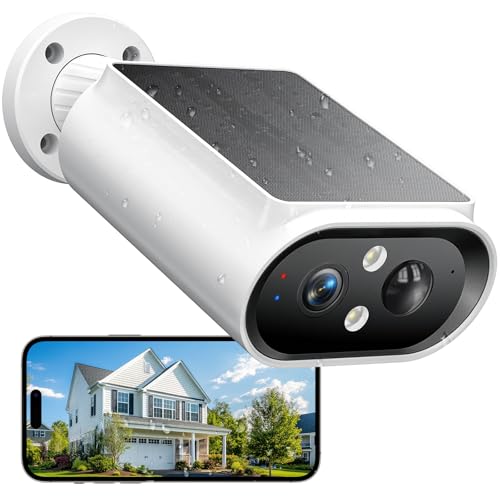
The AlkiVision holds the highest star rating of any solar camera tracked on this site, delivering 2K resolution with color night vision, a spotlight, siren and two-way audio at an entry-level price. Its IP67 weatherproof rating suits genuinely exposed mounting positions. The review base is still small, so treat the rating as promising rather than fully proven the way the aosu kit’s much deeper review base is. It suits a single sunlit corner, shed or side gate rather than whole-property coverage.
Why You Should Get This
If you need one camera for a single sunlit spot and want the highest-rated option at a low price, this is it — with the honest caveat of a smaller review base.
Benefits
- Highest star rating of any solar camera tracked on this site.
- 2K resolution with color night vision at a low price.
- IP67 weatherproof rating for exposed positions.
Pros and Cons
- Best price-to-rating ratio in solar cameras.
- Built-in spotlight, siren and two-way audio.
- Genuinely weatherproof for exposed mounting.
- Small review base so far.
- Single camera, not a multi-position kit.
- Newer to market than the established aosu kit.
Features
- 2K, color night vision.
- 360° view, AI motion detection.
- Spotlight, siren, two-way audio.

The GALAYOU R6 solves the real-world problem where the best camera angle and the best sun exposure are not the same spot, via a detachable solar panel on a cable. It delivers 2K video with color night vision and runs on 2.4GHz WiFi with local storage, at a strong owner rating and an entry-level price. Owners consistently value the ability to mount the camera where the view is and the panel where the sun is. It suits garages, farms and outbuildings where a fixed integrated panel would compromise the shot.
Why You Should Get This
If the ideal camera angle and the sunniest spot on the wall aren’t the same place, this is the camera built specifically to solve that mismatch.
Benefits
- Detachable panel lets you separate camera placement from sun exposure.
- 2K video with color night vision.
- Local storage, no subscription required.
Pros and Cons
- Solves the camera-vs-sun placement conflict other solar cameras can’t.
- Strong rating at a low price.
- Well suited to garages, farms and outbuildings.
- Panel cable adds an extra installation step.
- Single camera, not a multi-position kit.
- Smaller brand than aosu or eufy.
Features
- 2K video, color night vision.
- Detachable solar panel on a cable.
- 2.4GHz WiFi, local storage.
Off-Grid Spots Where Solar Charging Earns Its Place
Solar is not a general-purpose upgrade to every camera. It is the right answer for specific situations, and the reviews make those situations very clear.
- Detached structures. Sheds, barns, detached garages and workshops — places with a roofline, a sun exposure and no convenient outlet. This is the classic solar case and the one that produces the most satisfied owners.
- Gates, driveways and property lines. Long distances from the house where running power would mean trenching. If WiFi reaches, solar is dramatically cheaper than the alternative. If it does not, look at cellular in the no-WiFi hub.
- Rentals and HOA properties. No wiring means no permission needed and nothing to restore when you leave.
- Seasonal and second properties. A cabin or a lake house nobody visits for two months is precisely where a camera that never needs charging matters most.
- Anywhere you have already gotten tired of the ladder. A large share of solar buyers are battery-camera owners on their second purchase, and that is a rational upgrade path.
Where solar is the wrong answer: a north-facing wall, a heavily wooded lot, a covered porch, an apartment balcony under the balcony above, or any high-traffic frontage where the event count is so high that no small panel keeps up. In those cases either run power and read the wired PoE hub, or accept the recharge cycle and buy on battery capacity from the wireless and battery hub.
What Consumer Reports says. In its home security camera buying guide, Consumer Reports notes that battery-powered cameras "offer the most flexibility in terms of placement," but that, depending on the camera and how heavily it is used, you will need to recharge one anywhere from weekly to annually. To cut down on recharging, it suggests a camera with a built-in solar panel or a solar panel accessory. That matches what owners describe above: solar reduces the ladder trips rather than removing them.
Types of Outdoor Solar Cameras
Three types of solar camera dominate the market, and they are not interchangeable. All-in-one units have the panel bolted to the camera housing — Ring, Blink and Wyze all sell versions of this — and they are the easiest to install and the hardest to optimize, because the panel can only face where the camera faces. Split units put the panel on a separate cable, which is how most Reolink, Eufy and Arlo solar setups work, and they are the better buy in any yard with partial shade because you can chase the sun without giving up the view.
Solar cellular cameras add their own LTE SIM, so they need neither an outlet nor a router. They cost more and usually carry a data plan, but for land, a gate or a cabin they are the only type of solar powered security camera with no WiFi that works at all. If that is your situation, the no-WiFi hub is the right place to shop.
How to Choose on a Budget: Installation and No Outlet Needed
The appeal that sells wireless solar cameras is simple: no outlet needed, no drilling through a wall for a cable, no electrician. Installation is typically two screws or a mount strap plus five minutes of panel aiming, which is why solar sits so well with renters and with anyone covering a shed or a gate.
On budget, the honest guidance from owner ratings is that the cheap end of solar is unusually good. A single entry-level unit in a sunny spot performs close to a mid-priced one, because the panel and the battery — not the sensor — decide whether you are satisfied. Spend more only where the situation demands it: a bigger battery for a northern winter, a split panel for a shaded yard, 2K or 4K resolution for a long driveway, or cellular for a property with no network. Read the sun exposure at your mounting spot before you read any spec sheet.
What to Look For: Battery Backup, Recharge and Subscription
Beyond the solar system itself, solar cameras carry a fairly consistent feature set, and a few of those features deserve scrutiny.
Battery backup and recharge options. The battery is the backup — it is what carries the camera through a run of dark days — so check its rated capacity, and check whether it is removable. A removable pack means a winter recharge is a two-minute swap at the kitchen table instead of an hour on a ladder. Cameras with a USB-C charging port on the body give you the same escape route without removing anything, and that port is also what lets you top the camera up fully before you mount it, which every listing recommends and most owners skip.
Pan and tilt. Most solar cameras in the current market are 360-degree pan-tilt units, often with auto-tracking. The coverage benefit is real — one camera watching a whole yard. The cost is power: motors draw current, and auto-tracking means the motor runs on every event. In a marginal sun position, turning auto-tracking off is one of the more effective battery savings available.
Color night vision. Delivered either by a spotlight or by a large-aperture starlight sensor. The spotlight version produces far more identifiable footage and costs power on every nighttime event. If the camera is in a marginal position, infrared-only at night is the efficient choice.
Weather rating. Look for IP65 as a minimum and IP66 or IP67 for exposed positions. This applies to the panel and its cable connection as much as the camera body — the connector is the part owner reviews report water getting into.
Local storage. A large share of solar cameras include a microSD slot or built-in flash and run with no subscription, which is one reason this category rates well with cost-conscious buyers. Check it explicitly rather than assuming; the no-subscription guide separates the genuine cases from the marketing.
Detection intelligence. Person, vehicle and animal detection matters more on solar than anywhere else, because every false trigger is charge you do not get back. A camera that fires on every passing branch will drain a panel that would comfortably sustain a smarter one.
Installation Realities: Mounting Height, Panel Placement and Access
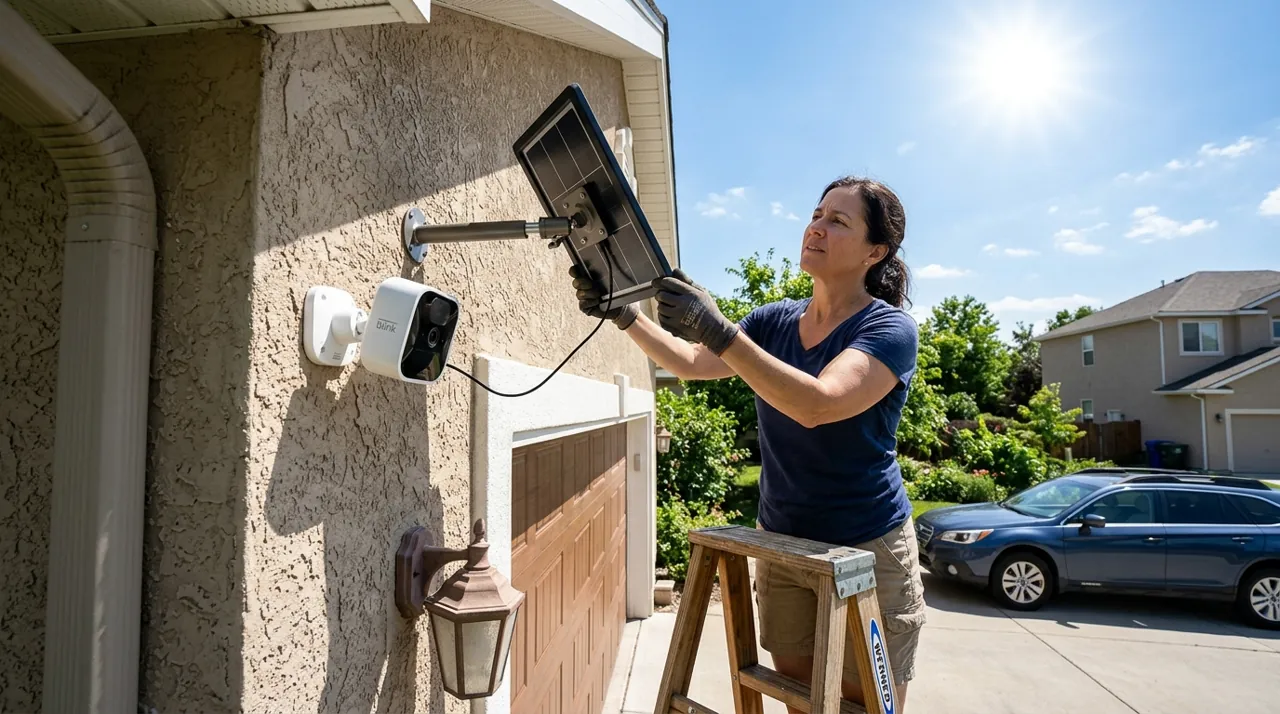
The part of a solar install that gets rushed is height and aim. Roughly eight to ten feet up, angled down toward the path a person would actually walk, gives usable faces; higher than that gives you excellent footage of the tops of heads. Cameras positioned for maximum panel exposure rather than maximum coverage are one of the most common regrets in owner reviews. Mount for the shot first, then solve the sun with panel placement or a longer cable.
Choose a spot you can reach again, too. A camera on a two-storey gable is fine until the first winter charge is due and the only ladder you own is eight feet short. Owners in northern states consistently report that reachability, not resolution, is the spec they wish they had thought about.
More Solar Cameras Worth Knowing About

Best for buyers who want a dual-lens solar camera with 8x hybrid zoom.
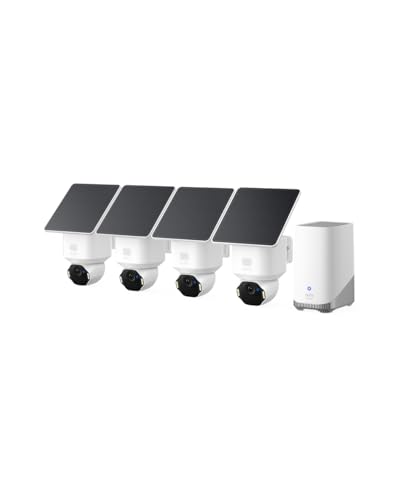
Best for buyers who want 4K detail and no subscription across four solar positions.

Best for angling a solar panel independently of the camera for maximum sun exposure.
Going Deeper: How a Small Panel Turns Sunlight Into Charge
The panel on a solar camera is a scaled-down version of a rooftop system. The Department of Energy explains that photovoltaic materials convert sunlight into electricity, that an individual PV cell typically produces about 1 or 2 watts, and that cells are connected in chains to form modules. A camera panel in the 2 to 6 watt range described above is therefore only a handful of cells, which is why it works on a daily surplus rather than live supply.
Those wattage ratings are best-case figures. A DOE-sponsored assessment of 75 federal PV systems notes that modules are rated under standard test conditions of 1,000 watts per square metre of sunlight and a 25°C cell temperature, but that in practice sunlight is usually less intense than that and cells usually run hotter, and output falls as temperature rises. The same report says most of the variation in the solar resource is predictable from the time of day, the time of year and the angle at which sunlight hits the module, with clouds as the unpredictable part.
That angle is why tilt matters. The U.S. Energy Information Administration notes that tilting a panel toward the south at an angle equal to its latitude maximizes its annual exposure to direct sunlight, and that installations further north typically use steeper tilts. A panel pressed flat against a vertical wall is rarely near that angle, so the adjustable bracket is a real gain. Shade is the other big loss: DOE lists soiling, module operating temperature and partial shading among the sources of power loss in operating systems. Manufacturers’ own requirements reflect this, with aosu and eufy both quoting about two hours of direct sunlight a day under typical use.
Where to Start
Go to the best solar security cameras rankings for specific models with verified ratings and the recurring complaints attached. If there is no WiFi where you need the camera, solar alone will not solve it — read the best security cameras without WiFi, most of which are solar-powered anyway. If your mounting spot is shaded or north-facing, skip this category and read best wireless security cameras instead, where battery capacity rather than sun exposure is the deciding number. And if the camera is going on a busy front elevation where events run into the dozens per day, the honest recommendation is power: start with the floodlight cameras hub or wired PoE. The frequently asked questions below cover sun hours, winter output, panel compatibility and mounting position, and the topical map covers the rest.
Sources & References
- Home Security Camera Buying Guide — Consumer Reports
- Solar photovoltaic technology basics — U.S. Department of Energy
- Understanding Solar Photovoltaic System Performance: An Assessment of 75 Federal Photovoltaic Systems — U.S. Department of Energy / NREL
- Most utility-scale fixed-tilt solar photovoltaic systems are tilted 20 degrees-30 degrees — U.S. Energy Information Administration
- Photovoltaic system design and energy yield — U.S. Department of Energy
- SolarCam D1 Classic kit — aosu
- eufy SoloCam S340 — eufy (Anker)