
Affiliate Disclosure: Some links on this page are affiliate links. As an Amazon Associate, we earn from qualifying purchases — at no extra cost to you. We do not buy, install, or physically handle the cameras we cover; our rankings come from aggregated owner reviews, ratings and expert consensus. Commissions never change our verdicts. We're reader-supported: commissions fund hosting, research and updates, so if a guide helped, buying through our links keeps it going. How we rank · full disclosure.
Short version: the Google Nest Doorbell (Battery) is a good fit if you have no doorbell wiring and already use Google Home. It runs on a built-in battery or, optionally, on existing doorbell wires, and it gives you live view and a short event preview for free. Its weak points are a modest 960 x 1280 picture, no 24/7 recording on this model, and battery life that swings from about a month to about six depending on how busy your door is. If you do have wiring, look at the wired Nest Doorbell instead.
Part of our video doorbells hub. For the wider Nest range see the best Nest cameras, and to weigh it against Ring see Ring doorbell vs Nest doorbell.

Best for homes with no doorbell wiring that already run Google Home.
- 960 x 1280 HD in a tall 3:4 frame.
- 145° diagonal field of view with HDR.
- Built-in rechargeable battery, or connect to existing doorbell wiring.
- Free 3-hour event video preview without a plan.
Why buy it: The only battery doorbell in this hub built around Google Home, with a usable free tier and an optional wired mode.
In Plain English
The Nest Doorbell (Battery) is a doorbell with a camera in it, made by Google. When someone presses the button or walks up to your door, it sends an alert to your phone and lets you see and talk to them, even if you are not home.
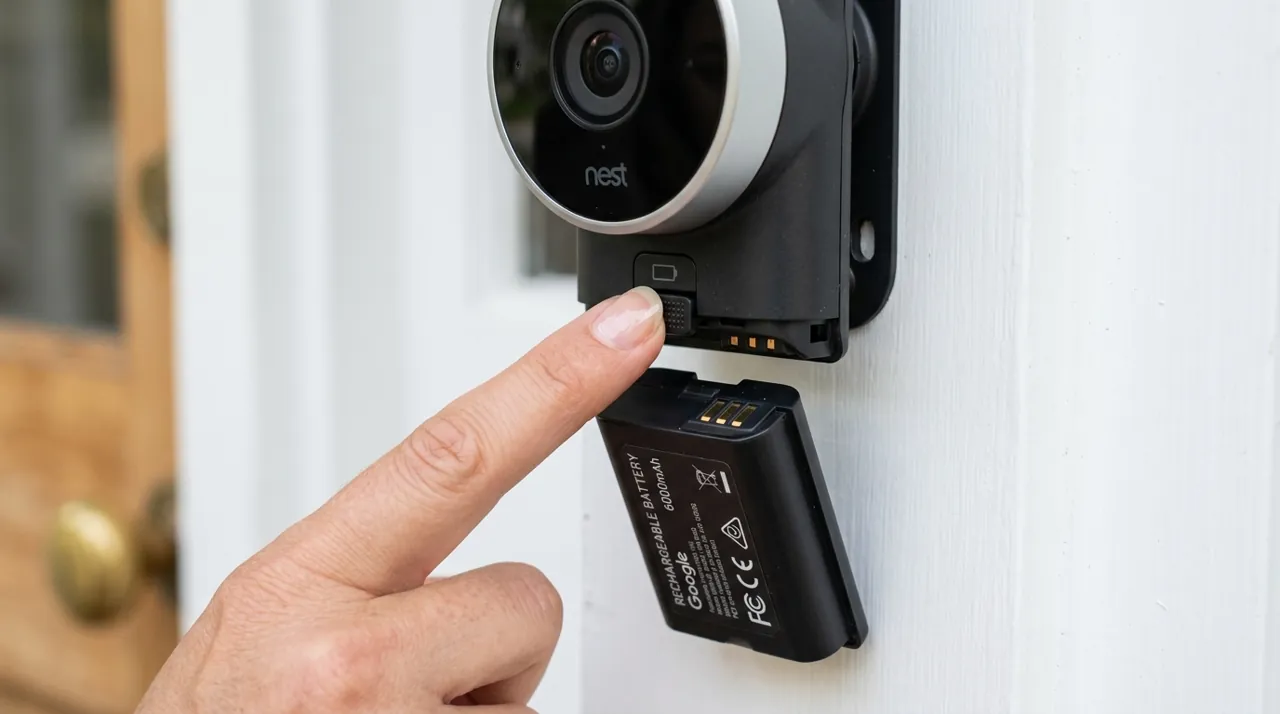
Because it has its own rechargeable battery, you do not need any doorbell wiring. You screw it to the wall and connect it to your WiFi. If you do have doorbell wires, you can connect them too, and they keep the battery topped up.
Its picture is tall rather than wide, so you can see a person from head to feet with a parcel at their feet. It works best inside the Google Home app alongside other Google devices.
Think of the battery like a phone battery: a quiet house barely touches it, while a busy street with lots of movement drains it fast. The one thing to know before buying is that live view and a few hours of recent clips are free, but keeping video for weeks means paying for a Google Home Premium plan.
Full Manufacturer Specifications
Sourced from Google’s technical specifications for Nest cameras and doorbells (support.google.com).
| Video | HD, 960 x 1280 pixels, up to 30 frames per second, 3:4 aspect ratio |
| Sensor | 1.3-megapixel color sensor |
| Field of view | 145° diagonal |
| HDR | Yes |
| Night vision | 4 infrared LEDs (850 nm) |
| Weather rating | IP54 |
| Operating temperature | -4°F to 104°F (-20°C to 40°C) |
| WiFi | 802.11a/b/g/n, 2.4 GHz and 5 GHz in the US |
| Battery | Built-in rechargeable Li-Ion, 6 Ah, 3.65V |
| Wiring (optional) | 8 to 24 V AC, 10 to 40 VA, 50 to 60 Hz; charges up to 80% when tethered |
| Size and weight | 1.8 in wide, 0.95 in deep, 6.3 in tall; 7.3 oz |
Summary
The Nest Doorbell (Battery) is Google’s answer to a common problem: many homes, especially rentals and older houses, have no doorbell wiring at all, or wiring that a smart doorbell cannot use. A battery doorbell gets around that, and this one adds a taller-than-wide frame and Google Home integration. On this site it carries a 4.2 owner rating, which is solid rather than standout, and it sits below the wired Nest Doorbell (3rd Gen) at 4.4.
The trade-off is that battery power shapes almost everything about it. Google’s own battery guidance describes an automatic battery saver that restricts recordings to person detection and reduces video quality when only about seven days of battery remain, and it states that 24/7 video history is not available for this model. Together that suggests treating it as a doorbell that catches events, not one that watches continuously.
Battery Life and Charging
Google publishes estimates rather than a single figure, which is more honest than a headline number. On a busy door with 25 to 30 recorded events a day, it says to expect about one month. On a typical door with 13 to 16 events a day, about 2.5 months. On a quiet door with 2 to 5 events, about six months. If you live on a street with foot traffic, or your doorbell faces a road, you are in the busy category whether you like it or not.
Charging takes about five hours for a full charge, per Google’s troubleshooting page, and the battery will not charge at temperatures below 32°F (0°C), charging only slowly near freezing. In practice that means winter charging is an indoor job. Google also recommends official or Made for Google power adapters, since other adapters can send too little or too much power.
The way to stretch the battery is in Google’s battery-saving tips: lower the video quality setting, shorten the maximum event length, create activity zones so passing traffic does not trigger recordings, turn off events you do not need, and lower the wake-up sensitivity. Or connect it to your doorbell wires, which Google lists as a way to supplement battery power. See how long a video doorbell battery lasts for the wider picture.
Wiring: Optional but Worth Using
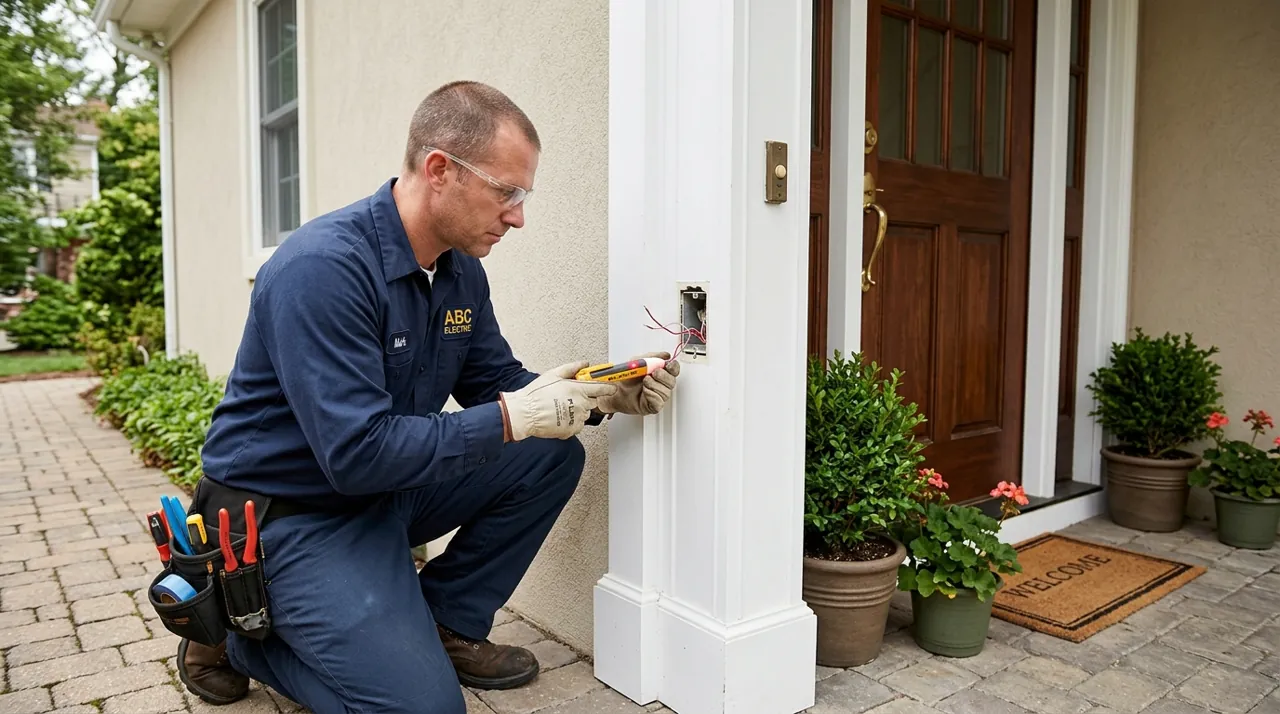
The most useful thing about this model is that it does not force a choice. Google says it works on battery alone or connects to existing doorbell wires for continuous charging, and lists 8 to 24 V AC and 10 to 40 VA as the requirement. It also says the battery model does not need the chime connector the wired model uses, which simplifies installation, though using your existing chime may require professional wiring work.
Owners with wiring generally benefit from using it, because it removes most of the recharging chore. When tethered, Google says the battery charges up to 80%, a deliberate limit to extend battery life. Our video doorbell without wiring answer covers the no-wiring case in more detail.
Free vs Paid Video History
This is where Nest is more generous than some rivals. Google says a 3-hour event video preview is available without a Google Home Premium subscription for both the Nest Cam (battery) and the Nest Doorbell (battery). Live view, two-way talk, activity zones and zoom are also free, according to Google. A Standard plan adds up to 30 days of event video history, and an Advanced plan up to 60 days. Google’s support page says Standard also adds person, animal, vehicle and motion alerts, familiar face detection and package detection for doorbells.
The catch is 24/7 recording. Google states that the 24/7 video history feature is not available for the Nest Doorbell (battery), even with optional wired installation, so the Advanced plan’s continuous history does not apply. If you want to scrub back through an entire day, this model will not do it. Plan names and prices change, so confirm on Google’s current page. Our is Nest Aware worth it guide covers the subscription question.
Video Quality and Framing
At 960 x 1280, this is a clear but not sharp picture by 2026 standards, and 2K doorbells will show more detail when you zoom in. What you get in exchange is a tall 3:4 frame, HDR for doorways with strong backlight, and a 145° diagonal view. The taller frame is the practical selling point: a visitor’s face and the parcel at their feet fit together. Night vision uses four infrared LEDs at 850 nm.
Who It’s For
Buyers with no usable doorbell wiring, such as renters or owners of older homes, who already use Google Home and want a free tier that covers live view and a short clip window. It is also a good match for a quiet side or front door with low traffic, where the battery lasts the longest.
Who Should Skip It
Anyone with doorbell wiring should look at the wired model, and anyone who wants continuous recording should skip this one entirely. Buyers who want the sharpest picture may prefer a 2K doorbell; see our best video doorbell cameras. If avoiding a plan is the priority, see best video doorbell without subscription.
Going Deeper: How a Battery Doorbell Actually Works
Understanding why the numbers look the way they do makes the buying decision much easier. A battery doorbell cannot afford to record all the time, because a camera that streams continuously would empty a 6 Ah battery within days, so battery cameras in general sleep until a sensor tells them something has happened, then wake, record a clip and send it. Google does not spell out this design in its specs, but its event-based estimates, battery-saving tips and lack of 24/7 recording on this model all point the same way.
That is why the battery estimate depends on events rather than days. Each wake-up costs battery, and a busy door creates many. Google’s battery-saving list is really a list of ways to reduce wake-ups or make each one cheaper: activity zones stop passing cars triggering it, a shorter maximum event length cuts each recording, and a lower video quality setting reduces the data sent. It also explains why the doorbell records event clips rather than a continuous stream, and why Google says the 24/7 history is unavailable for it.
It also explains the cold-weather behavior. Lithium batteries deliver less and charge less in the cold; Google says the battery will not charge below 32°F, and that as the temperature gets colder the battery life gets shorter. If you live somewhere with hard winters, plan on bringing the battery in to charge and treat the summer figures as optimistic.
The wiring option changes the equation. On a wired connection the battery is topped up continuously, so wake-ups no longer threaten the runtime, though Google’s 80% charging limit applies when tethered. That is worth using if you can, because the doorbell’s main weakness disappears. The catch is that your existing transformer must supply 8 to 24 V AC and 10 to 40 VA, so check the transformer label or Google’s compatibility page before assuming it will work.
Finally, subscriptions. The free tier is designed to make the doorbell useful on day one: live view, two-way talk and a short event preview. The paid tier is designed to make it a record: weeks of event history, smarter alerts and, on wired models only, continuous recording. Whether that is worth paying for depends on how often you actually look back at footage. A few hours of clips is enough for checking a delivery. If you regularly need evidence from earlier in the week, budget for a plan or choose a system with local storage.
Sources & References
- Technical specs for Google Nest cameras and doorbells — Google Nest Help
- Save battery for Nest cameras and doorbells — Google Nest Help
- Troubleshoot low battery issues for Nest cameras and doorbells — Google Nest Help
- Check Google Nest doorbell compatibility — Google Nest Help
- Learn about event and 24/7 video history — Google Nest Help
- Learn what you get with a Google Home Premium subscription — Google Nest Help