
Affiliate Disclosure: Some links on this page are affiliate links. As an Amazon Associate, we earn from qualifying purchases — at no extra cost to you. We do not buy, install, or physically handle the cameras we cover; our rankings come from aggregated owner reviews, ratings and expert consensus. Commissions never change our verdicts. We're reader-supported: commissions fund hosting, research and updates, so if a guide helped, buying through our links keeps it going. How we rank · full disclosure.
Short answer: yes, a battery-powered video doorbell needs no existing wiring at all. It mounts with screws into a wall or a mounting block, or with adhesive tape for a fully drill-free option, and runs entirely on its internal rechargeable battery. This is precisely why battery doorbells have become the standard recommendation for renters, for homes with no prior doorbell wiring, and for anyone who wants a working doorbell camera running within fifteen minutes rather than undertaking any electrical work at all.
Recommended Battery Doorbells

Best for a fully battery-powered doorbell needing no wiring at all.


Can a Video Doorbell Work Without Existing Wiring? What Battery Models Actually Need
A battery doorbell needs only a mounting surface and, before first use, a charged battery — most ship with the battery charged enough to complete setup, with a full charge recommended shortly after. The mounting itself is the same simple screw-or-adhesive process common across battery cameras generally, and the doorbell communicates entirely over WiFi to the household network rather than through any dedicated wiring, which is exactly what makes the no-wiring installation possible in the first place.
Some battery doorbells offer optional connection to existing low-voltage doorbell wiring (Ring lists 8–24 VAC for its Battery Video Doorbell 2K, for example) specifically for trickle-charging the battery continuously, turning what would otherwise be a periodic recharge chore into a non-issue. This is an enhancement available to households that happen to have existing wiring, not a requirement — the doorbell functions completely without it, just with a shorter interval between manual charges.
Mounting Bracket, Adhesive and WiFi: The Installation Steps
A typical wiring-free install follows the same basic sequence regardless of brand: download the companion app, create an account, and charge the doorbell fully before the first mount if it did not ship at full charge. Attach the mounting bracket with the included screws for a permanent fit, or the included adhesive strips for a fully drill-free option that still holds securely for most exterior doors. Slide or clip the doorbell onto the bracket, connect to the home WiFi network through the app, and run a test ring to confirm the chime and phone notification both work before considering the job finished.
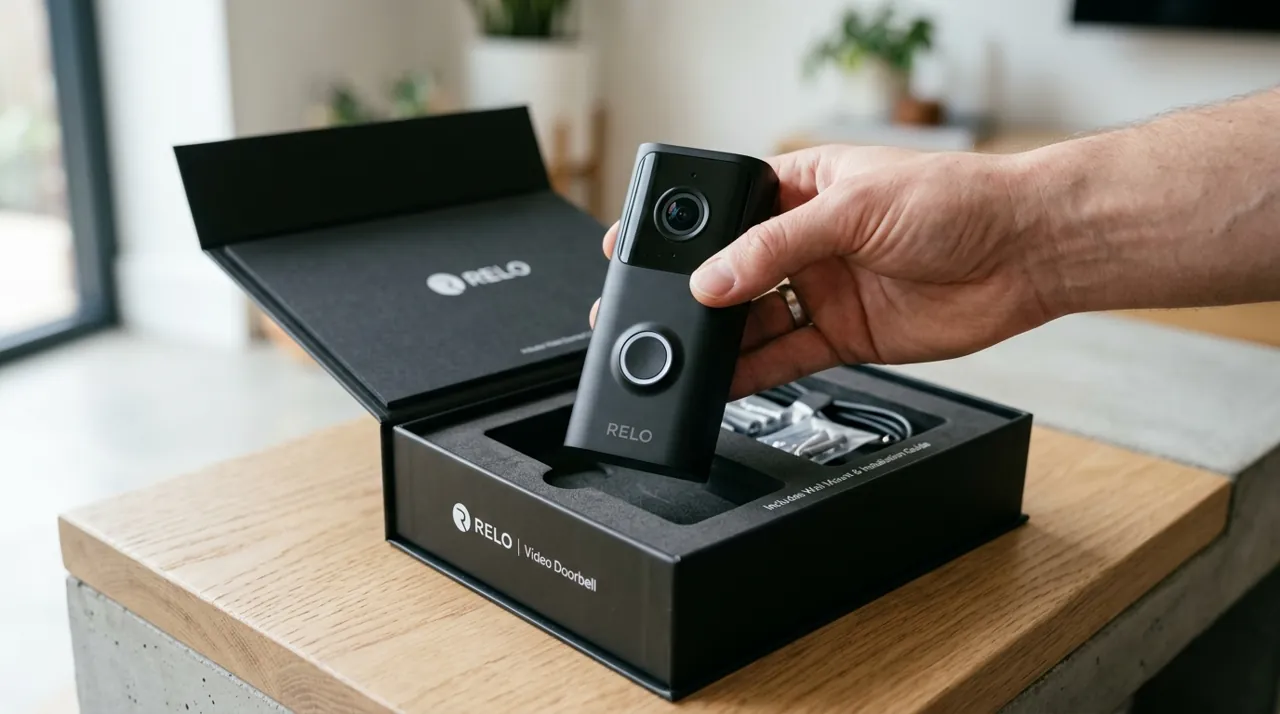
Most boxes include the doorbell itself, a mounting bracket, a mounting plate or angle wedge for angled door frames or narrow trim, often a USB charging cable (Ring's current Battery Video Doorbell 2K ships without one), screws and wall anchors for masonry or siding, and a printed quick-start guide. A security screw or tamper-resistant fastener is common on the bracket specifically to deter theft of the unit itself, since a wiring-free doorbell has no cable anchoring it in place the way a wired one does. Check the specific listing for what is included versus sold separately, since chime accessories and extra mounting wedges are sometimes bundled and sometimes an added purchase.
The One Real Tradeoff: Recharging
Going wiring-free trades continuous power for a recurring recharge cycle, and that tradeoff is the single most common source of owner frustration with battery doorbells specifically. A busy front door generates enough rings, motion events and live-view checks that real-world battery life often lands well below the manufacturer's quoted figure, requiring more frequent attention than a wired doorbell, which never runs down at all. This is a genuine, ongoing tradeoff rather than a one-time setup inconvenience, and it is worth weighing honestly against the installation convenience before choosing battery over wired.
Power, Hardware and the Doorbell Chime Without Wiring
Households without existing wiring, and therefore without a traditional mechanical chime connected, generally rely on the app's phone notification as the primary alert, sometimes supplemented by an optional plug-in wireless chime unit sold separately by most doorbell manufacturers specifically for this scenario — Ring's Chime, for example, simply plugs into a standard outlet and works with all Ring doorbells. This covers the core need — knowing someone is at the door — without requiring any physical connection to existing infrastructure, though some owners specifically miss the audible, no-phone-required chime a wired system provides throughout the house.
Renters, Moving Out and Taking the Doorbell With You
A wiring-free doorbell's biggest practical advantage for renters is not just the drill-free install — it is that the device belongs entirely to the household, not the property. A traditional wired doorbell is typically treated as a fixture and left behind at move-out; a battery doorbell mounted with adhesive or a light bracket comes off in minutes and travels to the next address the same way a lamp or a smart plug does. That makes it a genuinely portable purchase rather than an investment tied to one specific door, which matters for anyone who expects to move again within the doorbell's useful life.
The practical steps at move-out are simple: unmount the bracket, patch or leave the small adhesive residue or screw holes depending on the lease's expectations, and remove the device from its associated account in the app before re-registering it at the new address. Skipping that last step is the most common source of setup trouble for a doorbell moved between homes, since some apps expect a factory reset before pairing to a new WiFi network.
Common Misconceptions About Wiring-Free Installation
A few assumptions trip up first-time buyers specifically around the "no wiring" claim. The first is that "wiring-free" means the doorbell cannot use wiring at all — in fact, many models can optionally connect to existing low-voltage wiring purely for trickle-charging, which is a bonus for households that happen to have it, not a requirement for anyone else. The second is that a battery doorbell is inherently less capable than a wired one — for the actual ringing, live view and two-way talk functions, the two perform essentially the same in everyday use; the main functional gap is that a wired unit never needs recharging, and some wired models add power-hungry extras that battery models skip. The third is that installation without wiring means installation without any tools — most owners still use a screwdriver for a secure bracket mount, even though adhesive is available as a genuinely drill-free fallback for rentals and unusual surfaces.
When Wiring-Free Is the Right Call
For renters who cannot modify a property's electrical infrastructure, for homes with no prior doorbell wiring, and for anyone who wants a working setup the same day it arrives, a battery doorbell is close to the obvious choice. For a household already running dedicated low-voltage doorbell wiring, connecting that wiring — either powering a battery model's trickle charge or running a fully wired doorbell instead — removes the recharge question entirely and is worth doing if the option already exists. See how long does a video doorbell battery last for the recharge-interval details, and video doorbells for the full range of battery and wired options.