
Affiliate Disclosure: Some links on this page are affiliate links. As an Amazon Associate, we earn from qualifying purchases — at no extra cost to you. We do not buy, install, or physically handle the cameras we cover; our rankings come from aggregated owner reviews, ratings and expert consensus. Commissions never change our verdicts. We're reader-supported: commissions fund hosting, research and updates, so if a guide helped, buying through our links keeps it going. How we rank · full disclosure.

Reolink RLK8-800D4
A complete 8-channel 4K PoE NVR system with four dome cameras, 2TB of included storage, and no required subscription.
Check Price →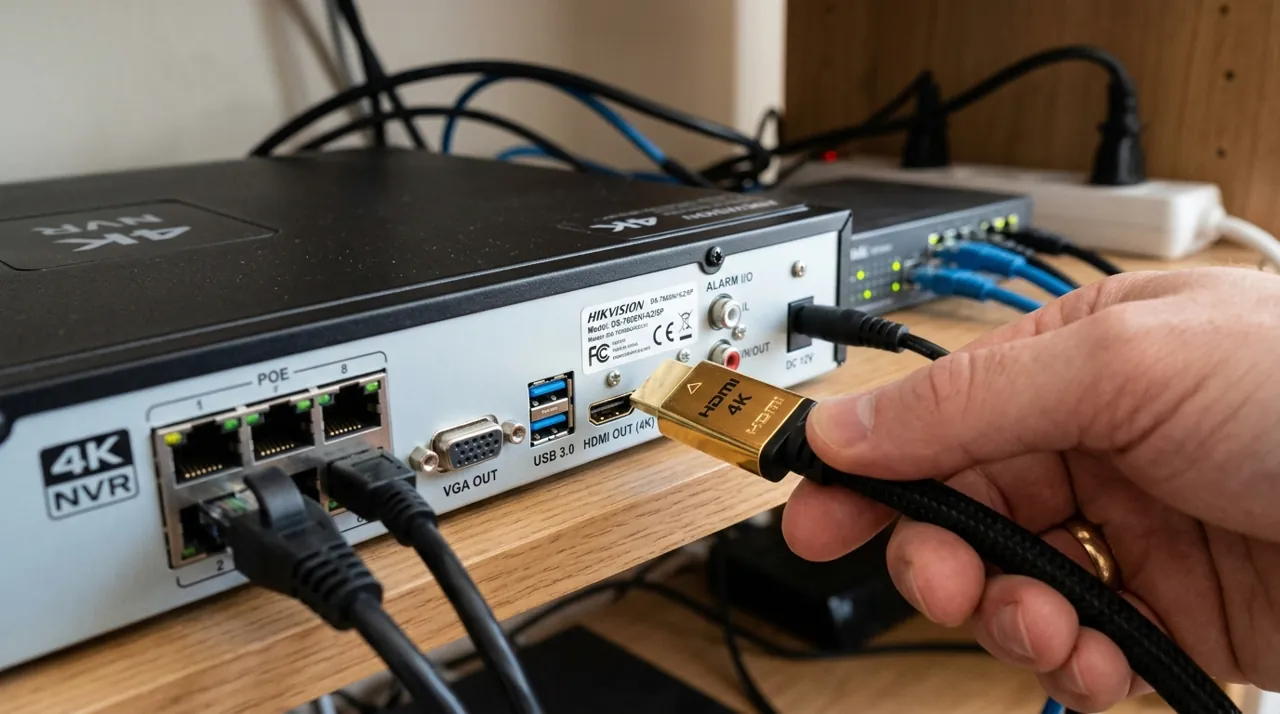
In Plain English
The RLK8-800D4 is a full wired security kit: four dome cameras that record in 4K, a recorder box (an NVR, or network video recorder) and a 2TB hard drive. 4K means a very sharp picture, sharp enough to zoom in on a face or a detail after the fact.
Each camera connects with one network cable that carries both power and video (PoE, or Power over Ethernet). No batteries to charge and no WiFi dropouts.
Think of the hard drive as a whiteboard that is always being written on. At default settings it holds about eight days from all four cameras, then wipes the oldest part to keep going.
Why it matters: you get whole-property coverage with no monthly bill, and your footage never has to leave your home.
The one thing to plan: installation. Running four cables through walls or a roof cavity takes an afternoon or more, so decide where each camera goes, and how the cable gets there, before you start.
Full Manufacturer Specifications
Sourced from Reolink's official product page and spec sheets (reolink.com/product/rlk8-800d4).
| Resolution | 4K Ultra HD (8MP, 3840x2160) — roughly 4x the detail of 1080p |
| Cameras included | 4x D800 4K dome cameras |
| NVR | 8-channel NVR with 2TB hard drive built in |
| Night vision | 18 infrared LEDs per camera, invisible light up to 100ft (30m) |
| Smart detection | Person, vehicle and animal detection with false-alarm filtering |
| Video encoding | H.264 and H.265 |
| Power | Power over Ethernet (IEEE 802.3af PoE) — one cable per camera for power and data |
| Weatherproofing | IP67 camera housings |
| Storage / subscription | Local recording to the included 2TB NVR (expandable, up to 16TB per Reolink), no subscription required |
| Status | Listed as discontinued on Reolink’s product page; availability depends on remaining retail stock |
Summary
The Reolink RLK8-800D4 is a complete four-camera, 4K PoE surveillance system out of the box. It holds a solid rating across a growing review base. It's built for buyers who want a real whole-property system, not individual smart-home cameras assembled one at a time — the NVR, storage and all four cameras arrive in a single purchase.
What Owners Praise
The completeness of the kit is the most-cited advantage. NVR, storage and four 4K cameras arrive as one purchase, with no separate components to source. 4K resolution is repeatedly described as a genuine step up for identifying detail at distance. The 100-foot infrared range is also called out favorably for larger properties. Smart detection filtering — person, vehicle and animal — is reported as effective at cutting down false alerts compared to basic motion-only systems.
What Owners Complain About
Installation is a bigger undertaking than a battery camera. Running PoE cable to four positions is an afternoon-or-more project, not a twenty-minute one. Some owners note the NVR's interface, while functional, is less polished than a consumer smart-home app. 2TB fills up faster at 4K than at lower resolutions, which is worth planning around for continuous recording across four cameras. A few reviewers also mention that four cameras is more than a small apartment or a single-entry home actually needs.
Design and Build Quality
The RLK8-800D4 pairs an 8-channel NVR box with four D800 dome cameras, per Reolink's official product page. The NVR is a compact desktop unit with rear PoE ports, meant to sit near a router or in a utility area, not out in the weather. The four dome cameras use a rounded weatherproof housing, standard for outdoor dome-style security cameras, mounted via a base plate to a wall or eave. Owners generally describe the build as solid and consistent with Reolink's other NVR kits, and the matching camera design across all four units gives a uniform, professional look compared to mixing brands or camera styles around a property.
Installation and PoE Cabling
Each camera connects to the NVR over a single PoE — Power over Ethernet — cable, which carries both power and video on one run, per Reolink's spec page. That's simpler wiring than a traditional CCTV setup, which needs separate power and video runs, but it's still a real cabling project. Running four cables to four camera positions, especially through walls or a roof cavity, is an afternoon-or-longer job for most owners, not a five-minute install. Reolink's documentation walks through NVR setup and camera pairing, which owners describe as largely automatic once the physical cabling is in place — the NVR discovers PoE-connected cameras without manual IP configuration in most home setups.
App, Remote Access and Smart Detection
The Reolink app handles live view, playback and notification management, and per Reolink's spec page the system runs person, vehicle and animal detection with false-alarm filtering built in. Owners report this smart detection meaningfully cuts down nuisance alerts compared to basic motion-only systems, which tend to trigger on shadows, wind-blown branches or passing headlights. Because recording happens locally to the NVR, remote viewing through the app depends on an internet connection, but core recording continues locally even if the internet goes down. H.264 and H.265 video encoding, both listed on the spec sheet, keep file sizes manageable on the included 2TB drive without needing a cloud upload.
Storage Capacity and Night Vision
The included 2TB hard drive stores footage locally with no subscription required, per Reolink's spec page, though 4K recording across four cameras fills that capacity faster than a lower-resolution system would. Owners planning for long-term continuous recording, rather than motion-only clips, should budget for eventually upgrading to a larger drive — see best hard drives for NVR systems for compatible options. Night vision reaches up to 100 feet per camera, using 18 infrared LEDs each, which owners cite as genuinely useful for a larger yard or a long driveway where cheaper cameras' shorter night-vision range leaves the far end of the property dark.
Local Recording and Data Security
Because the RLK8-800D4 records locally to the NVR's own drive, footage never has to leave the property to be reviewed, unlike a cloud-only camera system that streams every clip to a third-party server as a baseline requirement. Reolink's product page for this kit doesn't list a cloud backup option, so owners who want an off-site copy in case of theft or fire damage to the NVR itself need to arrange that separately; nothing off-site is required for the system to function day to day. Owners who prioritize keeping footage under their own control, rather than trusting it to a manufacturer's cloud, consistently cite this as a core reason for choosing a local-recording NVR kit over a subscription-based camera line.
Who It's For
Buyers who want a genuine whole-property surveillance system with local recording, no subscription, and are comfortable with (or willing to hire out) a PoE cable installation. It particularly suits a household replacing an aging analog CCTV system, or starting from scratch on a property with multiple entry points that all need real coverage from day one.
Who Should Skip It
Renters or buyers who want a five-minute install should look at battery cameras instead — see wireless and battery cameras. For a single additional camera rather than a full kit, see Reolink cameras ranked by owner reviews. A small apartment or single-entry home also likely doesn't need all four cameras this kit provides, and a smaller camera count would be a better fit for the budget.
Pros and Cons
Pros: complete 4-camera 4K kit in one purchase, 2TB storage included, no subscription required, strong smart detection filtering, 100ft night vision.
Cons: PoE cable installation is a real project, NVR interface less polished than a smart-home app, 4K fills storage faster than lower resolutions.
Going Deeper: How 4K Bitrate, PoE Power and Weatherproofing Work on This Kit
Reolink describes the cameras as 4K Ultra HD (8MP, 3840 × 2160), almost four times the clarity of 1080p, and gives the numbers that decide storage: a 6,144 kbps default bitrate, and about eight days of recording on the included 2TB drive with all four cameras running. That is roughly 66GB per camera, or 265GB across the kit, every day. The cameras record in H.264 or H.265, and the International Telecommunication Union said H.265 would need only half the bit rate of H.264, so checking the encoding setting is the first step before buying a bigger drive.
Power comes over the video cable. The same Reolink spec sheet lists each camera as IEEE 802.3af, 48V active PoE, and the NVR with eight PoE ports rated at a maximum of 25W each under 802.3af/at. NETGEAR puts the 802.3af level at 15.4W from the power source, Cisco gives a maximum of 100 metres of cable, and Reolink’s cable guidance gives the same 100m (328 ft) limit on Cat 5e or better, or 80m on Cat 5. Measure the real route before buying cable; that is where most installs go wrong.
The IP67 rating tells you what the housings can take. Reolink’s IP rating guide explains that the first digit is dust protection, where 6 means completely dustproof, and the second is water protection, where 7 means surviving temporary immersion up to 1 metre for 30 minutes. Night vision comes from 18 infrared LEDs per camera at 850nm, rated to 30 metres (100 ft), which is invisible to the eye and records in black and white.
Local recording also means predictable behaviour when the internet drops. Reolink documents that with a router but no internet connection, local live view and local playback keep working, while remote viewing and push notifications stop until the connection returns.
Verdict
This is one of the more complete out-of-box answers to "I want real whole-property coverage without a subscription" on this site. Budget the installation time honestly, and it delivers real 4K detail with no recurring bill. See best security camera systems for how it compares against the wider field.
Accessories for This Camera


Best for extending 24/7 recording history beyond the included drive.

Best for maximum retention on a larger camera count or 4K system.
Alternatives to Consider
- REOLINK RLK8-410B4 review
- Best Security Camera Systems — the full ranked field
Sources & References
- Reolink RLK8-800D4 8MP 4K Security Camera System with PoE NVR — Reolink
- How to Power on Reolink PoE Cameras — Reolink
- Reolink Ethernet Cable FAQ — Reolink
- IEEE 802.3af-2003: DTE Power via MDI — IEEE Standards Association
- New video coding standard HEVC (H.265) approved — International Telecommunication Union
- What Is Power over Ethernet (PoE)? — Cisco
- Overview of Official PoE Standards — NETGEAR
- Introduction to Security Camera Weatherproof IP Ratings — Reolink Support
- Can Reolink PoE Cameras and PoE NVRs Work Without Internet? — Reolink