
Affiliate Disclosure: Some links on this page are affiliate links. As an Amazon Associate, we earn from qualifying purchases — at no extra cost to you. We do not buy, install, or physically handle the cameras we cover; our rankings come from aggregated owner reviews, ratings and expert consensus. Commissions never change our verdicts. We're reader-supported: commissions fund hosting, research and updates, so if a guide helped, buying through our links keeps it going. How we rank · full disclosure.
The best security camera systems are whole-property, multi-camera NVR kits — a recorder plus multiple cameras rather than a single standalone unit. Shopping for one camera instead? See best security camera for home.
This guide covers every type of system. A home system comes in three types, and the first job is picking the right one before comparing kits. Wired PoE NVR systems carry both power and video down one Ethernet run per camera to a network video recorder; they are the most reliable and the most-reviewed, and the ranked kits below are all of this type. WiFi / wireless NVR systems pair battery or plug-in wireless cameras with a matching recorder, trading cable work for a dependence on signal — if that is the route you want, start at the wireless and battery cameras hub. Analog DVR systems record older coax cameras and mostly make sense where coax already runs in the walls — the NVR vs DVR guide settles that choice. This page ranks the PoE-NVR field and routes the other two types to their specialists.
The short version: for most households the wired PoE REOLINK RLK8-410B4 is the system without a monthly fee to buy — four 5MP cameras, an 8-channel NVR with four spare channels, a 2TB drive recording continuously, and the largest review base of any system on this page, at the lowest price of the four-camera kits. If you want 4K instead of 5MP, the RLK8-800D4 is the same architecture with sharper cameras; for a large lot or outbuildings, the sixteen-channel RLK16-800B8 with eight 4K cameras is the only kit here with headroom left over. This category is about ownership rather than features: a system records everything, keeps it in your house, and charges you nothing per month. Before buying, read the NVR camera systems hub for the storage and channel math, and if you have committed to wired PoE and want the six-camera options, the dedicated best PoE security camera systems guide owns that ranking.
In Plain English
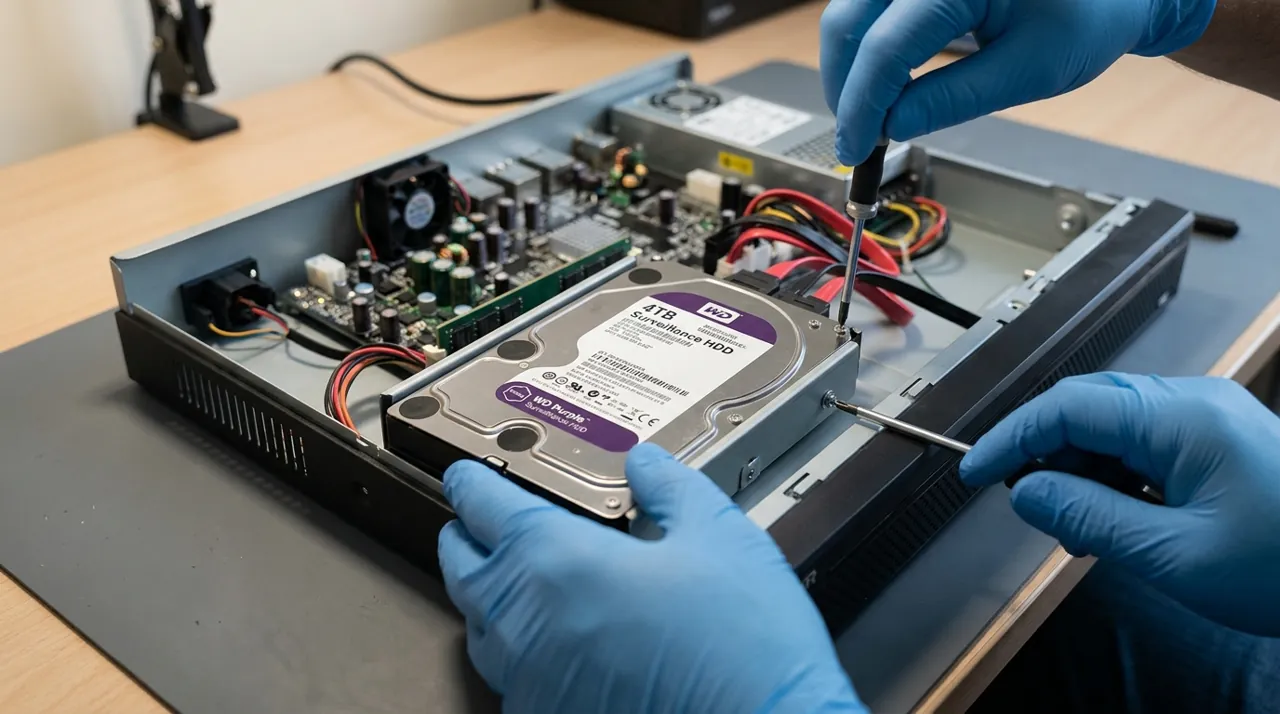
A security camera system is a set of cameras plus one recorder that stores everything they see. The systems ranked here are wired PoE NVR systems. PoE (Power over Ethernet) means each camera gets power and sends video down a single network cable to the recorder, called an NVR (network video recorder).
Picture a video recorder for your whole house: it records all day to a hard drive, and you can rewind any camera from one timeline, on the box or on your phone.
Why it matters: nothing depends on WiFi or a monthly fee, and you keep every minute of footage rather than short clips.
The honest costs are the upfront price and the installation, because running a cable to each camera is real work. Storage also fills faster than people expect: about a week from four cameras on the included drive.
The one thing to do: count the ways someone could approach your home, then buy a recorder with at least two more channels (camera slots) than that.
Top Rated Picks at a Glance
Our #1 Pick, Best Overall: REOLINK RLK8-410B4 5MP System
This kit wins on a combination that is rarer than it sounds: it is the cheapest four-camera system here and it has by far the most owner reviews behind it. Systems in this category usually carry a modest review base. This one carries a far deeper one, and it holds a strong rating across it — which means the failure modes are known rather than speculative, and none of them are severe enough to drag the score down.
Consensus Score ████████░░ 8.8 — from a deep, well-rated base of owner ratings.
The specification is deliberately unexciting and that is the point. Four 5MP PoE bullet cameras, wired for both power and data, on an 8-channel recorder with a 2TB drive spinning 24/7. Person, pet and vehicle detection keeps the alert stream sane. Four unused channels sit there for the camera you will want next spring. Nothing in that list is a headline feature and everything in it is a reason the system is still working three years later.
The honest weaknesses: 5MP is a middle resolution, sharper than the 1080p wireless mainstream but short of the 4K kits below, and owners who want to read a license plate at forty feet do notice. Bullet housings are easier to knock out of alignment than domes and collect spider webs that trigger night-time motion. The 2TB drive holds roughly a week of continuous footage across four channels (Reolink quotes about 8 days for its four-camera 2TB kits), not a month. And the install is a real weekend of running Ethernet, which is the honest cost of everything this category does well.
The Ranked Field: Star Rating, Consensus and Price

Best for a typical house that needs four angles and years of trouble-free recording.
- Four 5MP wired PoE bullet cameras with an 8-channel NVR.
- 2TB hard drive included for 24/7 continuous recording.
- Person, pet and vehicle detection to filter alerts.
- Four spare channels for cameras added later.
Why buy it: It carries the largest review base of any system here at the lowest price of the four-camera kits.

Best for eaves and soffits where a discreet, tamper-resistant housing matters.
- Four 5MP wired PoE dome cameras and an 8-channel NVR.
- 2TB drive included, 24/7 local recording.
- Person, pet and vehicle detection built in.
- Dome housings resist tampering and re-aiming.
Why buy it: Dome cameras are far harder to knock out of alignment than bullets, which matters at ground-floor height.

Best for owners who want to identify faces rather than log events.
- Four 8MP/4K dome cameras with an 8-channel NVR.
- H.265 encoding to keep 4K storage manageable.
- 2TB drive included for continuous recording.
- Smart person and vehicle detection.
Why buy it: 4K is the point where digital zoom on recorded footage stops being decorative.
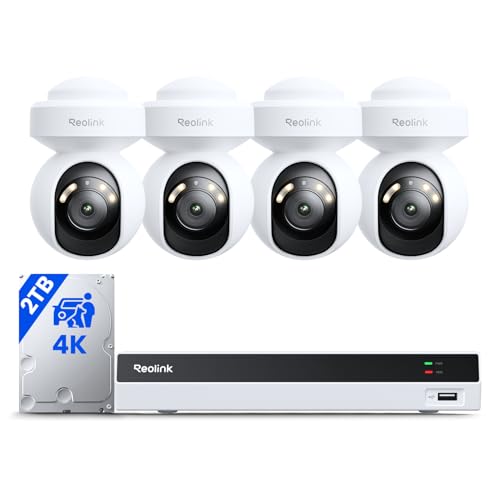
Best for wide frontage and yards where a fixed camera leaves gaps.
- Four 4K pan-tilt cameras with 355-degree pan and 50-degree tilt.
- Auto-tracking follows a person across the scene.
- Spotlights for color night video.
- 8-channel NVR with a 2TB drive included.
Why buy it: Pan-tilt with auto-tracking covers ground that would otherwise need two fixed cameras per corner.
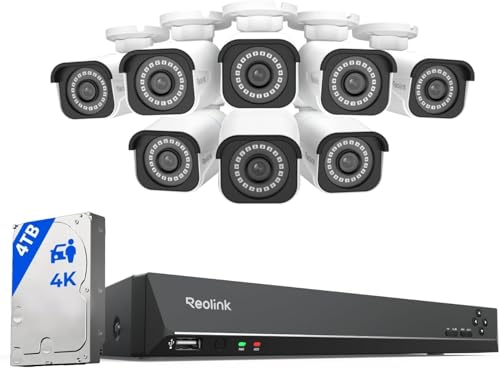
Best for big lots, outbuildings and small businesses.
- Eight 4K bullet cameras on a 16-channel NVR.
- 4TB hard drive for extended 24/7 history.
- H.265 encoding across all sixteen channels.
- Eight spare channels for future expansion.
Why buy it: Sixteen channels and a 4TB drive is the only configuration here that still has room after a property grows.
Comparison Table: Price, Resolution and Storage Capacity
| Product | Best for | Buy |
|---|---|---|
| REOLINK RLK8-410B4 8-Channel 5MP NVR System, 4 Cameras | Best Overall | Price |
| REOLINK RLK8-520D4 8-Channel 5MP NVR System, 4 Dome Cameras | Best Dome Kit | Price |
| REOLINK RLK8-800D4 8-Channel 4K NVR System, 4 Cameras | Best 4K System | Price |
| REOLINK RLK8-800PT4 8-Channel 4K PT System, 4 Cameras | Best Auto-Tracking | Price |
| REOLINK RLK16-800B8 16-Channel 4K NVR System, 8 Cameras | Best Large-Property System | Price |
How We Rank
We do not buy, install or physically handle security camera systems. There is no rack of NVRs behind this site and we will not pretend there is. Our rankings come from aggregated owner star ratings weighted by review volume, so a 4.5 from 195 buyers does not outrank a 4.4 from 2,800; from the recurring themes inside negative reviews, which in this category cluster tightly around installation, storage and firmware rather than image quality; from published specifications cross-checked against what owners report after a full season; and from expert consensus across the category. Review age matters here too — an NVR system that has been on sale for four years with a stable score is a stronger signal than a new model with a perfect one. Full method on how we rank.
Every Camera Kit Reviewed From Owner Reviews
1. REOLINK RLK8-410B4, 4 Cameras — Best Overall
The default recommendation for a normal house. Four 5MP PoE bullets, an 8-channel NVR, a 2TB drive and no subscription (Reolink’s product page now lists the kit as discontinued, and notes some units shipped with 4MP cameras). What owners praise: reliability across years rather than months, night vision that reaches usefully far, smart detection that keeps notifications meaningful, remote app access that works without a fee, and the price relative to every other complete system here. What owners complain about: a dated NVR menu interface, bullet housings that attract spider webs and false night-time triggers, 5MP that falls short for plate-reading at distance, and the drive filling in about a week of continuous recording.
2. REOLINK RLK8-520D4, 4 Dome Cameras — Best Dome Kit
The same system with dome cameras instead of bullets, for a modest amount more. That premium buys tamper resistance and a lower profile under an eave. What owners praise: housings that cannot be casually re-aimed by hand, a discreet look that draws less attention than a bullet, the same 5MP detection and 24/7 recording, and identical no-fee local storage. What owners complain about: domes are fiddlier to aim precisely during installation, the plastic bubble picks up haze and glare over time and needs occasional cleaning, and infrared reflections off the dome can wash out night footage if the housing is not seated correctly.
3. REOLINK RLK8-800D4 4K, 4 Cameras — Best 4K System
Four 8MP/4K dome cameras on the same 8-channel recorder. This is the kit for anyone whose real goal is identifying a person rather than recording that a person was there. What owners praise: detail that makes a zoomed still genuinely usable, H.265 keeping 4K storage from becoming absurd, dome housings, and the familiar local-recording model. Note that Reolink’s own product page now lists this kit as discontinued, so availability depends on remaining retail stock. What owners complain about: a 4.3 average that is the lowest on this page, driven by scattered channel dropouts and firmware quirks; 4K consuming the 2TB drive noticeably faster; and four cameras leaving gaps on anything larger than an average lot.
4. REOLINK RLK8-800PT4, 4 Pan-Tilt Cameras — Best Auto-Tracking
Four 4K cameras that pan 355 degrees and tilt 50, with auto-tracking that follows movement across the scene, plus spotlights for color night video. What owners praise: coverage per camera that fixed lenses cannot match, tracking that holds a person rather than losing them at the frame edge, color night footage from the spotlights, and 4K detail. What owners complain about: a 215-rating review base that is thin for a mid-range system, tracking that hunts back and forth on busy scenes, motors as a mechanical failure point fixed cameras do not have, and the fact that a camera pointed elsewhere while tracking is a camera not watching its home position.
5. REOLINK RLK16-800B8, 8 Cameras — Best Large-Property System
Eight 4K bullet cameras on a 16-channel NVR with a 4TB drive. At the top of the price range it is the most expensive kit here and the only one with genuine long-term headroom; Reolink’s product page now lists it as discontinued, so buy while retail stock lasts. What owners praise: the ability to cover a house plus a shop, a barn or a second building on one recorder; eight unused channels for later; 4K across every camera; and 4TB of storage as standard. What owners complain about: the install scales with camera count and eight Ethernet runs is a serious project; a 4TB drive across eight 4K channels still only holds about a week; and the NVR is audible enough that owners recommend against putting it in a bedroom closet.
Buying Guide: What to Look For in the Best Security Camera Systems for Home
The direct answer: count the approaches to your property, add two spare NVR channels, and size the hard drive to the history you actually want. Those three numbers decide satisfaction. Brand and resolution are secondary.
NVR Channels and Expansion
Every system here except the largest is an 8-channel recorder, which is deliberate. Four cameras on eight channels means the next camera is an entry-level purchase; four cameras on four channels means the next camera is a new system. If your property has outbuildings or a long driveway, the sixteen-channel option is the one that survives contact with reality.
Hard Drive Storage Capacity: Do the Math Before You Buy
Continuous recording is the reason to own an NVR, and it consumes space predictably. Four cameras recording 24/7 at default settings fill a 2TB drive in roughly a week — Reolink quotes about 8 days for both its 5MP and 4K four-camera kits. The arithmetic: at the 6,144 kbps default bitrate Reolink lists for its 4K kit cameras, each camera writes about 66GB a day, so four cameras use roughly 265GB a day. Eight cameras doubles that. If you want a month of retained history from a four-camera 4K system, plan on 8TB or more, or lower the bitrate on less important channels. Alternatively, set the two channels that only watch a fence line to motion-triggered recording and leave the driveway and front door running continuously — that is what experienced owners end up doing.
Camera Type: Bullet, Dome or Pan-Tilt
Bullets are cheaper, easier to aim and visibly a camera, which has some deterrent value. Domes resist tampering, look less aggressive under an eave and stay where you point them. Pan-tilt cameras cover much more ground per unit and add auto-tracking, at the cost of moving parts and the awkward truth that a tracking camera is temporarily not watching its default view. Most houses are best served by fixed cameras with one pan-tilt unit covering the widest area. The PTZ pan-tilt cameras hub covers that trade in detail.
Continuous Recording, Motion Recording and Playback
All five systems support both modes per channel, and the sensible setup mixes them: continuous recording on the front door and driveway, motion recording on the fence line. Playback is the part buyers rarely check and later care about most — a scrubbable timeline with motion markers across every channel at once is what turns local recording into something you can actually search, and it is the difference between finding 3:40am in seconds and opening thirty clips. Confirm the app exports footage in a standard video format rather than a proprietary player.
Placement and Detection Tuning
Mount at eight to ten feet, angled across approach paths rather than straight along them, since motion crossing the frame triggers detection far more reliably. Enable person and vehicle filtering on every channel from day one — eight cameras firing raw motion alerts produces a notification stream nobody reads by the end of the first week. Keep at least one camera framed tightly on the main entry at head height rather than wide, because a wide shot of a whole driveway rarely identifies anyone.
Pros and Cons of a Multi-Camera System With No Monthly Fee
Every kit here is a PoE NVR kit: a network video recorder with a hard drive, and cameras that draw power and send video down one Ethernet run each. The trade-offs are the same across all five.
Pros. No monthly fee, ever, for recording or for remote viewing. Continuous local recording rather than clips. Storage capacity you control by choosing the drive. Cameras that cannot drop off WiFi. One timeline covering every channel. And a system that keeps working during an internet outage, which cloud-only cameras do not.
Cons. The up-front price is three to five times a single cloud camera. Installation is a genuine weekend of cable. The ecosystem is largely closed: a third-party ONVIF camera may work on a REOLINK recorder, but Reolink says only its own cameras are guaranteed compatible. The recorder is a single point of failure and a theft target, which is why it belongs somewhere non-obvious. And a fire that destroys the recorder destroys the footage, which cloud storage would have survived.
What Consumer Reports says. Consumer Reports' guide to keeping cameras from being hacked says the usual risk is credential stuffing, where attackers reuse passwords leaked in other breaches, rather than a break-in at the manufacturer. Its advice is to use a unique password, turn on two-factor authentication where offered and keep firmware updated. That applies to a recorder's remote-viewing login too.
Warranty, Returns and What Happens When a Channel Fails
Most kits in this category carry a two-year manufacturer warranty on the cameras and recorder, with the bundled hard drive sometimes covered separately by the drive maker rather than the system brand — worth checking on the listing before you buy, because the drive is the part with moving parts and a duty cycle. Amazon’s standard 30-day return window applies to the kit as a whole.
The practical note from owner reviews: when a single channel drops out, brands generally ship a replacement camera rather than asking for the whole system back, and the failure usually traces to a cable termination rather than the camera. Keep the box and the original packaging until the system has run through a full season, since that is when marginal cable runs reveal themselves.
What Owner Reviews Actually Complain About
Complaints in this category are remarkably consistent across brands and price points, and almost none of them are about image quality. The same five themes turn up under REOLINK, Lorex, Amcrest, Annke and Swann kits alike, which is a strong hint they are properties of the category rather than of any one manufacturer.
Storage fills faster than expected. The single most common surprise. Buyers hear "2TB" and picture months. The reality is about a week of continuous footage from four cameras at default settings. Nobody does this arithmetic before purchase and almost everybody complains about it afterward.
The install is a real project. Running Ethernet to four or eight exterior mounting points through an attic or crawl space is the part reviews warn about most. Owners who hired help generally say they should have done so from the start.
NVR interfaces feel dated. The mobile apps are fine; the on-screen recorder menus are dense, technical and unpleasant to navigate with a mouse. This is close to universal in the category.
Spider webs and night-time false triggers. Infrared illuminators attract insects, insects attract spiders, and a web across the housing triggers motion all night. It is the most-reported nuisance on any outdoor wired camera and it requires periodic cleaning rather than a setting change.
Firmware updates and occasional channel dropouts. Scattered but persistent. A channel that loses link usually traces back to a cable termination or a run near the distance limit, which makes it a wiring problem wearing a firmware costume.
How to Choose: Channels, Storage and Local Recording
For a typical house: the REOLINK RLK8-410B4. Cheapest complete kit here, most reviews, four spare channels.
If cameras sit low enough to be reached: the RLK8-520D4 dome kit, for the tamper resistance.
If you need to identify people, not just record them: the 4K RLK8-800D4, with a larger drive.
If your frontage is wide or oddly shaped: the RLK8-800PT4 with auto-tracking, accepting the thinner review base.
If you have outbuildings or a large lot: the sixteen-channel RLK16-800B8 with eight 4K cameras.
On value tiers: the RLK8-410B4 is also the best value pick here, and the sixteen-channel RLK16-800B8 is the closest thing to a best premium option. There is deliberately no best budget entry on this page — a complete system starts at a mid-range price, and anything advertised far below that is a single camera rather than a system. If your budget is genuinely tight, the budget cameras hub is the honest place to look.
If a full system is more than you need: read our outdoor security camera rankings for standalone models, or the use-case guides hub if one specific area is the whole problem.
Going Deeper: What ONVIF Does and Doesn’t Promise, and Where the Bytes Go
ONVIF is the standard behind the “some third-party cameras may work” caveat on this page. According to ONVIF’s own description of Profile S, it is designed for IP-based video systems: a Profile S device, such as an IP camera, sends video over an IP network to a Profile S client, such as recording or video management software, which can configure, request and control that stream. The profile also covers PTZ control, audio input, multicasting and relay outputs for devices that support them. It is a shared language for video streams, not a guarantee that every feature on one brand’s camera appears on another brand’s recorder.
Reolink’s support guidance shows the practical edges. Its NVRs are designed primarily for Reolink cameras, some third-party cameras can be added under certain conditions, and compatibility cannot be guaranteed. The third-party camera must support ONVIF with it enabled, ONVIF must be switched on in the NVR, and the camera has to join the same local network, because plugging it straight into the NVR will not work. That is the concrete meaning of a “largely closed” ecosystem.
Storage is simpler arithmetic than it looks. Reolink lists a 6,144 kbps default bitrate for its 4K kit cameras and about eight days on the included 2TB drive with four cameras recording; that is roughly 66GB per camera per day. The International Telecommunication Union said H.265 would need only half the bit rate of H.264, which is why enabling it is the first step before buying a bigger drive.
Power follows the same pattern as cabling. The RLK8-800D4’s NVR lists a maximum of 25W per PoE port under IEEE 802.3af/at, and Reolink gives a maximum cable run of 100m (328 ft) on Cat 5e or better. A channel that keeps dropping is frequently a run near that limit or a poor termination, which matches what owners report.
The Verdict on the Best Security Camera Systems 2026
The REOLINK RLK8-410B4 is the security camera system we would point most homeowners toward, and it wins on evidence rather than specification. With one of the strongest ratings and the deepest review history of anything on this page, at the lowest price of the four-camera kits, with four spare channels and a drive that records everything locally for as long as you own it. It is not the sharpest system here and it is not trying to be.
The broader point about this category: an NVR system costs more up front and less over time, and it hands you ownership of your own footage rather than access to it. If the monthly-fee model bothers you — and reading enough reviews suggests it bothers most people eventually — this is the category that solves it. Compare against the six-camera options in the PoE security camera systems owners recommend before you commit, since the gap between four cameras and six is usually the gap between good coverage and complete coverage.
Related Accessories


Best for extending 24/7 recording history beyond the included drive.

Best for maximum retention on a larger camera count or 4K system.
Sources & References
- Keep Home Security Cameras From Being Hacked — Consumer Reports
- Reolink RLK8-410B4 Smart PoE NVR System with 4 Cameras — Reolink
- Reolink RLK8-520D4 PoE NVR System — Reolink
- Reolink RLK8-800D4 8MP 4K Security Camera System with PoE NVR — Reolink
- Reolink RLK8-800PT4 4K PoE Pan-Tilt Camera System — Reolink
- Reolink RLK16-800B8 16-Channel 4K PoE System — Reolink
- Reolink Ethernet Cable FAQ — Reolink
- Guide on Integrating Third-Party Cameras with Reolink NVRs — Reolink
- Profile S — ONVIF
- New video coding standard HEVC (H.265) approved — International Telecommunication Union