
Affiliate Disclosure: Some links on this page are affiliate links. As an Amazon Associate, we earn from qualifying purchases — at no extra cost to you. We do not buy, install, or physically handle the cameras we cover; our rankings come from aggregated owner reviews, ratings and expert consensus. Commissions never change our verdicts. We're reader-supported: commissions fund hosting, research and updates, so if a guide helped, buying through our links keeps it going. How we rank · full disclosure.
Short version: the app matters as much as the hardware, because it’s what you actually interact with daily — and app quality varies more between brands than raw camera specs do. Ring’s app is widely regarded as the most polished and reliable for notifications; Eufy and Reolink’s apps are less refined but pair with genuinely subscription-free local storage; Google Home integrates tightly with Nest but is a smaller camera lineup. This guide compares the major apps directly rather than the cameras behind them.

In Plain English
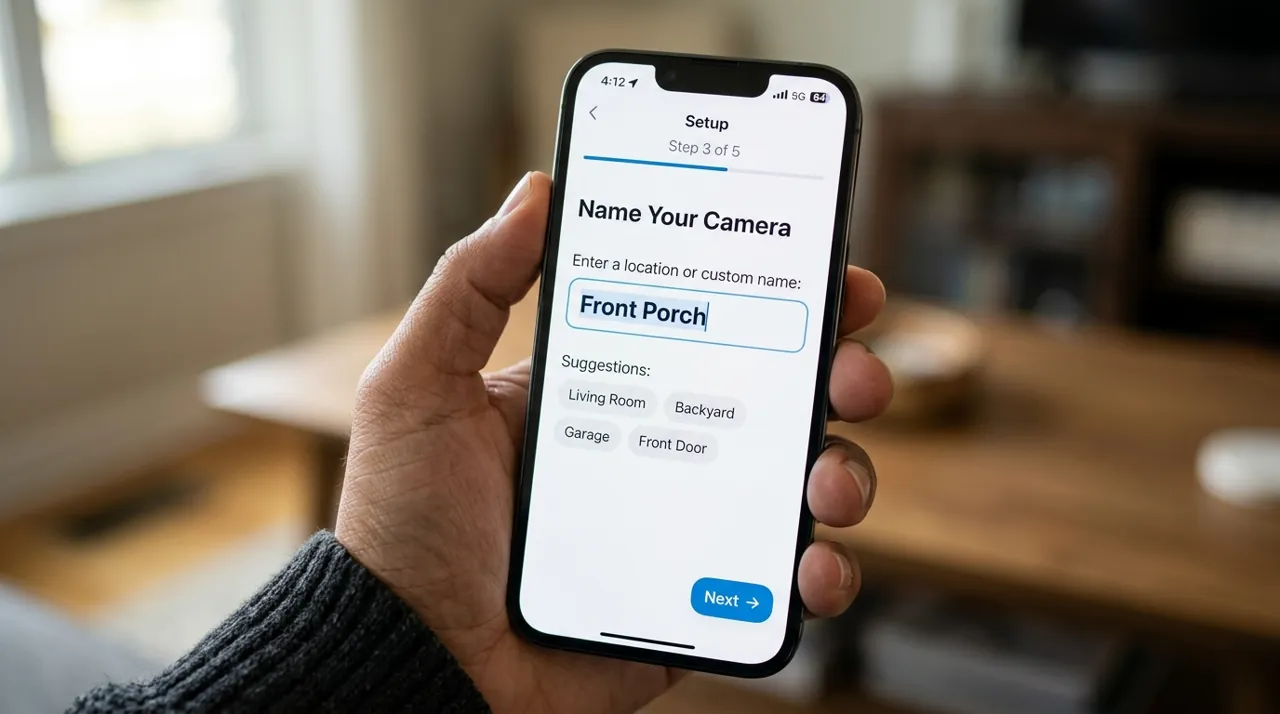
The app is the part of a security camera you use every day. It is where alerts arrive, where you watch live video and where you find old clips. App quality differs between brands more than the cameras themselves do.
Because each brand has its own app, choosing an app really means choosing a brand — like a TV remote that only works with one TV. Ring’s app is widely seen as the fastest and smoothest. Nest tells people from animals and vehicles for free. Eufy and Reolink are less polished but need no monthly fee (subscription). If you own several brands, platforms like Apple Home or Google Home can show them in one place. Whatever you choose, turn on two-step login (two-factor authentication) straight away, and spend the first week adjusting motion zones so alerts stay useful.
Cameras With the Apps This Page Compares

The most-reviewed video doorbell tracked on this site, with one of the deepest, highest-rated review bases we track, running on the Ring app widely regarded as the most polished notification pipeline in the category. Its head-to-toe view shows the package on the mat. Owners consistently rate the app’s notification speed and reliability above rival apps.
Why You Should Get This
If app polish and notification reliability matter most to you, this is the doorbell running the most consistently praised app in this comparison.
Benefits
- Widely regarded as the most polished app in the category.
- Deepest review base of any video doorbell tracked on this site.
- Fast, reliable notifications.
Pros and Cons
- Largest, most trustworthy review base.
- App notification speed praised repeatedly in reviews.
- Motion zones cut sidewalk false alerts.
- Recorded clip history needs a subscription.
- 1440 x 1440 HD rather than 2K.
- Battery recharge every two to four months.
Features
- Ring app, fast notifications.
- Head-to-toe 1:1 view.
- Two-way talk with quick replies.

Runs on the Google Home app, the natural fit for households already using Google smart-home devices, at an entry-level price and a solid owner rating. On-device person, animal and vehicle detection works with no plan required. Google lists up to 6 hours of free event video previews for this model. HDR video quality complements the app’s smart-display integration.
Why You Should Get This
If you already run Google Home devices and want camera alerts in the same app as everything else, this is the natural fit.
| Resolution | Up to 1080p at 30fps |
| Field of view | 135° diagonal |
| Sensor | 2-megapixel color, HDR video |
| Zoom | 6x digital zoom |
| Power | AC wired |
| Connectivity | 2.4GHz and 5GHz WiFi |
| Storage | Up to 3 hours event history included |
Benefits
- Google Home app integration across your whole smart home.
- On-device detection works with no subscription.
- Free event history included by default.
Pros and Cons
- Genuinely generous free tier.
- Tight Google Home / smart-display integration.
- Strong HDR video quality.
- Longer history needs Google Home Premium (formerly Nest Aware).
- Needs an outlet at the mount point.
- Indoor use only.
Features
- Google Home app.
- On-device detection.
- HDR video.

Runs on the Wyze app, which keeps working with no subscription for core recording, at an entry-level price and a solid owner rating. A 2.5K QHD sensor delivers color night vision. Local microSD recording works with no plan required. Owners consistently value the app remaining fully functional without a forced upgrade.
Why You Should Get This
If you want an app that doesn’t gate core recording behind a subscription, this is the most review-validated no-subscription app in this comparison.
Benefits
- App keeps core recording working with no subscription.
- 2.5K QHD sensor, color night vision.
- Local microSD recording.
Pros and Cons
- Genuine no-subscription local recording.
- Strong resolution for the price.
- Works indoors or covered outdoors.
- Cam Plus subscription needed for smart detection features.
- Smaller ecosystem than Ring or Nest.
- MicroSD card sold separately.
Features
- Wyze app.
- 2.5K, color night vision.
- Local microSD recording.
What Actually Differentiates a Camera App: Notifications and Live View
Four things separate a good camera app from a frustrating one, and they matter more than most spec sheets suggest. Notification speed and reliability — does the alert arrive in seconds, or does it lag or drop entirely, which is the single most commonly cited reason owners abandon a system. Live-view load time — how long from tapping the camera to seeing a real-time feed. Multi-camera timeline — whether the app shows all your cameras' events on one combined timeline or forces you to check each camera separately. And settings depth — how granular activity zones, sensitivity and detection type controls actually are.
Ring App
Widely regarded across owner reviews as the most polished and fastest app in this category — this is one of Ring’s clearest competitive advantages independent of its hardware, and it’s a major reason the brand retains subscribers despite the recurring cost of a Ring Protect plan (renamed from Ring Home in 2026). Multi-camera households get a genuinely unified timeline, and neighborhood-level features (shared alerts in some markets) are unique to Ring’s app specifically. The tradeoff is the same one that runs through Ring’s whole ecosystem: full functionality assumes a paid plan.
Nest / Google Home App
Tightly integrated with the broader Google Home ecosystem, so a Nest camera’s live view can appear alongside smart displays, Google TV and other Google Home devices without extra setup. Person, animal and vehicle alerts are included without a subscription, per Google, so smart alerts work even on Nest’s free tier, which is a genuine differentiator — most competitors gate smart detection behind a subscription entirely. The app itself is capable but has a smaller device lineup to manage than Ring’s, simply because Google sells fewer camera models.
Arlo App
Built around Arlo Secure, which unifies live view, playback and detection settings across Arlo’s premium camera lineup cleanly. It supports the highest resolution tiers in this comparison (up to 4K on select models) and richer video controls than most budget-brand apps. Like Ring, most of what makes the app valuable — smart detection, cloud history — sits behind the Arlo Secure subscription.
Blink App
Simpler and less feature-dense than Ring or Arlo’s apps, which matches Blink’s positioning as the budget option in Amazon’s own portfolio. It supports local storage via a Sync Module 2 and USB drive (or a Sync Module XR with a microSD card) without a subscription, genuinely, which is unusual for an app this integrated with a major ecosystem — most subscription-model brands don’t offer a real local-storage escape hatch.
Eufy and Reolink Apps
Both apps are functional but noticeably less polished than Ring’s, and owner reviews consistently note this. What they offer instead is genuine subscription-free operation as the default, not an afterthought — local storage, on-device or on-hub processing, and no plan required to keep a full recording history. Reolink’s app also handles NVR systems specifically, consolidating many wired cameras under one recorder into a single interface.
Wyze and Tapo Apps
Both are capable budget-tier apps supporting local microSD recording without a subscription for the core function. Wyze’s app has faced public scrutiny over past security incidents (covered honestly in is Wyze worth it), which is worth weighing for privacy-sensitive positions like indoors. Tapo’s app is straightforward and reliable for its price tier, without deep smart-home ecosystem integrations beyond basic Alexa and Google Assistant support.
Consolidating Multiple Brands: Cross-Platform App Access
If you already own cameras from more than one brand, Apple’s HomeKit Secure Video, Google Home, or SmartThings can pull compatible cameras' live view into a single interface — genuinely useful for daily viewing. HomeKit Secure Video goes further for supported cameras, keeping the last 10 days of recorded activity in iCloud (it needs an iCloud+ plan and a home hub such as an Apple TV or HomePod), but detailed settings still usually route back to each manufacturer’s own app. Our best smart home security cameras guide covers which specific cameras support this by ecosystem.
App Permissions Worth Checking Before You Commit
Every camera app asks for phone and account permissions during setup. It is worth reading them rather than tapping through. Notifications is the obvious one. An app stuck in a notification-fatigue spiral, where every leaf blowing past a lens triggers an alert, is an app most owners eventually mute entirely. That defeats the purpose. Location access is used by several apps for geofencing — arming or disarming automatically when you leave or arrive home. It is a genuinely useful feature if you want it, but worth declining if you would rather arm the system manually. Account-level data sharing matters most for privacy-sensitive placements. Read what a brand's privacy policy says about who can access stored clips internally, not just what it says about third parties. Employee and contractor access to customer videos was a central allegation in the FTC's 2023 action against Ring, alongside weak account security.
Two-factor authentication is worth turning on regardless of brand, the moment setup finishes. A reused or weak password on the camera app account is the single most common way footage actually leaks. That is far more common than a sophisticated remote attack on the camera hardware itself.
What the App Does When Your Internet or WiFi Drops
This is a genuine differentiator most buyers only discover after an outage. A cloud-only app is the default behavior on most subscription-model brands. It loses live view and stops uploading new clips the moment the home WiFi connection drops, though the camera itself may keep functioning locally depending on the model. A local-storage app pointed at a microSD card or an NVR keeps recording through the outage. Nothing depends on an internet connection to save footage — you simply cannot check it remotely until the connection returns. If reliable coverage during an outage matters to your household, weigh this before the notification-speed comparisons above. It is the more consequential difference for actual security coverage.
Battery Drain and Mobile Data Usage
An app itself does not drain your phone's battery meaningfully just by being installed, but live-view streaming does, and a household that checks a camera feed frequently throughout the day will notice it. Push notifications with a thumbnail image use a small amount of mobile data per alert; live-view sessions use considerably more, which matters if you are checking cameras away from WiFi on a limited data plan. None of this is usually a deciding factor between brands, but it is worth knowing before assuming an app has no cost beyond the subscription fee itself.
What Consumer Reports says. On account security, Consumer Reports’ home security camera buying guide is direct: “Don’t use default credentials.” It advises setting your own unique username and a hard-to-guess password, and turning on two-factor authentication where the camera app offers it.
Going Deeper: How HomeKit Secure Video Handles Your Footage
Most camera apps send video to the manufacturer’s cloud to be analyzed. Apple’s approach is different. Apple’s HomeKit Secure Video guide says video is privately analyzed by your home hub — a HomePod, HomePod mini or Apple TV (Apple’s newer Home architecture no longer supports iPad as a hub) — using on-device intelligence to decide whether it needs to be recorded to iCloud. The recordings are end-to-end encrypted, and none of the video counts toward your iCloud storage. Because the hub does the analysis, one of those devices has to be set up at home for the feature to work at all.
The limits are set by your plan. Apple says you can view the last 10 days of activity in the Home app, and that an iCloud+ 50GB plan supports one camera, a 200GB plan up to five cameras, and 2TB or above an unlimited number. That structure is why HomeKit Secure Video suits a small multi-brand setup well, while detailed camera settings, as this guide notes, usually still route back to each manufacturer’s own app.
Whichever platform you choose, the account is the weakest point. The FTC’s 2023 action against Ring alleged that the company did not deploy multi-factor authentication until 2019 and that weak defenses against credential-stuffing and brute-force attacks let hackers access about 55,000 U.S. customer accounts; the proposed order required multi-factor authentication for both employee and customer accounts. The FTC’s consumer guide to securing home security cameras adds the owner’s side: avoid default or reused passwords, turn on two-factor authentication for the cloud account, keep the software updated, and use permission levels to control who can view feeds and change settings. Those steps apply equally to Ring, Nest, Arlo, Blink, Eufy, Wyze or any other app on this page.
Choosing an App (By Choosing a Brand)
Since camera apps are brand-locked, choosing an app really means choosing a brand and its whole ecosystem. Want the smoothest, fastest daily experience and will pay for it: Ring. Want smart detection without a subscription: Nest’s free tier. Want to skip the subscription question entirely: Eufy or Reolink. Building a multi-brand setup: lean on a smart-home platform for unified live view and accept that deep settings stay per-app. Whichever app you land on, spend the first week actually tuning activity zones and notification settings — that early effort is what determines whether you keep checking the app in month six or quietly mute it and stop looking altogether.
Sources & References
- Learn about event and 24/7 video history — Google Home and Nest Help
- Learn what you get with a Google Home Premium subscription — Google Home and Nest Help
- Ring subscription plan changes in 2026 — Ring
- Battery Doorbell tech specs — Ring
- Store encrypted security camera footage in iCloud with HomeKit Secure Video — Apple Support
- Sync Module Requirements for Blink Devices — Blink (Amazon)
- FTC Says Ring Employees Illegally Surveilled Customers, Failed to Stop Hackers from Taking Control of Users' Cameras — Federal Trade Commission
- Wyze Service Plans (Cam Plus) — Wyze
- How To Secure Your Home Security Cameras — Federal Trade Commission
- Home security camera buying guide — Consumer Reports