
Affiliate Disclosure: Some links on this page are affiliate links. As an Amazon Associate, we earn from qualifying purchases — at no extra cost to you. We do not buy, install, or physically handle the cameras we cover; our rankings come from aggregated owner reviews, ratings and expert consensus. Commissions never change our verdicts. We're reader-supported: commissions fund hosting, research and updates, so if a guide helped, buying through our links keeps it going. How we rank · full disclosure.

Nest Cam Indoor (Wired, 3rd Gen)
A 2K wired indoor camera with on-device AI detection that works without a subscription, and tight Google Home integration.
Check Price →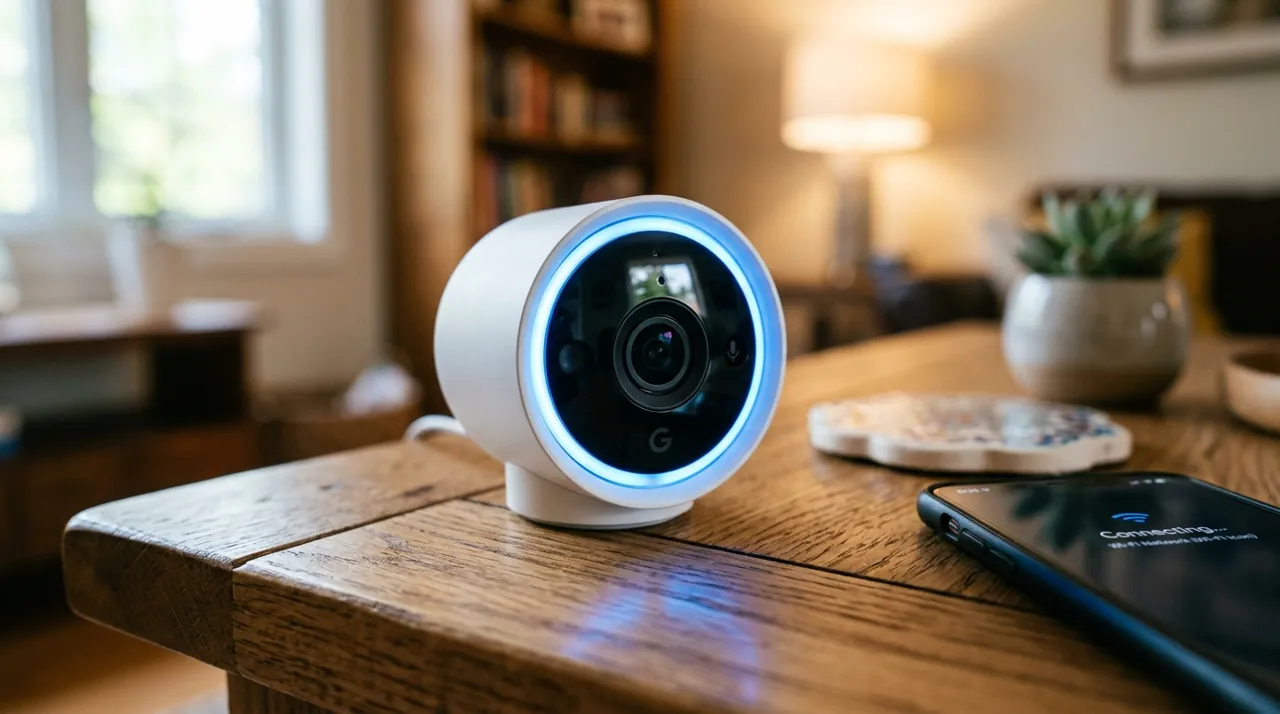
In Plain English
The Nest Cam Indoor is Google’s plug-in camera for inside the home. Its standout feature is that it can tell a person, an animal and a vehicle apart by itself, without a monthly plan.
That happens on the camera, using on-device machine learning (software that recognizes what it sees without relying on a paid cloud service). Think of it as a doorman who knows the mail carrier from the neighbor’s cat, so you are only called for the right one.
For free, you get up to six hours of short event clips. A Google Home Premium subscription keeps 30 or 60 days of history and adds round-the-clock recording. The picture is 2K with HDR (a mode that keeps a bright window and a dark corner both visible). It has to stay plugged in, and it needs the Google Home app and a Google Account. If your home runs on Google, it is a strong choice. If it runs on Alexa, look at Ring instead.
Full Manufacturer Specifications
Sourced from Google's official tech-specs page (store.google.com — Nest Cam Indoor (wired, 3rd Gen) Tech Specs).
| Resolution | 2K (2560x1440) sensor with HDR, up to 30fps |
| Field of view | 152° diagonal, 16:9 aspect ratio |
| Zoom | 6x digital zoom |
| Power source | Wired, continuous power; indoor use only |
| Video encoding | H.264 and H.265 |
| Event previews | Up to 6 hours of event video previews (clips up to 10 seconds) included free |
| Night vision | Up to 15 ft illumination, 2 x 850 nm infrared LEDs, night vision with HDR |
| Audio | Full-duplex two-way audio with noise cancellation |
| WiFi | 802.11ac, 2.4 GHz / 5 GHz |
| Power cable | Attached 10 ft (3 m) cable with USB-C, 7.5W adapter |
| Warranty | 1-year limited warranty |
| Extended history | 30 days (Standard) or 60 days (Advanced) with a Google Home Premium subscription; continuous 24/7 recording (10-day history) requires the Advanced plan |
| Smart home | Works with Gemini for Home, Google Assistant, compatible with Alexa |
| App requirement | Requires the Google Home app and a Google Account; not compatible with the classic Nest app or home.nest.com |
Summary
The Nest Cam Indoor (Wired, 3rd Gen) is the highest-rated indoor camera among the products we've verified for this site. It uses on-device machine learning, and Google includes person, animal and vehicle alerts without a subscription. That's a genuine structural advantage over Ring's comparable model, which offers no smart detection or recorded history at any tier without a paid plan.
What Owners Praise
Alert accuracy is the standout theme. On-device person, animal and vehicle distinctions are reported as reliable enough to actually trust — unusual for a camera at this price without a subscription. The 6 hours of free event previews is called out as genuinely useful, not a token gesture. Casting to a Nest Hub or TV, and overall build quality, are also praised.
What Owners Complain About
The review base is considerably thinner than Ring's comparable products, worth weighing when judging statistical confidence. The wired-only design limits placement flexibility compared to battery alternatives. Requiring the Google Home app specifically, not the older Nest app, is a friction point for households with a mix of older and newer Nest devices.
Design and Build Quality
The Nest Cam Indoor (Wired, 3rd Gen) uses a compact, rounded housing on a hinged stand that sits on a table or mounts to a wall with an integrated wall plate and two screws, per Google's spec page. That's a familiar design, similar in spirit to earlier Nest indoor cameras, but updated internally for 2K/HDR capture. Google's spec page lists a 152° diagonal field of view, wide enough to cover most rooms from a single corner or shelf mount without needing a second camera. Because the camera is wired rather than battery-powered, the housing doesn't need to accommodate a large internal battery, which owners note keeps the unit noticeably smaller and lighter than comparable battery cameras. Build quality is generally described as solid, consistent with Google's other Nest hardware, and Google says the hinge makes it easy to adjust the angle after mounting.
Installation and Setup
Setup runs through the Google Home app and requires a Google Account, per Google's spec page — not the older Nest app or home.nest.com, which is worth confirming before buying if you're adding this camera to an existing older Nest setup. Physical installation is a simple wired plug-in using the attached 10-foot USB-C cable, with an integrated wall plate and screws for wall mounting, with no drilling required if you're comfortable with the camera resting on a flat surface instead. Because the camera needs continuous power, placement is limited to spots within reach of an outlet or a suitable cable run, unlike a battery camera that can go anywhere within WiFi range. Owners generally describe the whole process, from unboxing to a working live feed, as a fifteen-minute job once the app is downloaded and signed in.
On-Device AI Detection Explained
The Nest Cam Indoor's core differentiator is that its person, animal and vehicle alerts are included free, with Google's spec page listing on-device machine learning, rather than requiring a cloud subscription just to distinguish a person from a passing shadow. Owners describe this as reliable enough to trust for everyday alerts, which is a meaningful structural difference from competitors that gate any smart detection behind a paid tier. The free tier includes up to 6 hours of event video previews (clips up to 10 seconds), giving a genuine, if limited, recorded history at no ongoing cost. A Google Home Premium subscription extends that to 30 or 60 days of history and unlocks continuous 24/7 recording, for anyone who wants a longer archive than the free tier provides.
App Experience and Smart Home Integration
The Google Home app is the control center for live view, event history, notifications and camera settings, and per Google's spec page the camera works natively with Gemini for Home and Google Assistant, plus compatibility with Alexa for households that mix ecosystems. Owners describe notification speed as prompt, with on-device detection meaning the app can tell you specifically that a person, not just generic motion, triggered the alert. Casting a live feed to a Nest Hub display or a Chromecast-connected TV is repeatedly praised as a genuinely useful feature, letting a household glance at a room without opening the phone app first.
Video Quality and Field of View
Google's spec page lists 2K (2560x1440) resolution with HDR and up to 30fps, a genuine step up from the 1080p standard many competing indoor cameras still ship at this price point. HDR specifically helps in rooms with mixed lighting — a bright window next to a shaded corner — where a non-HDR camera would either blow out the window or lose detail in the shadow. The 152° diagonal field of view is wide enough to cover most standard rooms from a single corner mount, and 6x digital zoom lets an owner check finer detail in a recorded clip after the fact, though digital zoom always trades some clarity compared to the native resolution.
Who It's For
Google Home households that want smart detection working out of the box without committing to a subscription, and who value alert accuracy over the largest possible review sample. It's also a strong fit for a nursery, living room or home office where a fixed wide-angle view covers the whole room from one mounting spot.
Who Should Skip It
Alexa households should look at Ring Indoor Cam instead. See Ring vs Nest for the direct comparison. Anyone needing battery-only placement, away from a power outlet, should also look elsewhere, since this model is wired-only.
Pros and Cons
Pros: highest rating among verified indoor cameras on this site, on-device AI detection works free, 2K/HDR resolution, 6 hours of free event previews, casts to Nest Hub and Chromecast displays.
Cons: smaller review base than Ring's comparable devices, wired-only, requires the newer Google Home app specifically, extended history requires a subscription.
Going Deeper: What the Nest Cam’s Spec Sheet Actually Means
Several lines on Google’s tech-specs page explain why this camera behaves differently from cheaper rivals. Under security, Google lists on-device machine learning, secure boot, automatic security updates and 128-bit AES encryption with TLS/SSL. The on-device part is the one owners notice day to day: because the recognition runs on the camera, person, animal and vehicle alerts are part of the free tier rather than a subscription feature.
The video line lists H.264 and H.265 encoding alongside 2K at up to 30 frames per second and 24/7 live view. That matters more than it looks. When the ITU agreed the H.265 (HEVC) standard in 2013, it said the codec “will need only half the bit rate” of H.264 (International Telecommunication Union). For a camera that can stream around the clock, a more efficient codec eases the load on your home upload connection and on whatever history is being stored.
Night vision uses two high-power 850 nm infrared LEDs with up to 15 ft of illumination, according to Google. NASA explains that infrared sits just beyond the visible spectrum, and that people cannot see it even though some digital cameras are sensitive to it (NASA Science). That is how the camera can see a dark nursery without adding a visible light to the room, while the modest 15 ft figure suits a single room rather than a long open-plan space.
Finally, Google lists dual-band 2.4 GHz and 5 GHz WiFi with support for WPA3, as well as older WEP, WPA and WPA2. The Wi-Fi Alliance says WPA3-Personal gives users “increased protections from password guessing attempts” (Wi-Fi Alliance), so if your router supports WPA3, it is worth using it for a camera that sees inside your home.
Verdict
For a Google Home household, this is one of the strongest indoor camera choices covered on this site. It offers genuine smart detection without a required fee, at a rating that holds up even on a smaller sample. See best indoor security cameras for how it compares against the wider field.
Accessories for This Camera

Best for local recording on a camera with a card slot.

Best for angling this camera precisely under an eave, soffit or shelf.

Best for a clean, weatherproof cable entry point on an outdoor mount.
Alternatives to Consider
- Blink Mini Pan-Tilt Camera review
- Ring Indoor Cam review
- Best Indoor Security Cameras — the full ranked field
Sources & References
- Nest Cam Indoor (wired, 3rd gen) Tech Specs — Google Store
- Nest Cam Indoor (wired, 3rd Gen) — Google Store
- Ring Indoor Camera (2nd Gen) — Ring
- New video codec to ease pressure on global networks — International Telecommunication Union (ITU)
- Infrared Waves — NASA Science
- Wi-Fi Security — Wi-Fi Alliance