
Affiliate Disclosure: Some links on this page are affiliate links. As an Amazon Associate, we earn from qualifying purchases — at no extra cost to you. We do not buy, install, or physically handle the cameras we cover; our rankings come from aggregated owner reviews, ratings and expert consensus. Commissions never change our verdicts. We're reader-supported: commissions fund hosting, research and updates, so if a guide helped, buying through our links keeps it going. How we rank · full disclosure.
Short version: NVR (Network Video Recorder) records footage from IP cameras. Those cameras digitize and transmit video themselves. They typically use a single PoE Ethernet cable carrying both power and data. DVR (Digital Video Recorder) records footage from analog cameras instead. An analog camera sends a raw video signal over a coaxial cable, and the recorder itself does the digitizing. For a new home security system built today, NVR is the more common and generally the better recommendation. It offers higher resolution ceilings and simpler cabling. DVR kits remain the cheaper entry point, though, and are still a legitimate choice on a tight budget.
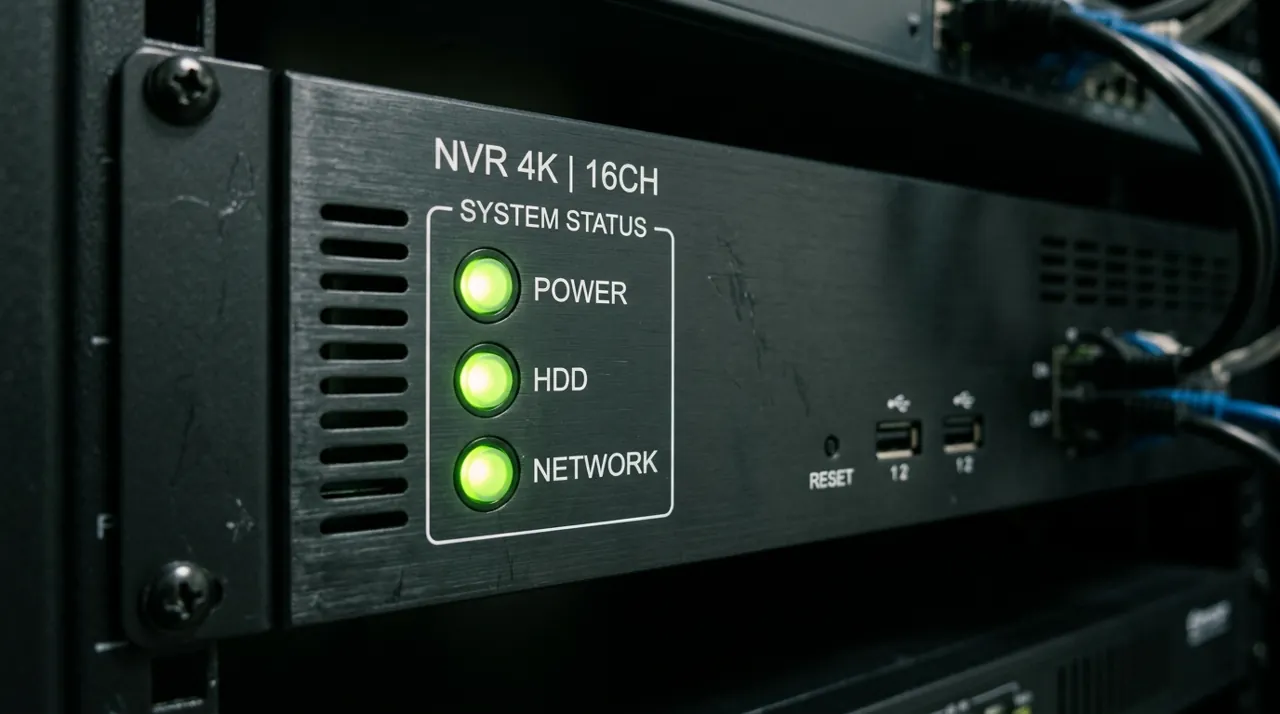
In Plain English
Both boxes record security camera footage to a hard drive. The difference is where the video gets turned into digital files.
An NVR (network video recorder) works with IP cameras. Each camera has its own processor that turns the picture into digital video before sending it down a network cable. A DVR (digital video recorder) works with analog cameras, which send a raw picture down a coaxial cable, and the DVR does the converting.
Think of it as the difference between sending a typed letter and sending a handwritten one that someone has to type up at the other end.
Why it matters: NVR cameras usually get power and video through one cable (PoE, or Power over Ethernet) and reach higher resolutions. DVR cameras need a video cable plus a separate power cable, but the kits cost less.
The one thing to check: if your walls already have coax from an old system, a DVR can reuse it. Starting fresh, an NVR is usually the better choice.
How NVR and DVR Actually Differ
The core difference is where the video gets digitized. An IP camera (used with an NVR) has its own image processor. It converts the video to a digital signal inside the camera itself. It then sends that digital stream over Ethernet to the NVR, which simply stores and manages it. An analog camera (used with a DVR) works differently. It sends a raw, undigitized video signal down a coaxial cable to the DVR. The DVR does the analog-to-digital conversion and recording itself.
This single difference cascades into most of the practical distinctions buyers actually notice in a home security camera system: cabling, resolution ceiling, and how the system expands over time.
NVR vs DVR Cabling: PoE Ethernet vs Coaxial
NVR/IP systems typically run on Power over Ethernet (PoE). A single Ethernet cable carries both the video data and the power to run the camera. That simplifies installation to one cable run per camera. DVR/analog systems need a coaxial cable for video plus a separate power cable to each camera, or a combined "siamese" cable bundling both. That is a slightly bulkier, more traditional wiring approach. For a new install, PoE's single-cable-per-camera simplicity is a real practical advantage.
NVR vs DVR Resolution Ceiling: 4K and Beyond
IP/NVR cameras generally support higher resolutions. 4K and above is common on current NVR systems, including the Reolink RLK8-800D4 reviewed on this site. Analog/DVR cameras have historically topped out lower. Current-generation analog formats, sold under names like "3K Lite" or "5MP Lite" in current DVR kits, have narrowed that gap considerably from the original analog standard. If maximum resolution and detail at range matters most for your home security system, NVR remains the stronger category.
Expanding a Security Camera System's Channel Count Later
Both system types support adding more cameras up to the recorder's channel count. See our NVR buying guide for choosing a channel tier. NVR/IP systems are generally easier to expand incrementally, though. PoE cabling is more standardized, and camera compatibility across brands within the IP/ONVIF standard is broader than analog compatibility tends to be.
Hard Drive Storage and Footage Retention
Both recorder types store footage on an internal hard drive. Retention length comes down to three factors: drive size, number of channels recording, and the resolution each camera is set to. A higher resolution eats storage faster. An NVR running several 4K channels continuously will cycle through its drive and start overwriting old footage sooner than the same drive running lower-resolution analog channels on a DVR. Anyone who wants weeks of retention rather than days should size the hard drive around the actual resolution and channel count in use, not a generic drive-size recommendation. See our best hard drives for NVR security systems guide for sizing help.
Installing an NVR or DVR: Ethernet vs Coaxial Cable Runs
PoE NVR installation typically means running one Ethernet cable per camera back to a network switch or the NVR itself. That single line carries both power and video. DVR installation needs a coaxial cable for video plus a separate power run to each camera, or a combined "siamese" cable bundling both. That is a slightly bulkier pull, especially over longer distances or through tight wall cavities. Neither is drastically harder for a confident DIY installer. But PoE's single cable per camera is the simpler job on a from-scratch install with no existing wiring in the walls already.
Upgrading From DVR to NVR
Swapping a DVR for an NVR is not a simple recorder-only upgrade. Analog cameras don't work on an NVR, and the cabling itself, coaxial versus Ethernet, is different. A genuine upgrade usually means replacing the cameras, the recorder and the cable runs together. That is a bigger project than it first sounds. Some households phase this in gradually, room by room, rather than replacing an entire working analog system in one go. A hybrid recorder that accepts both analog and IP channels on separate ports is the practical middle step for a household not ready to replace everything at once.
IP Camera vs Analog Camera: ONVIF and Format Compatibility
NVR systems generally follow the ONVIF standard. That means IP cameras from different brands are often cross-compatible with a given NVR, though it's still worth checking a specific pairing before buying mismatched brands — Reolink, for example, notes that third-party ONVIF cameras can work on its NVRs but compatibility is not guaranteed. DVR systems use analog signal formats instead, sold under names like CVBS, AHD, TVI or CVI depending on manufacturer. A DVR built for one format doesn't always read a camera built for a different one, even though both are technically "analog." Checking the recorder's supported format list against the camera's stated format avoids buying hardware that simply won't talk to each other.
Common Myths About NVR and DVR
"DVR footage always looks grainy and low-quality" is outdated. Current-generation analog formats have narrowed the resolution gap considerably from older standard-definition analog, even if they still generally don't match a modern NVR's 4K ceiling. "NVR requires a subscription to work" is also false. Local recording to the NVR's own hard drive works with no internet connection and no ongoing subscription, the same as a DVR. The only place an internet connection or app account genuinely matters for either system is remote phone viewing away from home — the actual recording keeps working locally without it.
Going Deeper: What PoE and ONVIF Standardise, and What They Don’t
The single-cable advantage of an NVR comes from a published standard rather than a brand feature. The IEEE describes 802.3af as support for optionally powering a 10BASE-T, 100BASE-TX or 1000BASE-T device via the power interface, in other words, sending power down the same Ethernet cable that carries data. NETGEAR lists the resulting power levels as 15.4W from the power source for 802.3af and 30W for 802.3at (PoE+). Cisco gives a maximum cable length of 100 metres and describes the benefit as eliminating the need for separate power supplies and outlets.
Standards still leave room for mismatches. Reolink, for example, says most of its cameras need an IEEE 802.3af-compliant, 48V active PoE source, and that passive PoE injectors are not compatible. The analog side has no single equivalent: as this page explains, DVR cameras come in formats such as CVBS, AHD, TVI and CVI, and a recorder built for one does not always read another.
ONVIF plays the same role for video as 802.3af does for power. ONVIF Profile S is designed for IP-based video systems: a conformant camera can send video over an IP network to a conformant client, which can configure, request and control the stream, with optional coverage of PTZ control, audio and relay outputs. That is why IP cameras are more often cross-compatible than analog ones, but it is a baseline, not a promise. Reolink states that its NVRs are designed primarily for its own cameras and that third-party compatibility cannot be guaranteed, even over ONVIF.
Finally, the “neither needs internet” point is documented. Reolink’s breakdown shows that with a router but no internet connection, local live view and local playback keep working, while remote access and push notifications stop. The recording itself never depended on the internet in the first place.
NVR vs DVR Pros and Cons: Which Should You Choose?
For a new home security system with no existing wiring, NVR is the more common recommendation today. It offers a higher resolution ceiling, simpler single-cable-per-camera installation, and a wider compatible camera market. Choose DVR specifically if NVR vs DVR price is the deciding factor and a lower entry price matters more than resolution, or if you are adding cameras to an existing analog CCTV installation rather than starting from scratch. A hybrid recorder is worth a look if your household genuinely needs both camera types running side by side during a gradual upgrade. See best CCTV cameras for home for real DVR-based kits, or the best security camera systems roundup for NVR-based options. Either recorder can anchor a reliable security camera system when it's matched correctly to the cameras and cabling running to it.
Sources & References
- Profile S — ONVIF
- Guide on Integrating Third-Party Cameras with Reolink NVRs — Reolink
- How to Power on Reolink PoE Cameras — Reolink
- Reolink Ethernet Cable FAQ — Reolink
- IEEE 802.3af-2003: DTE Power via MDI — IEEE Standards Association
- What Is Power over Ethernet (PoE)? — Cisco
- Overview of Official PoE Standards — NETGEAR
- Can Reolink PoE Cameras and PoE NVRs Work Without Internet? — Reolink