
Affiliate Disclosure: Some links on this page are affiliate links. As an Amazon Associate, we earn from qualifying purchases — at no extra cost to you. We do not buy, install, or physically handle the cameras we cover; our rankings come from aggregated owner reviews, ratings and expert consensus. Commissions never change our verdicts. We're reader-supported: commissions fund hosting, research and updates, so if a guide helped, buying through our links keeps it going. How we rank · full disclosure.
Short version: a battery doorbell’s phone-only alert is easy to miss, and a plug-in indoor chime fixes that by sounding audibly the moment the doorbell rings — independent of where your phone is. Buy the chime that matches your doorbell brand: the Ring Chime for Ring doorbells (the most-reviewed and highest-rated of the three), the Blink Chime for Blink doorbells, or the eufy Video Doorbell Chime 2 for eufy doorbells, which offers the most tone and connectivity options of the three.
The best doorbell chimes here only work with their matched brand’s doorbell. See the video doorbells hub and best video doorbell cameras if you have not yet chosen a doorbell to pair one with.
In Plain English
A battery video doorbell usually has no bell inside the house. When someone presses it, the only alert goes to your phone. If your phone is on silent, charging in another room or out of earshot, you miss the visitor.
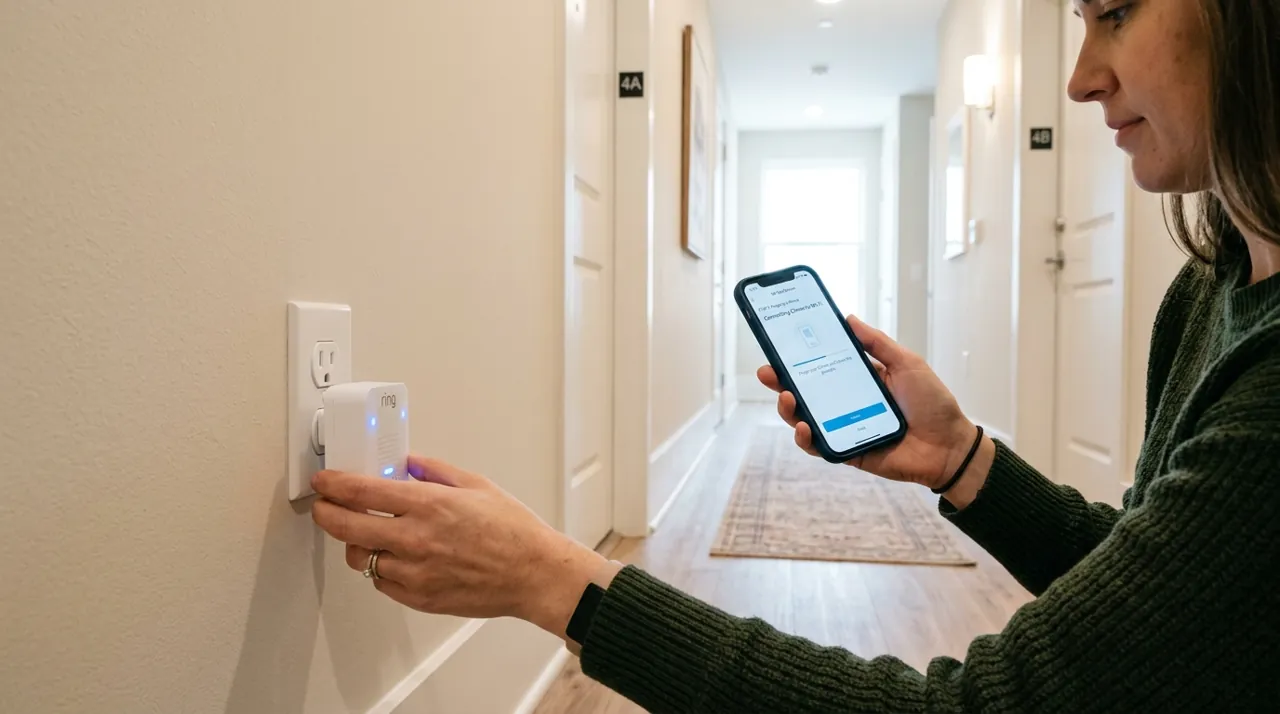
A plug-in chime is like giving that doorbell a second voice indoors. It plugs into a normal wall socket, listens for the doorbell over your home WiFi and sounds the moment someone rings. It works whether or not your phone is nearby.
The catch is that each chime only talks to its own brand. A Ring Chime will not hear a Blink or eufy doorbell, and the reverse is also true. Ring and Blink chimes also need your router’s 2.4GHz network (the longer-reach WiFi band most routers broadcast).
The one thing to do: buy the chime made by your doorbell’s brand, plug it into a central room with a good WiFi signal, and test it with a real press of the doorbell from outside.
Top Rated Picks at a Glance
The Ranked Field: Star Rating, Consensus and Price
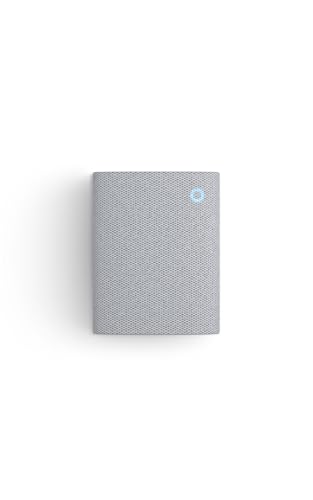
Best for Ring doorbell owners who miss alerts because a phone is on silent or out of range.
- Enhanced audio designed to be heard clearly from other rooms.
- Simple plug-in setup with WiFi and Bluetooth connectivity.
- Real-time alerts synced directly to Ring doorbell rings.
- Nearly 3,900 verified owner ratings — the deepest review base on this page.
Why buy it: The most-reviewed and highest-rated chime here, and the direct, first-party fit for anyone already running a Ring doorbell.

Best for Blink Video Doorbell owners who want an audible household alert.
- Real-time, audible alerts synced to Blink doorbell events.
- Purpose-built for the Blink ecosystem.
- Straightforward plug-in installation.
- Over 780 verified owner ratings.
Why buy it: The matched accessory for Blink doorbell owners, at the lowest price of the three chimes here.

Best for eufy doorbell owners who want more chime tone variety and dual-band WiFi.
- 10 built-in chime tones to choose from.
- 2.4GHz and 5GHz dual-band WiFi support.
- Bluetooth auto-pairing for simpler setup.
- Adjustable volume up to 80dB.
Why buy it: The most feature-rich chime here — dual-band WiFi and ten selectable tones — for eufy doorbell owners who want more control over the alert.
Comparison Table
| Product | Best for | Buy |
|---|---|---|
| Ring Chime | Best Overall (Ring) | Price |
| Blink Chime (Newest Model) | Best for Blink | Price |
| eufy Video Doorbell Chime 2 | Best for eufy | Price |
How We Rank
We do not buy or physically install these chimes. Every star rating and review count comes from licensed Amazon data. Full method on how we rank.
Buying Guide: Matching a Chime to Your Doorbell
Brand Match Is the Only Real Decision
Unlike most accessories on this hub, there is no cross-brand shopping here — a chime only receives alerts from its own ecosystem’s doorbell. The decision is simply: identify your doorbell brand, buy that brand’s chime.
What Actually Differs Between Them
Once matched to the right brand, the meaningful differences are minor: the eufy chime offers the most tone variety and dual-band WiFi; the Ring Chime has by far the deepest review history, which is worth something for a plug-and-forget device you want to trust will keep working; the Blink Chime is the simplest and least expensive of the three.
Chime Placement
Plug the chime into a central, commonly-occupied room rather than near an entryway you already hear well — the point of a chime is coverage in the parts of the house a phone notification alone does not reliably reach.
Wired vs Wireless Chimes
Every chime on this page is a plug-in wireless accessory, not a wired chime. It plugs into a standard outlet and connects through your home WiFi network, with Bluetooth used on some models only to simplify setup. That is a different device from the wired doorbell chime some homes already have from a traditional doorbell circuit, often a small doorbell chime box mounted inside the house. A wired video doorbell replacing an old one can sometimes keep the existing wired chime working. A battery-powered video doorbell, which has no wiring at all, has no such fallback. That gap is exactly what a plug-in chime like the ones on this page fills.
Volume and Multiple Chime Tones
Adjustable volume matters more than it sounds. A chime set too quiet defeats the purpose in a noisy household, and one set too loud becomes an annoyance triggered by every passing delivery. The eufy chime's 80dB maximum (eufy measures it at 1 meter, about 3.3 feet) and ten selectable tones give the most control of the three picks here, useful in a household with more than one smart doorbell or a family member who wants a distinct sound for a specific entry. Ring and Blink keep tone selection simpler, which most single-doorbell households never miss.
Chime Range: How Far From the Doorbell Can You Place It?
Chime range depends on the connection type and home layout, not just a stated spec. A chime plugged in one room away from the router, with a wall or two between it and the doorbell, can behave differently than the same setup in an open floor plan. Reviewers recommend testing the chime in its intended outlet before finalizing placement, since a weak connection produces delayed or missed alerts — the exact problem the chime was bought to prevent in the first place.
Do You Need More Than One Chime?
Most single-doorbell households only need one chime, placed centrally. A larger home, or one with a finished basement or detached garage, can benefit from a second chime plugged in at that separate area, since a single chime's audible range does not always reach every part of a large or multi-level property. Blink says one doorbell can trigger several Blink Chimes, though each extra chime is a separate purchase; for Ring and eufy, check your doorbell model's support notes first.
Common Doorbell Chime Problems
A chime that stops ringing after working fine for weeks is usually a WiFi connection or pairing issue, not a hardware failure — reviewers say unplugging and re-pairing the chime through the doorbell app resolves most of these cases. A chime that rings late is most often a connectivity delay, commonly tied to home WiFi congestion rather than the chime itself. Placing the chime too close to a large appliance, mirror or metal surface can weaken its wireless signal, so reviewers suggest a clear, central outlet over a convenient one right next to a cluttered kitchen counter.
Setting Up a Doorbell Chime
Setup follows roughly the same three steps across all three brands here. Plug the chime into an outlet with a strong WiFi signal from the router — Ring and Blink chimes need a 2.4GHz network, while the eufy Chime 2 supports both 2.4GHz and 5GHz. Open the matching doorbell app and follow the pairing prompt for the chime. Confirm a test ring triggers the chime audibly from the room where it is plugged in. Reviewers say the whole process usually takes under ten minutes, and the most common setup mistake is picking an outlet for convenience rather than for a strong, tested connection. A quick relocation to a nearer outlet, before living with a weak signal for weeks, saves more frustration than any other single step in this process. Doing a real test ring from outside the front door, not just from inside the app, is the step that actually confirms the setup works the way it will in daily use. Reviewers who skip that step sometimes discover a weak signal only after missing a real delivery, which is a frustrating way to learn the outlet choice mattered.
Going Deeper: Why WiFi Placement Makes or Breaks a Chime
Every chime on this page depends on your home WiFi to hear the doorbell, so the network band it uses and where it sits relative to the router shape how reliable it is. According to Intel’s guide to WiFi bands, 2.4GHz has the longest range and wall-penetration capability of the available bands, and it suits sending small amounts of data over longer distances. 5GHz is much faster, up to 1Gbps against up to 100Mbps on 2.4GHz, but it doesn’t reach as far. A chime only needs to receive a small “the doorbell was pressed” message, not stream video, so reach matters far more to it than speed. That is why a 2.4GHz-only chime is not a real drawback.
The trade-off is crowding. Intel notes that 2.4GHz has been available the longest, so most legacy devices still use it and it carries a lot of network clutter. It also says 2.4GHz offers only three 20MHz channels, compared with more room on 5GHz. In a busy home, a chime on 2.4GHz shares that small space with other gadgets.
Band support also varies by product and region. Ring’s setup troubleshooting guide says some Ring devices only support 2.4GHz networks, and suggests trying your 2.4GHz network if a 5GHz one doesn’t appear during setup. It adds that in Canada, Europe, the UK, Australia, New Zealand and Japan, Ring devices can’t use 5GHz channels 36 to 64, so Ring suggests routers there use channels 100 to 165 for 5GHz.
The practical upshot matches the setup advice above. Pick an outlet by signal strength rather than convenience, keep the chime away from clutter that blocks the signal, and test it with a real ring before you settle on a spot.
The Verdict
Buy whichever chime matches your existing doorbell brand — there is no meaningful reason to consider the other two. Among the three, the Ring Chime carries both the strongest rating and by far the deepest review base, which is a genuine point in its favor if you are choosing a doorbell ecosystem from scratch and this kind of accessory reliability matters to that decision.
Sources & References
- Chime (3rd Gen) — Ring
- 2.4 GHz vs. 5 GHz vs. 6 GHz: What’s the Difference? — Intel
- Troubleshooting In-app Setup Failure Due to Router or Modem Issues — Ring
- Ring Chime (2nd Gen) Information — Ring
- Blink Chime FAQ — Blink (Amazon)
- eufy Video Doorbell Chime 2 — eufy (Anker)