
Affiliate Disclosure: Some links on this page are affiliate links. As an Amazon Associate, we earn from qualifying purchases — at no extra cost to you. We do not buy, install, or physically handle the cameras we cover; our rankings come from aggregated owner reviews, ratings and expert consensus. Commissions never change our verdicts. We're reader-supported: commissions fund hosting, research and updates, so if a guide helped, buying through our links keeps it going. How we rank · full disclosure.
Short answer: smart home security systems work with Alexa, Google Home and HomeKit, but not equally. Alexa has the broadest voice control for alarms and doorbells, Google Home is strongest with Nest cameras and treats detection features as a paid add-on, and Apple’s HomeKit gives the most privacy-focused camera storage but the narrowest choice of hardware. Choose the ecosystem your household already opens every day, then buy devices that list that ecosystem on the maker’s own page.
That last part matters more than any brand ranking. A camera that works with an assistant in the marketing photo may only show a live view, while the alarm system’s arming, sensors and recorded clips stay locked inside its own app. Below, we sort out what each ecosystem does and does not do for security, using the platforms’ and manufacturers’ own documentation. Our earlier answers to Google Home, HomeKit and Matter questions remain the short versions. This page is the full picture, and it connects to the wider home security systems guide.

In Plain English
A smart home security system is a set of devices, such as a keypad or hub, door sensors, cameras and a doorbell, that you control from an app instead of a wall panel. Alexa, Google Home and Apple Home are the three big apps and voice assistants that try to sit on top of all of them.
The catch is that they do not all speak to every device. Think of them like three phone networks: most calls connect, but some features only work inside your own network. A camera might show up in Google Home with a live picture, but only the maker’s app might offer the recorded clips and the alarm settings.
Your job is to pick one main app your whole household will use, then check each device you plan to buy against it. For alarms, remember that voice assistants are often deliberately limited. Many will arm your system but will not disarm it, so a stranger shouting at your speaker cannot switch off the alarm. That is a feature, not a flaw.
Devices That List Each Ecosystem

Best for an all-in-one alarm kit that can be armed by voice through Alexa or Google Assistant.
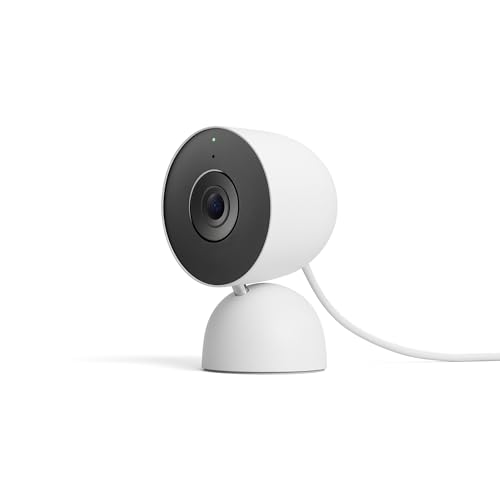
Best for a household built around the Google Home app.
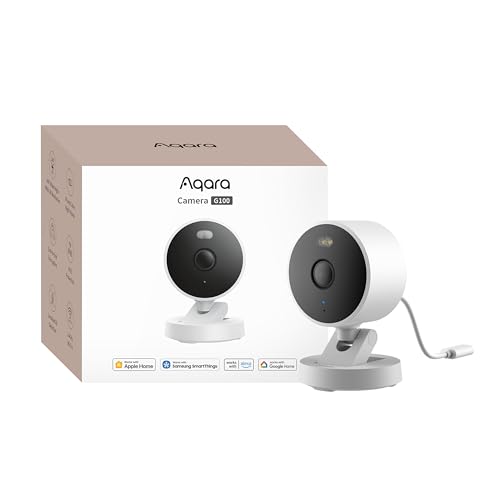
Best for a camera that lists Apple Home with HomeKit Secure Video, Google Home and Alexa on the maker’s page.

Best for an Alexa-first home that wants a doorbell on Echo screens.
These are examples of what the makers say about compatibility, not an ordered ranking of tested systems. Star ratings appear on a card only where verified rating data exists, and we quote no prices here.
What a Smart Security System Really Includes
Most systems have three layers. The first is the alarm layer: a base station or hub, entry sensors, motion sensors, a keypad and a siren. The second is the video layer: cameras and a video doorbell. The third is the app and assistant layer, where you arm the system, watch video and set routines. The trap is assuming that compatibility in the third layer reaches the first two. An assistant may let you say “arm the system” without letting you see a sensor’s status, and a camera may stream to a smart display without offering event clips there.
So when you read a compatibility list, ask three questions. Which layer does it cover? What can the assistant actually do, view, arm, disarm, or trigger a routine? And which features stay behind a subscription? Those three questions sort most disappointing purchases from good ones.
Alexa: The Broadest Voice Control
Alexa has the deepest reach for alarms, largely because Ring, an Amazon company, builds for it. Ring’s support pages say Alexa can arm and disarm a Ring Alarm by voice. Disarming needs a four-digit voice code that you create, the Ring skill has to be enabled in the Alexa app, and Ring says a subscription is required to use Modes. Compatible devices include Echo speakers and displays, Echo Hub, Fire TV and Fire tablets, so a doorbell or camera can pop up on a screen.
Other alarm makers are more cautious. SimpliSafe’s support site says Alexa can arm its system and check status, but it cannot disarm by voice, and that its integrations need a monitoring or self-monitoring plan. If you want the ring-and-answer-on-the-Echo-Show experience, our guides to Ring cameras and the Ring subscription math show what that ecosystem costs to run.
Google Home: Strong With Nest, Priced by Feature
Google Home works best with Google’s own Nest cameras and doorbells, and it also supports third-party devices through its cloud integrations and Matter. Google’s developer documentation notes that camera features vary significantly between vendors, which is a polite way of saying that a third-party camera may not offer everything a Nest does. Google’s Matter page lists door locks, contact sensors, smoke and carbon monoxide detectors and a doorbell type among the devices it supports.
The money side is worth understanding before you commit. Google’s help pages say foundational features, including live view, two-way talk and activity zones, do not need a subscription. Intelligent alerts for people, animals, vehicles and packages come with Google Home Premium, and event video history is stored for a limited number of days depending on the plan. That is a common pattern across the industry rather than a Google quirk. Our best Nest cameras roundup and the is Nest worth it guide go through what that means for a household that lives in the Google Home app.
Apple HomeKit: Private Storage, Fewer Choices
Apple’s approach is unusual because it puts the recording, analysis and privacy story on the Apple side. HomeKit Secure Video stores encrypted footage in iCloud, and Apple says it analyzes the video privately using on-device intelligence to decide what to record, letting you view the last 10 days of activity in the Home app. It needs an iCloud+ plan: 50 GB covers one camera, 200 GB covers up to five, and 2 TB or more covers unlimited cameras. The footage does not count against your iCloud storage, and a home hub such as a HomePod, Apple TV or iPad runs the analysis.
The trade-off is choice. Apple’s Home accessories page lists cameras, doorbells, sensors and security systems as categories and offers a filter for products that support HomeKit Secure Video, but the list of supported cameras is far shorter than what Alexa or Google Home will accept. Some capable cameras add support with limits: Aqara’s page for the G100 says it works with Apple Home, including HomeKit Secure Video, and adds that HomeKit Secure Video supports up to 1080p. Alarm systems are the weakest spot. SimpliSafe says plainly that it does not integrate with HomeKit at this time.
Where Matter Fits
Matter is the industry standard meant to let devices work across ecosystems without custom integrations. The Connectivity Standards Alliance announced Matter 1.5 on November 20, 2025, adding cameras as a major new feature, with live video and audio using WebRTC, two-way communication, multi-stream configurations, pan-tilt-zoom controls, detection and privacy zones, and flexible recording options. The alliance says the specification, SDK and test tools were made available to members for implementation and certification planning.
What that means for you: Matter camera support is a direction of travel, not a guarantee today. A maker must implement it, certify it, and each platform must support it. Google’s own supported-device page, for example, does not list a camera type in the entries we could read. Our Matter explainer keeps track of the practical side. Until the picture is clear, buy for what the product page says works now, not for what a standard promises later.
What Voice Control Can and Cannot Do
Voice assistants are best at convenience and worst at authority. They can show a camera on a display, announce who is at the door, arm the system as you leave, or start a routine that switches on the lights. They are deliberately restricted from the riskiest job: disarming. SimpliSafe says its voice integrations only arm, and Ring requires a spoken code. If a system claims easy voice disarm with no code at all, treat that as a red flag.
Also expect differences in what stays in the maker’s app. Sensor history, alarm event logs, user codes, camera clips and firmware updates usually live there. The assistant is a remote control, not the whole system, so budget time to learn both apps.
How to Choose Your Ecosystem
Start with the phones and speakers your household already owns. If most people carry iPhones and use HomePods, HomeKit Secure Video is the natural fit, and you should shortlist cameras from Apple’s supported list. If you have Echo devices, start with Ring or another Alexa-friendly alarm. If the household lives in Google Home and Nest speakers, start with Nest cameras.
Then check three things on every product page. First, the ecosystem must be named by the maker. Second, look for what is subscription-gated, since person alerts, clip history and monitoring are the usual extras. Third, look for what is local: a camera that records to a card or a hub keeps working through an outage, while a cloud-only design does not. If you want help deciding whether you need monitoring at all, start with the camera versus monitored alarm system guide.
Going Deeper: Why Compatibility Lists Mislead
A compatibility badge compresses a lot of engineering into two words. Behind “works with Alexa” there may be a full skill that arms and disarms, or a basic integration that only shows a live view. Behind “works with Google Home” there may be native support, or a cloud-to-cloud link where, in Google’s own words, features vary significantly between vendors. Behind “supports HomeKit” there may be plain HomeKit control, or HomeKit Secure Video with recording, and Apple specifies that the second one needs iCloud+ and a home hub.
Standards like Matter help by defining device types, not by promising identical experiences. The alliance’s Matter 1.5 announcement describes what a compliant camera can expose, including streaming, pan-tilt-zoom and zones, but it also says makers keep the ability to innovate through their own apps and services. Expect the same pattern you see with cameras today: a common baseline of viewing and basic control, with the richer features living in the maker’s app.
The practical takeaway is to test the flows you care about before the return window closes. Arm and disarm the system from the assistant. Ask for the camera on a display. Trigger a motion event and see whether the alert reaches the app your household really uses. Check that clips are stored where you expect them. If a device cannot do the two or three things you bought it for, return it and try the next one, because the return period is the only free test you get.
The Verdict
There is no single best ecosystem, only the one that fits your household. Alexa is the most flexible for alarms and doorbells, Google Home is the natural home for Nest cameras but prices smart detection as a subscription feature, and Apple’s HomeKit offers the strongest privacy story with the smallest device list. Pick the ecosystem first, verify each device on the maker’s own page, and remember that voice control is designed to arm more readily than it disarms.
Sources & References
- Store encrypted security camera footage in iCloud with HomeKit Secure Video — Apple Support
- Home accessories: security cameras, doorbells, sensors and security systems — Apple
- Matter 1.5 Introduces Cameras, Closures, and Enhanced Energy Management Capabilities — Connectivity Standards Alliance
- Supported device types (Matter) — Google Home Developers
- Cameras (cloud-to-cloud integration guide) — Google Home Developers
- Learn what you get with a Google Home Premium subscription — Google Home and Nest Help
- Arming and disarming Ring devices with Alexa — Ring
- Does SimpliSafe Integrate With Other Smart Home Devices? — SimpliSafe Support