
Affiliate Disclosure: Some links on this page are affiliate links. As an Amazon Associate, we earn from qualifying purchases — at no extra cost to you. We do not buy, install, or physically handle the cameras we cover; our rankings come from aggregated owner reviews, ratings and expert consensus. Commissions never change our verdicts. We're reader-supported: commissions fund hosting, research and updates, so if a guide helped, buying through our links keeps it going. How we rank · full disclosure.
Short version: the single biggest reason a Ring camera "isn’t recording" is not having an active Ring Protect subscription — without one, you get live view and alerts but no saved video history. If you do have a plan and clips still aren’t saving, check Modes, motion zones and sensitivity before assuming a fault (Snooze only silences alerts).
In Plain English
Your Ring camera has two separate jobs. One is showing you a live picture and pinging your phone. The other is saving a copy of what it saw so you can watch it later. The first job works for free. The second job needs a paid Ring Protect plan (Ring’s subscription) on that camera.
Think of it like a TV with no recorder attached. You can watch what’s on right now, but nothing is kept for later. So when people say their Ring “isn’t recording,” the camera is often working fine. There is simply no plan switched on to keep the clips.
If you do have a plan, a few settings can still quietly stop clips from saving: a camera turned off in the current Mode, motion zones (the parts of the picture it watches) drawn too small, a weak WiFi signal or a flat battery. The one thing to do first: open the Ring app, confirm your plan covers that exact camera, then check the Event History tab to see whether clips are actually there.
Ring Devices This Guide Applies To

The most-reviewed video doorbell tracked on this site with one of the deepest, highest-rated review bases we track. Recorded clip history requires an active Ring Protect subscription — the single most common reason owners find nothing saved.
Why You Should Get This
If this doorbell isn’t recording, check your Ring Protect subscription status first — that’s the most common cause.
Benefits
- Deepest review base of any doorbell tracked on this site.
- Live view and alerts work with no plan.
- Head-to-toe view shows the whole doorstep.
Pros and Cons
- Largest, most trustworthy review base.
- Extensive community troubleshooting resources.
- Motion zones cut sidewalk false alerts.
- Recorded clip history needs an active subscription.
- Lower resolution than Ring’s 4K Pro doorbells.
- Snooze silences alerts, which is easy to mistake for no recording.
Features
- Head-to-toe 1:1 view.
- Removable battery or hardwiring.
- Two-way talk.

The highest-rated Ring device tracked on this site with one of the highest ratings and deepest review bases we track. Like every Ring camera, recorded clip history requires an active subscription, and motion zones set too narrow can also silently limit recording.
Why You Should Get This
If this floodlight camera isn’t recording, check subscription status and motion zone settings before assuming a hardware fault.
| Resolution | 1080p HD |
| Field of view | 140° horizontal |
| Power | Hardwired, existing outdoor fixture |
| Night vision | Color night vision |
| Audio | Two-way talk |
| Siren | 105dB built-in siren |
| Lighting | Motion-activated LED floodlights |
| Smart home | Works with Alexa |
Benefits
- Highest-rated Ring device tracked on this site.
- Never needs a battery recharge.
- Wired power removes one variable from troubleshooting.
Pros and Cons
- Massive, consistent review base.
- Reliable wired connection.
- Motion-activated floodlights double as a deterrent.
- Recorded clip history needs an active subscription.
- Motion zones can silently limit what triggers recording.
- Needs an existing wired fixture or electrician.
Features
- Motion-activated LED floodlights.
- 105dB built-in siren.
- Two-way talk.

The most-reviewed inexpensive indoor camera tracked on this site with one of the deepest, highest-rated review bases in the category. Same subscription and motion-zone rules apply as every other Ring device.
Why You Should Get This
If this indoor camera isn’t recording, the same subscription and motion-zone checks apply as any Ring device.
Benefits
- Most-reviewed inexpensive camera in the category.
- Live view and alerts work with no plan.
- Physical privacy cover.
Pros and Cons
- Massive, trustworthy review base.
- Low price for a first camera.
- Simple plug-in setup.
- Recorded clip history needs an active subscription.
- 1080p rather than 2K.
- Indoor use only.
Features
- 1080p HD, two-way talk.
- Physical privacy cover.
- Plug-in power.
Check Your Subscription Status First
Open the Ring app, check your Ring Protect plan in the account settings, and confirm an active plan covers the specific device. Ring’s free tier (no subscription) still delivers live view and real-time motion notifications, but recorded clips you can review later require at least the basic Ring Protect plan on that device or an all-devices plan for the account. This single setting explains a large share of "my camera isn’t recording anything" reports.
Snooze Mode (and Modes)
Snooze pauses motion alerts for a chosen period and is simple to trigger by accident from the app’s device controls or a linked routine. It does not stop recording: Ring states that cameras and doorbells on a plan continue to record events while Motion Snooze is active, so a snoozed camera can look like it isn’t recording simply because no alerts are arriving. Check for the crescent moon icon in the app and the Event History tab. What can genuinely stop recording is Modes — Ring lets you choose, per Mode (Disarmed, Home, Away), whether each camera detects motion and records, so a camera turned off in the current Mode saves nothing until you change it.

Why Is My Ring Camera Not Recording Motion? Zones and Sensitivity
If the camera is subscribed and not snoozed but still missing specific activity, check the motion zone editor — Ring lets you mask out parts of the frame (to avoid a busy street triggering constant alerts, for example), and an overly aggressive mask can exclude the exact area you actually want covered. Sensitivity set too low is the other common culprit, especially for activity at the edges of the frame or further from the camera.
Cloud Storage and Video History Length
Ring cloud plans retain video history for a set window (up to 180 days from the recording date, depending on your video storage settings), after which older clips are automatically removed to make room for new ones — this isn’t a recording failure, just normal rolling storage. If you need to keep specific clips longer, download them manually before they age out.
Weak WiFi Signal or Router Issues
A Ring device that shows as "online" in the app but produces gappy, delayed or missing clips (a common reason a Ring camera does not record sometimes) is very often a signal problem rather than a subscription or settings problem. Ring rates an RSSI reading between 0 and -60 in the app's device health screen as great, -60 to -70 as could be improved, and -70 or worse as risking delays and interruptions, and a doorbell or camera sitting at the edge of router range can lose enough frames during an event that the saved clip is short, blurry or absent entirely, even though live view still connects because it tolerates more dropped packets than a saved recording does.
Fix it by checking the RSSI or signal-strength reading in Device Health, moving the router closer or adding a mesh node nearer the camera, and checking which band the device supports — every Ring device works on 2.4GHz but only some models are dual-band, and several battery doorbells (including the standard Battery Doorbell) are 2.4GHz-only, so a router that auto-steers devices to 5GHz can cause a single-band camera to drop off intermittently.
Battery Level Too Low to Reliably Trigger Recording
On battery-powered Ring devices, a nearly depleted battery can lead to missed or shortened recorded events even while the device still shows as online and can deliver live view on demand; cold weather makes this worse, since Ring says battery life shortens around freezing and its devices stop charging below freezing. This is a common cause of a doorbell that "used to record fine" and now seems to miss things intermittently rather than consistently — check the battery percentage in the app before assuming a settings or subscription fault.
Fix it by charging the battery fully via USB before troubleshooting anything else, and if the same device is draining unusually fast, consider whether motion zones are too wide (triggering far more events than needed) or whether hardwiring is an option for that specific model, which removes the battery variable entirely.
Notifications Off Is Not the Same as Recording Off
A genuinely common point of confusion: turning off push notifications in the Ring app, or in your phone's own notification settings, stops alerts from appearing on your phone but does not stop the camera from recording clips to the cloud, assuming a subscription is active. Conversely, a device with notifications fully enabled can still fail to record if the underlying subscription or motion-zone settings are the actual problem. Check the Event History tab directly in the app — not just whether a phone notification arrived — to see whether clips are actually being saved.
Tip Check the Event History tab directly rather than relying on whether a phone notification arrived. It shows whether clips are actually being saved.
Device Shows Offline or Keeps Disconnecting
A device that is genuinely offline records nothing at all, and the app will usually show a clear "offline" status with a timestamp of when it last connected, distinct from the moon icon used for Snooze. Repeated disconnects are most often the same WiFi signal issue covered above, though a failing battery connection on older battery doorbells and a router that has changed its WiFi password without every device being re-paired are the next two most common causes reported in owner troubleshooting threads.
Fix it by power-cycling the router, confirming the WiFi password saved on the device matches the current one, and re-pairing the device from scratch in the app if it has been offline for more than a few hours, since a stale connection token is a known trigger for a device that appears connected in the app but is not actually delivering events.
Preventing It From Happening Again
Once a Ring device is recording reliably again, a few habits keep it that way:
- Check Device Health monthly rather than only after noticing a gap, since signal strength and battery level both drift gradually rather than failing all at once.
- Review motion zones after any major firmware or app update, since it’s the quickest way to confirm nothing changed.
- Fix range problems at the root. If the device sits at the edge of WiFi range permanently rather than temporarily, add a mesh node rather than troubleshooting around it every few months.
Accessories Worth Having on Hand

Best for a local-storage alternative on devices that support a card slot.
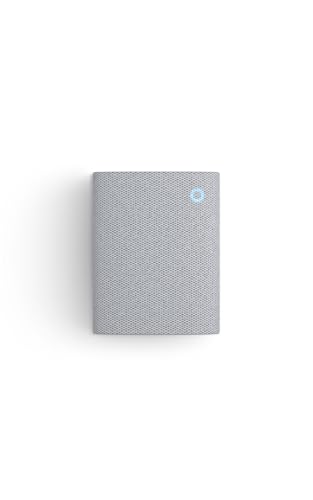
Best for confirming a Ring device is actually triggering events after a fix.

Best for repositioning a camera so motion zones capture the right area.
Going Deeper: How a Ring Camera Decides What Gets Saved
A saved clip only exists if two things happen in order: the device notices motion, and the video makes it from the camera to Ring’s servers. On the detection side, heat-based PIR (passive infrared) sensors are a common approach: Ring’s guide to its Smart Lights motion detectors explains that PIRs detect motion by detecting changes in heat, working from behind translucent Fresnel lenses. Ring also gives 30 feet as the standard maximum detection range for its devices, though larger objects farther away, such as vehicles, can still cause an alert, per Ring’s motion zones article. Activity at the far end of a long yard may never start a recording at all, which is why sensitivity and zone edges matter most at a distance. One easy miss on a new install: Ring notes that devices ship with a protective film that prevents motion detection until it’s removed, according to Ring.
The upload side is where signal strength comes in. Ring’s wifi guidance lists the upload speed each resolution needs (2 Mbps for 1080p, 10 Mbps for 2K and 15 Mbps for 4K) and names brick, stucco or metal walls, large appliances like fridges or ovens, electronics and mirrors as things that weaken the signal on its way to the router.
Why does a weak signal hurt saved clips in particular? Networking teams measure connection quality as signal-to-noise ratio (SNR), the gap between the received signal and the background “noise floor.” Cisco Meraki notes that signals close to the noise floor can be subject to data corruption, which results in retransmissions between the transmitter and receiver. Each resend eats into the upload capacity a clip needs, which fits the pattern described above: a camera that still connects for live view can deliver short, gappy or missing recordings.
If It’s Still Not Recording
If subscription, Modes, zones, sensitivity, WiFi signal and battery all check out and clips still aren’t saving, a reset is the next step — see how to reset a Ring camera. For the full cost breakdown of what a Ring Protect plan actually buys you, see the Ring worth-it verdict.
Sources & References
- Understanding Ring Protect subscriptions — Ring
- Managing alerts for Ring doorbells and cameras (Motion Snooze) — Ring
- Using Device Modes for Ring Alarm, Cameras, and Doorbells — Ring
- Understanding wifi recommendations for Ring devices — Ring
- General Information About Ring Products and Services — Ring
- Ring devices and extreme temperatures — Ring
- Maximizing Your Smart Lights Motion Detectors — Ring
- Using Motion Zones for Cameras and Doorbells — Ring
- Motion Detection for Ring Devices — Ring
- Signal-to-Noise Ratio (SNR) and Wireless Signal Strength — Cisco Meraki