
Affiliate Disclosure: Some links on this page are affiliate links. As an Amazon Associate, we earn from qualifying purchases — at no extra cost to you. We do not buy, install, or physically handle the cameras we cover; our rankings come from aggregated owner reviews, ratings and expert consensus. Commissions never change our verdicts. We're reader-supported: commissions fund hosting, research and updates, so if a guide helped, buying through our links keeps it going. How we rank · full disclosure.
The direct answer: when choosing between PoE vs wireless security cameras, PoE (Power over Ethernet) is the more reliable, more permanent option — one cable for power and data, no battery to manage, no competition for WiFi bandwidth. Wireless (battery or WiFi-only) is the easier, faster, more flexible install, and the better choice for renters, for temporary positions, or for anywhere running a cable isn’t realistic.
In Plain English
There are two main ways to power and connect a security camera. PoE (Power over Ethernet) uses one network cable that carries both electricity and video. Wireless cameras connect over your WiFi and run on a battery, a plug or a small solar panel.
Think of PoE as a house with plumbing and wireless as bottled water. Plumbing takes work to install, but then it just flows. Bottled water is quick to set up anywhere, but you have to keep topping it up.
That’s the real trade. PoE cameras don’t depend on WiFi and never need recharging, but someone has to run cables through walls or the attic. Wireless cameras go up in minutes and suit renters, but they depend on a strong WiFi signal where they’re mounted, and battery models need recharging.
The one thing to do: walk around your home and ask where running a cable is realistic. Use PoE there, and wireless everywhere else.
One Example of Each Approach

A complete PoE system, with a solid owner rating — the largest review base of any complete NVR system tracked on this site. One Ethernet cable per camera carries both power and video, removing WiFi dropouts and battery recharging entirely. No subscription at any point.
Why You Should Get This
If you can run cable, this is the most review-validated example of what a PoE system delivers.
| Camera resolution | 4MP Super HD (2560x1440), 4 bullet cameras |
| NVR | 8-channel PoE NVR |
| Storage | 2TB HDD pre-installed, 24/7 recording |
| Connectivity | PoE, single cable per camera |
| Detection | Person and vehicle detection |
| Night vision | Infrared, up to 30m range |
Benefits
- One cable per camera carries both power and video.
- No subscription at any point.
- 24/7 continuous local recording.
Pros and Cons
- Deep, trustworthy review base.
- No WiFi dropouts or battery recharging to manage.
- True 24/7 recording, not event clips.
- Real installation project running cable.
- 4MP rather than 4K.
- Higher upfront cost than a wireless camera.
Features
- Four 4MP PoE cameras.
- 8-channel NVR, 2TB HDD.
- No subscription.

The most-reviewed wireless device tracked on this site, with one of the deepest, highest-rated review bases we track, installing with no cable at all. Its head-to-toe view shows the package on the mat. It runs on a removable rechargeable battery.
Why You Should Get This
If wiring isn’t an option, this is the most review-validated example of the wireless alternative.
Benefits
- Deepest review base of any wireless doorbell tracked on this site.
- No cable, no electrician, install in minutes.
- Head-to-toe view shows the whole doorstep.
Pros and Cons
- Largest, most trustworthy review base.
- Fastest, simplest install of the two approaches.
- Renter-friendly, no permanent wiring.
- Recorded clip history needs a subscription.
- Battery recharge every two to four months.
- WiFi signal strength matters at the mounting point.
Features
- Head-to-toe 1:1 view.
- Removable battery, no wiring.
- Two-way talk.
How Each Actually Works
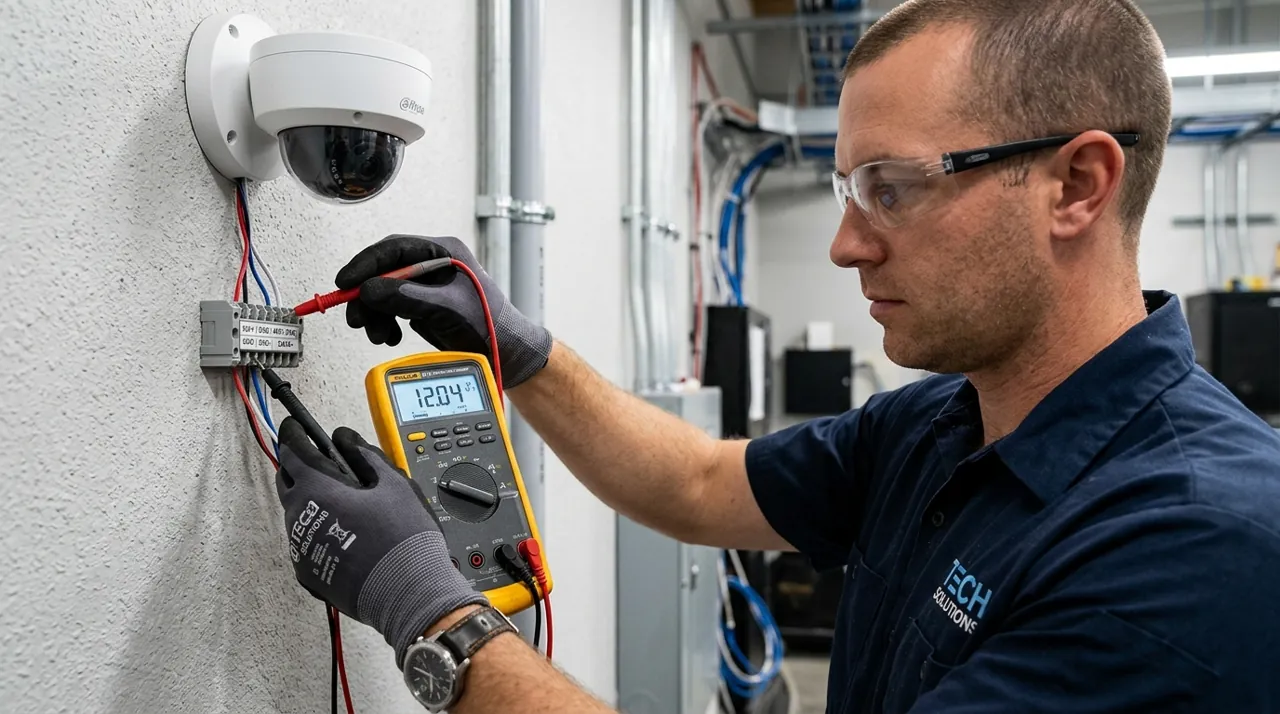
PoE sends both power and data down a single Ethernet cable from a switch, NVR or PoE injector to the camera. No battery, no separate power cable, no WiFi radio needed at all — the camera is essentially always-on and always-connected as long as the cable run is intact.
Wireless cameras connect over WiFi and are powered either by a rechargeable battery, a plug-in outlet, or a solar panel supplementing a battery. No cable to run, but the camera depends on WiFi signal strength at its exact position and, for battery models, a recharge cycle.
Reliability: Where PoE Wins
PoE cameras don’t drop offline because of a weak WiFi signal, don’t run out of battery mid-event, and don’t compete with your phones, laptops and streaming devices for wireless bandwidth. This is the core reason PoE is the standard choice for professional and prosumer installations — it removes the most common sources of frustration reported across wireless camera owner reviews on this site.
Installation: Where Wireless Wins
A battery or plug-in wireless camera is a twenty-minute job: bracket, screws, app pairing, done. A PoE camera means running a cable — through a wall, an attic, or along a soffit in outdoor-rated conduit — which is realistically an afternoon project or a paid cabling job, not a same-day DIY task for most homeowners. If you rent, or you want a camera up and working within the hour, wireless is the practical answer regardless of PoE’s other advantages.
Cost Comparison
Single wireless cameras are often cheaper per unit than PoE cameras, but PoE camera systems commonly bundle the NVR and storage into one kit price, which can make a multi-camera PoE system more cost-effective per position than buying several separate wireless smart cameras plus their individual subscriptions.
WiFi Bandwidth: The Overlooked Factor
Every wireless camera you add competes for the same WiFi bandwidth as your other devices. A handful of wireless cameras streaming or uploading simultaneously can noticeably affect a congested home network, especially at higher resolutions. PoE cameras sidestep this entirely, since their traffic runs over dedicated Ethernet rather than shared WiFi spectrum.
Power: How Each System Actually Stays On
A PoE camera draws power from the same Ethernet cable carrying its video, sourced from a PoE switch, a PoE-enabled NVR, or a standalone injector sitting between a regular switch port and the camera. As long as that upstream device has power — typically backed by the same UPS protecting a router or NVR in a proper install — the camera stays on through a mains outage that would otherwise take down a WiFi router. That is a genuine advantage for anyone thinking about security specifically during a power cut, when an intruder is more likely to test a property.
Wireless cameras split into three power types, and they behave differently. Battery models need a recharge every few months on most rechargeable designs, depending on activity level (a few AA-lithium models, such as Blink Outdoor 4, are rated for up to two years on default settings before a battery swap), which means physically removing the unit or swapping a pack. Plug-in wireless cameras solve the recharge problem but need an outlet at the mounting point, which is not always where the best camera angle is. Solar-assisted battery cameras extend runtime substantially in sunny climates but still depend on a battery buffer for overnight coverage and cloudy stretches. None of the three wireless power types survive a home WiFi outage the way a wired PoE camera survives a mains outage, since the router itself typically has no battery backup.
Monitoring: Who Is Actually Watching the Footage
PoE systems are built around self-monitoring by default: footage records to a local NVR or network video recorder that you view through an app or a monitor, and you are the one checking it, whether live or after an event. Some PoE/NVR brands offer an optional professional monitoring add-on where a third-party monitoring center watches for alerts and can dispatch a response, but it is an add-on rather than the default behavior, and pricing and availability vary by brand.
Wireless camera ecosystems are more often built around a companion app pushing push notifications straight to your phone, with self-monitoring as the default and professional monitoring available as a paid tier from some brands. The practical difference for most households is small: either way, a human being — usually you — is the one deciding whether an alert warrants a call to the police. True professional monitoring, where a monitoring center makes that call on your behalf under a service contract, sits closer to a monitored alarm system than to either camera category, and is worth comparing directly if that is genuinely the feature you want; see security camera vs monitored alarm system.
Scaling Up: What Changes at Camera Five, Ten and Beyond
The comparison shifts meaningfully once a property needs more than three or four cameras. A PoE system built around an NVR is designed for this from the outset: one recorder, one storage pool, one app, and adding a camera is one more cable run and one more channel, not one more subscription. The per-camera economics improve as the count grows, because the NVR and storage cost is already sunk.
A wireless system scales differently. Each additional camera is another battery to manage or another outlet to find, another device competing for the same WiFi channel, and, on subscription-first brands, another line item on a monthly plan. A two-camera wireless setup is genuinely simple. An eight-camera wireless setup covering a large property is where owners most often report battery-management fatigue and WiFi congestion complaints in the reviews behind our brand pages. If a whole-property build is the actual goal rather than a door and a driveway, that is the point at which PoE typically becomes the more sensible category, cabling effort notwithstanding.
Accessories Worth Having on Hand


Best for local recording on a wireless camera with a card slot.
Going Deeper: How PoE Power Budgets and Standards Work
PoE is not one fixed amount of power. It is a family of standards, and each one sets how much power leaves the switch and how much reaches the camera. Microchip’s white paper on IEEE 802.3bt lays out the steps. The original 802.3af standard from 2003 provides up to 15.4W at the source, and 12.95W reaches the device. 802.3at, or PoE+, from 2009 supplies 30W at the source and 25.5W at the device. 802.3bt, ratified in 2018, adds Type 3 at 60W and Type 4 at 90W at the source, with up to 71.3W reaching the device. Every tier assumes a cable run of up to 100m.
Cisco notes that the 100m maximum cable length is set to account for power loss along the cable, which is why less power reaches the camera than leaves the switch. It also says each new standard is backward compatible with the ones before it. In practice, a basic camera designed for 802.3af will run from a PoE+ port. A pan-tilt-zoom camera that needs more may not run properly from an older 802.3af port. Microchip names PTZ cameras as devices that 15.4W is not enough for.
The part most buyers miss is the total budget. TP-Link’s TL-SG1008P is a typical small switch. It has four 802.3af PoE ports rated at up to 15.4W each, but only 55W for all PoE outputs combined. Four ports at full power would need 61.6W, so the switch can’t run every port at its maximum at once. TP-Link says it cuts power to lower-priority ports if total draw goes over 55W. That is exactly the “works with three cameras, drops the fourth” pattern PoE owners run into.
Before buying, add up the rated draw of every camera, including any with infrared or spotlights. Then compare it with the switch or NVR’s total PoE budget, not just the per-port figure, and leave some headroom for cameras you add later.
Tip Before buying a PoE switch or NVR, add up the rated draw of every camera, including any with infrared or spotlights, and compare it with the total PoE budget, not just the per-port figure.
Which Should You Choose?
Choose PoE if: you want maximum reliability for a permanent position, you’re covering multiple cameras and want to avoid WiFi congestion, or you’re building a whole-property system from the ground up. See wired PoE cameras.
Choose wireless if: you rent, you want a fast install with no cable running, or the position is temporary or hard to reach with a cable at all. See wireless and battery cameras.
Mix both is a genuinely common and sensible approach — PoE for the permanent, high-priority positions and wireless for flexible or hard-to-cable spots.
Sources & References
- What Is Power over Ethernet (PoE)? — Cisco
- PoE Distance Limit: How Far Can PoE Run? — Reolink
- Understanding wifi recommendations for Ring devices — Ring
- Blink Outdoor 4 Technical Specifications — Blink
- Next-Generation PoE: IEEE 802.3bt White Paper — Microchip Technology
- TL-SG1008P 8-Port Gigabit Desktop Switch with 4-Port PoE — TP-Link