
Affiliate Disclosure: Some links on this page are affiliate links. As an Amazon Associate, we earn from qualifying purchases — at no extra cost to you. We do not buy, install, or physically handle the cameras we cover; our rankings come from aggregated owner reviews, ratings and expert consensus. Commissions never change our verdicts. We're reader-supported: commissions fund hosting, research and updates, so if a guide helped, buying through our links keeps it going. How we rank · full disclosure.
Short version: most homes need two to four cameras, not the six-to-eight-camera kits often marketed as a "complete" system. Start with the single highest-value position (almost always the front door), add a second for the main approach or driveway, and expand only where an actual gap shows up in practice rather than guessing upfront.
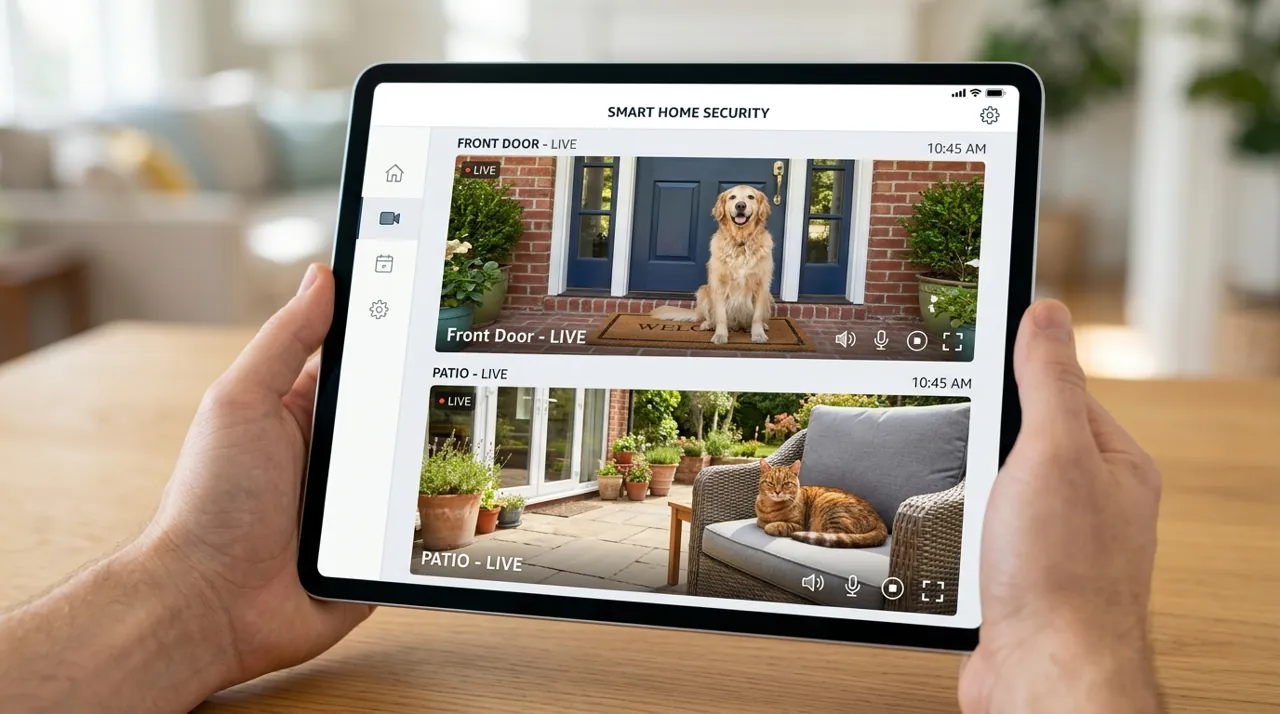
In Plain English
Most homes need two to four security cameras. Start with one at the front door, where visitors and deliveries arrive. Add a second for the driveway or main path, then perhaps one for the back door.
Think of cameras like smoke alarms: you put them where the risk is, not in every room. Big kits of six or eight cameras often leave spares in a drawer. A single wide-angle camera (one that sees a wider scene) can sometimes do the job of two. Only add another camera when you find a real blind spot — a gap your footage keeps missing. Also check how your plan charges: some monthly plans charge per camera, while others cover every camera at your address for one price (a household plan), so extra cameras cost nothing more each month.
The Three Cameras Most Homes Add First

The highest-rated outdoor camera tracked on this site with one of the highest ratings and deepest review bases we track, a common first camera for the driveway or main approach. Motion-activated LED floodlights pair with 1080p color night video on permanent wired power. It needs an existing wired outdoor fixture or an electrician to install.
Why You Should Get This
For most homes, the driveway or main approach is the first position to cover, and this is the most review-validated camera for that job.
| Resolution | 1080p HD |
| Field of view | 140° horizontal |
| Power | Hardwired, existing outdoor fixture |
| Night vision | Color night vision |
| Audio | Two-way talk |
| Siren | 105dB built-in siren |
| Lighting | Motion-activated LED floodlights |
| Smart home | Works with Alexa |
Benefits
- Highest-rated outdoor camera tracked on this site.
- Never needs a battery recharge.
- Color night video from the floodlights.
Pros and Cons
- Massive, consistent review base.
- Motion-activated floodlights double as a deterrent.
- Reliable wired connection.
- Needs an existing wired fixture or electrician.
- 1080p rather than 2K/4K.
- Recorded clip history needs a subscription.
Features
- Motion-activated LED floodlights.
- 105dB built-in siren.
- Two-way talk.

The most-reviewed video doorbell tracked on this site, the second camera most households add after the driveway, with one of the deepest, highest-rated review bases we track. Its head-to-toe view shows the package on the mat. It runs on a removable rechargeable battery with no wiring required.
Why You Should Get This
After the driveway or approach, the front door is the second position most households cover — this is the most review-validated pick.
Benefits
- Deepest review base of any video doorbell tracked on this site.
- Head-to-toe view shows the whole doorstep.
- No wiring required.
Pros and Cons
- Largest, most trustworthy review base.
- Motion zones cut sidewalk false alerts.
- Live view and two-way talk work with no plan.
- Recorded clip history needs a subscription.
- 1080p rather than 2K.
- Battery recharge every two to four months.
Features
- Head-to-toe 1:1 view.
- Removable battery or hardwiring.
- Two-way talk.

The most-reviewed inexpensive indoor camera tracked on this site, a common third camera for a main living area or hallway, with one of the deepest, highest-rated review bases in the category. 1080p HD video with two-way talk and a physical privacy cover. Plug-in power means nothing to recharge.
Why You Should Get This
After outdoor and doorbell coverage, an indoor camera on a common area or hallway is the third position most households add.
Benefits
- Most-reviewed inexpensive camera in the category.
- Physical privacy cover for peace of mind.
- Plug-in power, nothing to recharge.
Pros and Cons
- Massive, trustworthy review base.
- Low price for a third or fourth camera.
- Simple plug-in setup.
- Recorded clip history needs a subscription.
- 1080p rather than 2K.
- Indoor use only.
Features
- 1080p HD, two-way talk.
- Physical privacy cover.
- Plug-in power.
The Priority Order for Most Households
1. Front door. The delivery point, the visitor point, and a primary entry approach. This is almost always the correct first purchase — see best security camera for front door.
2. Driveway or main approach. Covers vehicles, the walk-up to the house, and often doubles as backyard-adjacent coverage depending on the property layout.
3. Back door or secondary entry. A common break-in approach that is less visible from the street, and often left uncovered by first-time buyers who only think about the front.
4. Detached structures (garage, shed). Only if these hold anything worth protecting separately — many homes skip this position entirely.
Beyond four positions, most homes are covering genuinely low-traffic areas with diminishing security value, unless the property is unusually large or has a documented specific vulnerability.
Apartments and Renters
Typically one to two cameras: an indoor camera aimed at the entry door (since drilling into a rented structure is often restricted), and optionally a second for a balcony or secondary entry. See best security camera for apartment for install methods that don’t require permanent modifications.
Larger Properties and Acreage
Coverage needs scale with the number of realistic approach points rather than square footage alone — a large property with one driveway and no other vehicle access may need fewer cameras than a smaller property with multiple entry points. This is where whole-property PoE/NVR systems (4-8+ channels) start making more sense than adding individual smart cameras one at a time. See NVR camera systems.
How Camera Count Affects Subscription Cost
This matters more than most buyers realize before checkout. On a per-camera cloud subscription, each additional camera adds to the monthly bill. On a household-unlimited plan (Ring’s Multi plan, formerly Ring Home Standard, which covers all Ring devices at one location), adding a second, third or fourth camera at the same address costs nothing extra in subscription fees — which flips the economics of "do I need one more camera" once you’ve already committed to a plan. Brands built around local storage (eufy, Reolink, Wyze) don’t require a subscription to record — their cloud plans are optional — so camera count mainly affects the one-time hardware cost.
Signs You Actually Need Another Camera
A specific blind spot showed up in reviewed footage after an actual event. A delivery or visitor consistently approaches from an angle your current camera misses. You’ve had an incident (attempted entry, theft) at a position with no current coverage. These are better reasons to add a camera than a general sense that "more is safer" — which usually just means more notifications to manage and more cameras to maintain.
Field of View: One Wide-Angle Camera vs. Two Narrower Ones
A single camera with a wide field of view (130 to 160 degrees is common on modern outdoor models) often covers a driveway and front walkway that would otherwise take two narrower cameras to capture fully. Before adding a second camera to a position, check whether repositioning the existing one, or swapping it for a model with a wider lens, solves the coverage gap more cheaply than doubling up. Two narrower cameras still win in one specific case: when you need genuinely separate angles on the same area, such as a driveway camera aimed at approaching vehicles and a second aimed specifically at license plates, since a single wide lens compromises detail at both jobs simultaneously.
When Overlapping Coverage Is Actually Worth It
Deliberate overlap between two cameras — both covering part of the same area from different angles — is not wasted coverage the way it might look on paper. It matters most at a single point that carries disproportionate risk, like a garage side door that is also the main pedestrian entry, where a blind spot on one camera can be filled by a second. Most homes do not need this; it is worth considering specifically for a position with a documented past incident or an unusually high-value area, not as a default across every room and doorway.
Common Over-Buying Mistakes
Buying a six-or-eight-camera kit because it is the "complete" option on the listing page. Most kits are priced and marketed to look like the obvious upgrade path, but buyers who don’t count their positions first often end up with spare cameras in a drawer. Covering every window individually instead of the approach paths that lead to them. Duplicating coverage indoors and outdoors for the same door without a specific reason, such as an indoor camera aimed at a front door that a doorbell camera already covers from outside. Buying position by position, and confirming each new camera solves a gap the previous ones do not, avoids all three.
How Camera Type Affects the Right Count
Battery cameras make it cheap and low-commitment to add one more position, since there's no cable run involved — mount it, pair it with the app, and reposition it later if the angle turns out wrong. This flexibility is part of why over-buying is so common with battery cameras specifically: adding a fifth or sixth position costs an afternoon, not a rewiring project. PoE and hardwired cameras carry a real marginal cost per additional position, since each one needs a cable run back to a switch or NVR, which naturally pushes buyers toward planning the full position count upfront rather than adding cameras one at a time as blind spots show up. Neither approach is wrong, but know which one you're in before you buy, since it changes whether "start small and add later" is actually the cheaper path for your setup.
Going Deeper: Why One Camera Covers Less Than It Seems
A camera’s coverage has two limits: how wide it sees and how far it reliably detects. The first is the field of view, and the headline figure is usually the diagonal. Wyze’s Cam v4 specifications, for example, list 115.8° diagonal but 98.5° horizontal and 53.1° vertical, so the side-to-side angle that matters for covering a yard is narrower than the number on the box. Google’s specifications list diagonal fields of view from 130° to 166° across Nest models; for the Nest Cam with floodlight, the camera’s view is 130° diagonal, while its motion sensor covers 110° horizontally. When comparing, make sure you compare the same kind of angle.
The second limit is detection range. Blink says its cameras detect motion best from about 7 to 19 feet away and can respond at 30 feet, and that its sensor is most sensitive to motion moving across the view. Ring’s motion zones guide gives a standard maximum detection range of 30 feet, though larger objects such as vehicles can trigger alerts from farther away, and Google lists up to 25 feet for the Nest Cam with floodlight. A camera may show a wide scene but only reliably notice movement in the nearer part of it, which is one reason a long driveway or deep backyard can need a second position even when the first camera technically sees the far end.
Placement changes both limits. Ring’s positioning guide recommends mounting outdoor cameras 8 to 10 feet up with a 20-degree tilt and doorbells at 48 inches, testing Wi-Fi at the mounting spot, and clearing trees, flags or bright lights that could cause false alerts or block the view. Before buying another camera, try repositioning or re-angling the one you already own; the figures above explain why a small change in height or angle can close a gap that looked like it needed new hardware.
Next Steps
Start with best security camera for front door if you’re buying your first camera, then work outward to top-rated outdoor security cameras for the next position. If you’ve concluded a full multi-camera system is the right scope from the start, see security camera systems ranked by owner reviews.
Sources & References
- Through the eyes of a burglar: study provides insights on habits and motivations — UNC Charlotte
- Understanding Ring Protect subscriptions — Ring
- Ring subscription plan changes in 2026 — Ring
- Wyze Cam v4 specifications — Wyze
- Google Nest cameras and doorbells technical specifications — Google
- Understanding motion detection — Blink
- Using Motion Zones for Cameras and Doorbells — Ring
- Positioning doorbells and security cameras — Ring