
Affiliate Disclosure: Some links on this page are affiliate links. As an Amazon Associate, we earn from qualifying purchases — at no extra cost to you. We do not buy, install, or physically handle the cameras we cover; our rankings come from aggregated owner reviews, ratings and expert consensus. Commissions never change our verdicts. We're reader-supported: commissions fund hosting, research and updates, so if a guide helped, buying through our links keeps it going. How we rank · full disclosure.
Short version: a multi-camera starter kit is nearly always better value than buying cameras one at a time, and which size to buy depends on how much of your property you want covered on day one. The eufy SoloCam S220 2-Cam Pack is the simplest true starter — two wireless solar cameras, no wiring, no subscription. The aosu D1 Classic 4-Cam Kit covers a whole property and carries the deepest review base of any solar multi-camera kit we track. For buyers who want comprehensive wired coverage from the start rather than a small wireless kit, the Reolink RLK8-800D4 bundles four 4K cameras, an 8-channel NVR and 2TB of storage in one purchase.
In Plain English
A starter kit is a bundle of cameras sold together, usually cheaper per camera than buying them one at a time. There are two kinds on this page.
Wireless solar kits work a bit like garden solar lights with a camera inside. You screw them to a wall, point the small panel at the sun and connect them to your WiFi. No cables, and no monthly fee for local storage.
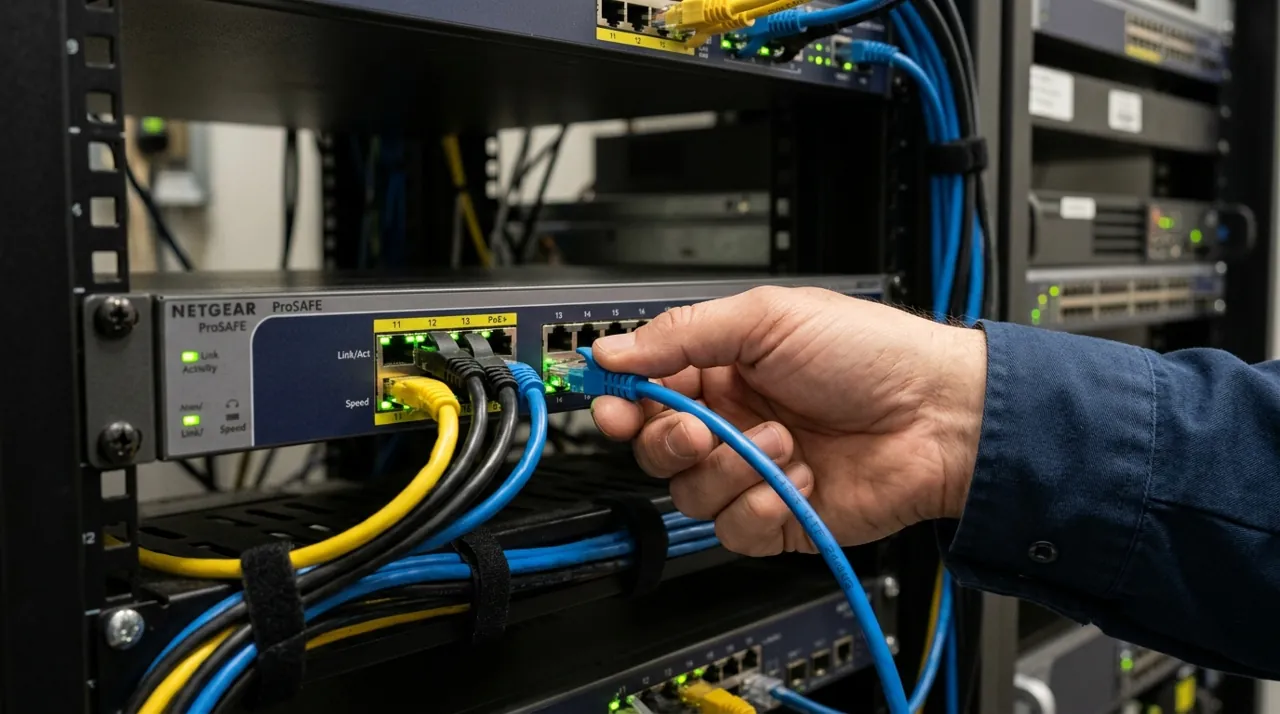
A wired kit connects every camera to a recorder box with one network cable each. That cable carries both power and video (called PoE, or Power over Ethernet). It takes more work to install, but gives sharper video and more room to add cameras.
Why it matters: every kit has a ceiling on how many cameras it can hold. Outgrow it and you may have to start again.
The one thing to check: the maximum number of cameras the hub or recorder supports, and compare it with how many you might want in a year or two.
Top Rated Picks at a Glance
The Ranked Field: Star Rating, Consensus and Price

Best for a wireless, no-wiring first multi-camera purchase covering two positions.
- Two solar-powered wireless cameras in one purchase.
- No wiring, no subscription required for local storage.
- Straightforward two-position coverage out of the box.
- Same eufy SoloCam line reviewed elsewhere on this site.
Why buy it: The easiest true starter kit here — unbox two cameras, mount them in the sun, done, with no monthly fee attached.

Best for covering four positions around a property with no wiring and no monthly fee.
- Four solar cameras with 360-degree auto-tracking.
- 32GB of built-in storage, no subscription required.
- 3MP color night vision across all four cameras.
- The deepest review base of any solar multi-camera kit on this site.
Why buy it: Already the #1 pick in our full solar camera roundup — the strongest-evidenced four-camera wireless starter kit available.

Best for buyers who want a complete wired 4K system with room to grow to 8+ cameras from day one rather than starting small.
- 4 cameras, an 8-channel NVR and 2TB storage included in one purchase.
- 4K/8MP resolution.
- PoE cabling — one cable per camera for power and video.
- No monthly cloud fee, records locally.
Why buy it: The right choice for a buyer who knows they want comprehensive coverage from the start rather than expanding a smaller wireless kit over time.
Comparison Table
| Product | Best for | Buy |
|---|---|---|
| eufy Security SoloCam S220 2-Cam Pack (Solar) | Best Overall Starter Kit | Price |
| aosu D1 Classic 4-Cam Kit (Solar) | Best for Whole-Property Coverage | Price |
| REOLINK RLK8-800D4 8-Channel 4K NVR Kit | Best Wired, High Camera-Count System | Price |
How We Rank
We do not buy or physically install these kits. Every star rating and review count comes from licensed Amazon data. Full method on how we rank. Rankings weigh both the star rating itself and the depth of the review base behind it — a 4.5-star rating from a few dozen reviews carries less confidence than a 4.2-star rating built on thousands, which is why the aosu D1 Classic's review depth is called out specifically in its ranking position above.
Buying Guide: Sizing a Starter Kit to Your Property
2 Cameras: Testing the Waters
A 2-camera pack suits a genuinely small coverage need (front and back door, for example) or a buyer who wants to try a brand’s ecosystem before committing to a larger system. It is the lowest-commitment entry point on this page.
4 Cameras: The Whole-Property Sweet Spot
Four cameras is the common sweet spot for covering a typical property’s main sides and entry points from one purchase, without the cost or installation complexity of an 8-channel wired system.
8 Cameras and Wired: Comprehensive From Day One
An 8-channel NVR kit suits a buyer who already knows they want thorough coverage — every entry point, the yard, interior common areas — and would rather buy the complete system once than expand a smaller wireless kit incrementally over time. It is also the only option here with genuinely no camera-count expansion limit until the NVR’s channels are full.
Expanding a Starter Kit Later
Wireless solar starter kits like the eufy SoloCam S220 and aosu D1 Classic generally allow adding more cameras of the same model later, within the limits of the brand's app and hub — and those limits are real: aosu lists its aosuBase 1.0 hub at up to four cameras (the 2.0 hub at up to six), so a D1 Classic 4-cam kit on the 1.0 base is already full. That makes a 2-cam pack a genuinely low-risk way to test a brand's ecosystem before committing to whole-property coverage, since a satisfied owner can simply buy more of the same camera later rather than starting over. A wired NVR kit like the Reolink RLK8-800D4 expands differently — its 8-channel NVR has eight PoE ports (Reolink lists support for up to 12 IP cameras in total), so the included 4 leave room for at least 4 more compatible units without replacing the recorder itself. Whichever format you start with, checking the brand's stated per-hub or per-channel ceiling before buying avoids an unpleasant surprise when it's time to add a fifth or ninth camera.
Wireless vs Wired: Matching the Format to Your Property
A wireless solar starter kit installs anywhere with reasonable sun exposure and WiFi coverage, with no cabling to run — a genuine advantage for a renter or anyone wanting a weekend-afternoon install rather than a bigger project. A wired NVR starter kit needs a PoE cable run to each camera position, which is a bigger upfront commitment but delivers higher resolution per camera and a much higher total expansion ceiling. Property type matters too: a single-family home with easy attic or crawlspace access for cable runs is a better fit for a wired kit than an apartment or a rental where cabling isn't practical or permitted. Weigh how long you expect to stay at the current address as well — a wireless kit moves with you to a new home far more easily than cameras wired into a specific property's junction boxes and cable runs.
What to Expect During Setup
A wireless solar starter kit is generally the fastest to get running — unbox the cameras, mount them with the included bracket, angle the solar panel toward the sun, and pair each one to the app over WiFi. Most owners describe this as a single-afternoon project for a 2 or 4-camera kit, with no drilling into walls beyond the mounting screws themselves. A wired NVR starter kit like the Reolink RLK8-800D4 takes meaningfully longer, since each camera needs its own PoE cable run back to the NVR — budget a half day or more depending on cable routing, especially through walls or a roof cavity. Both formats generally handle camera discovery and pairing automatically once the physical setup is done, so the time difference is almost entirely in the cabling, not the software configuration.
Matching a Starter Kit to Your Household
A renter or first-time buyer testing whether smart cameras fit their routine is best served by the eufy SoloCam S220 2-Cam Pack — it's the lowest-commitment option ranked here, with no wiring and no subscription. A homeowner who already knows they want serious, whole-property coverage should skip the smaller kit and buy the aosu D1 Classic 4-Cam Kit directly, since it carries the deepest review base of any solar multi-camera kit tracked on this site and covers a typical property's main sides in one purchase. Anyone who wants a genuinely comprehensive system from day one, with no per-camera expansion anxiety later, is better served by the Reolink RLK8-800D4's 8-channel NVR format, even though it costs more upfront and needs a real cabling project to install.
Going Deeper: How PoE Power Budgets and Solar Siting Set a Kit’s Limits
A wired kit’s expansion ceiling is partly a power question. Power over Ethernet delivers DC power over copper Ethernet cabling, so each camera draws from the port it is plugged into. NETGEAR lists the IEEE levels as 15.4W from the power source for 802.3af and 30W for 802.3at (PoE+), and Cisco gives a maximum cable run of 100 metres.
Reolink’s own spec sheet shows how that plays out on the RLK8-800D4. The NVR has eight PoE Ethernet ports, a maximum of 25W per port, and support for IEEE 802.3af/at; each camera is listed as 802.3af, 48V active PoE. The same sheet says the recorder supports up to 12 IP cameras, with a maximum of eight wired, which is why the ninth wired camera needs its own power source. Reolink says a separate PoE switch or injector must be 802.3af-compliant and support active mode, and that passive PoE injectors are not compatible.
Cable length is the other wired limit. Reolink gives a maximum of 100m (328 ft) between camera and NVR on Cat 5e or better, or 80m on Cat 5, and recommends keeping runs as short as practical. Measuring the real route through an attic, rather than the straight-line distance, is what prevents a camera from landing just past that limit.
Wireless solar kits trade those limits for a dependence on sunlight. The U.S. Department of Energy notes that panels in the northern hemisphere produce the most energy over a year when pointed due south and tilted at an angle equal to the local latitude. A camera’s small panel follows the same geometry, which is why the setup advice here is to angle each panel toward the sun rather than simply where the camera looks best.
The Verdict
For most first-time buyers, the eufy SoloCam S220 2-Cam Pack is the easiest, lowest-commitment starting point. If you already know you want to cover a whole property with wireless solar cameras, buy the aosu D1 Classic 4-Cam Kit directly rather than starting smaller — it has the deepest review base of any kit on this page. And if you want a complete wired system with no camera-count anxiety later, the Reolink RLK8-800D4 is the straightforward choice. Whichever kit you choose, match the camera count and cabling format to your actual property, not to whichever option happens to be cheapest on the day you're buying.
Related Accessories


Best for extending 24/7 recording history beyond the included drive.

Best for maximum retention on a larger camera count or 4K system.
Sources & References
- SolarCam D1 Classic 2/4-Cam System — aosu
- Reolink RLK8-800D4 8MP 4K Security Camera System with PoE NVR — Reolink
- How to Power on Reolink PoE Cameras — Reolink
- What Is Power over Ethernet (PoE)? — Cisco
- Overview of Official PoE Standards — NETGEAR
- Reolink Ethernet Cable FAQ — Reolink
- Solar Photovoltaic System Design Basics — U.S. Department of Energy