
Affiliate Disclosure: Some links on this page are affiliate links. As an Amazon Associate, we earn from qualifying purchases — at no extra cost to you. We do not buy, install, or physically handle the cameras we cover; our rankings come from aggregated owner reviews, ratings and expert consensus. Commissions never change our verdicts. We're reader-supported: commissions fund hosting, research and updates, so if a guide helped, buying through our links keeps it going. How we rank · full disclosure.
The short version: a driveway alarm and a security camera solve two different problems and aren’t really competing products, despite often coming up in the same search. An alarm tells you the instant something happened; a camera shows you what it was. Neither replaces the other, and many well-secured properties run both.
In Plain English
A driveway alarm and a security camera sound similar but do different jobs. The alarm is a lookout that shouts “someone’s coming!” the moment a car or person passes. The camera is a witness that records what happened so you can watch it later.
The alarm is simpler. A sensor outside talks directly to a receiver inside, with no WiFi, app or subscription. It uses PIR (passive infrared), which reacts to moving warmth, so it works day or night without needing light. A camera usually needs WiFi, and some charge monthly to keep video in the cloud.
One thing confuses buyers: the “half mile” on a driveway alarm box is how far the sensor can send its signal to the receiver, not how far it can see. The sensor itself detects movement over a much shorter distance.
If you can only buy one, ask which matters more: knowing right now, or having proof later.
What Each Device Actually Does
A driveway alarm detects motion in its zone and immediately alerts you — a chime, a receiver notification, a flashing light — with no camera and no recorded footage of any kind. It’s built for speed of alert, not evidence. A security camera records video (continuously or motion-triggered) that you can review later, and increasingly includes smart detection (person, vehicle, animal) and live viewing through an app, but typically has more setup, cost and often a subscription for full functionality.
Cost Comparison
Driveway alarms on this hub sit at an entry-level price for a complete sensor-and-receiver kit, with no ongoing cost. A comparable security camera starts at a similar entry-level price for a single well-reviewed unit and climbs from there for premium features or multi-camera systems, sometimes with a monthly subscription for recorded video history — see the outdoor cameras hub for the full field.
When to Choose Each
Choose a driveway alarm if your priority is knowing instantly that something entered your property, without needing to review footage afterward — a genuine, cost-effective early-warning system.
Choose a security camera if you want a visual record — for identifying who or what triggered an event, for insurance documentation, or simply to review activity later. A camera captures evidence an alarm alone never provides.
Choose both if budget allows — the alarm gives instant notice, and a camera aimed at the same zone provides the record. This combination covers the gap either device leaves on its own.
A Driveway Alarm's Instant Alert vs a Security Camera's Recorded Video
This is the core tradeoff between the two categories. A driveway alarm gives an instant alert the moment something crosses its zone. A chime, a light, a receiver notification, arriving in real time. Nothing gets recorded. There's no footage to review later, only the fact that something triggered it, at the exact moment it happened.
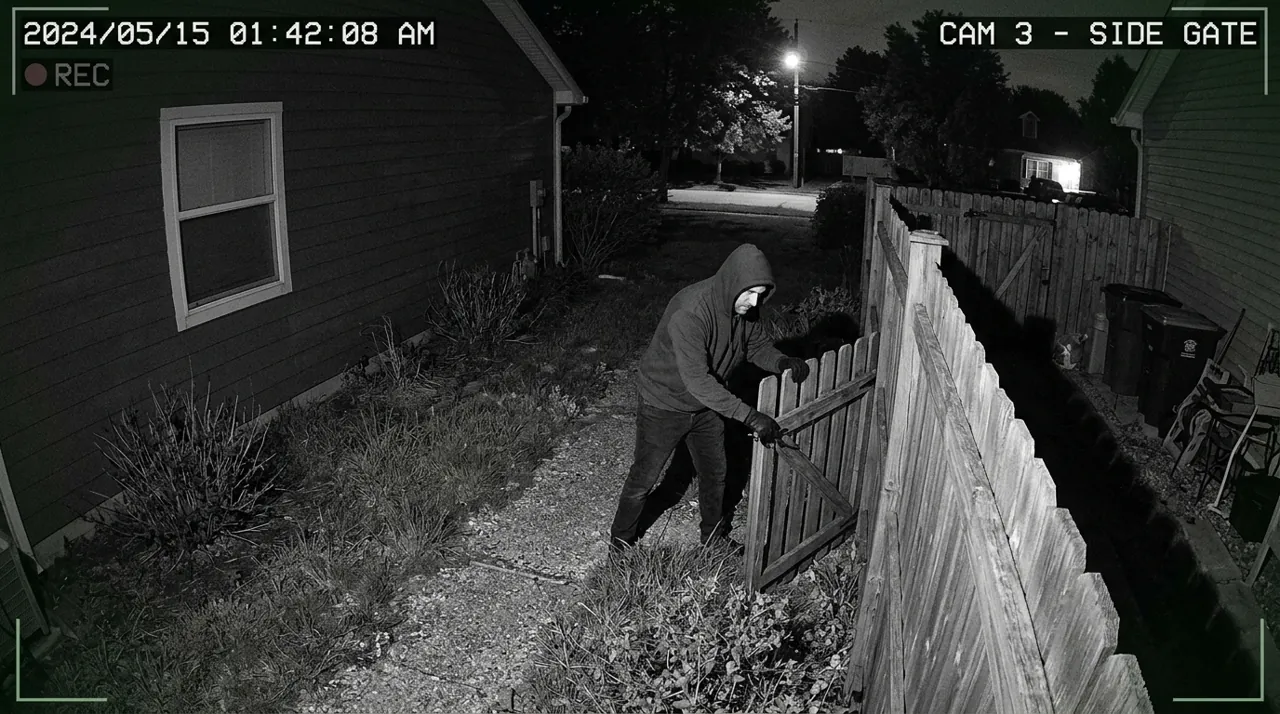
A security camera works the other way. It records video, continuously or motion-triggered, that you can review after the fact. Some cameras add a live view too, so the alert and the visual record can arrive close together in real time. But a camera's core value is the recorded video itself, not just the notification, since that footage is what actually answers the question of what happened after the alert already fired.
WiFi and Subscription Requirements Compared
A driveway alarm needs neither. The sensor and receiver talk directly over a private wireless signal. No home WiFi, no app account, no monthly subscription of any kind.
A security camera usually needs WiFi for remote viewing and app-based alerts, and some models charge a subscription for extended cloud video storage. Local-storage and cellular camera models reduce or remove the WiFi dependency, and many cameras skip the subscription entirely for basic motion alerts, but full functionality on most mainstream cameras does assume a home WiFi connection. A driveway alarm sidesteps all of this complexity by design, which is exactly why some buyers choose it specifically to avoid another subscription bill.
Motion Detection Range and Coverage
Two different numbers get confused here. The headline figures on driveway alarm boxes — a quarter mile, a half mile — are the wireless transmission range between the sensor and the indoor receiver, not how far the sensor can see. The PIR detection zone itself is far shorter: HTZSAFE, for example, rates its solar motion sensors at 15 to 21 meters (roughly 50 to 70 feet) of detection, while its beam-type sensors reach up to 100 meters. The transmission range shrinks with trees, hills and obstacles, same as any wireless device.
A security camera's field of view is usually narrower and shorter, built around framing a good shot rather than maximizing detection distance. The two aren't really competing on range; a driveway alarm's real advantage is placement, since its sensor can sit far down the driveway and still reach a receiver inside the house, while a camera wins on picture detail within its view. Some owners solve this by pairing both: a long-range driveway alarm covering the far end of the property, and a security camera aimed at the closer, more detailed approach to the house itself.
Detection Technology: PIR vs Video Motion
A driveway alarm relies on PIR, passive infrared, detection. It watches for a heat change in its zone. No camera, no video analysis, just a heat signature crossing a boundary. That's why it works day or night with no need for light — though, as Reolink notes, direct sunlight and rapid temperature changes can still cause PIR false triggers.
A security camera's motion detection often works differently. Many analyze changes in the video feed itself, pixel by pixel, though many battery-powered cameras also use a PIR sensor to wake up before recording. Many newer cameras add AI-based filtering, distinguishing a person or vehicle from a blowing branch. That's more sophisticated, but it also depends on decent lighting and a clear video feed to work well, a dependency PIR detection doesn't have.
Installation and Setup Compared
A driveway alarm installs fast. Stake or mount the sensor, plug in the receiver, and it's working. No WiFi, no app account, no subscription screen to click through.
A security camera takes a bit more setup. Most need a WiFi connection, an app account, and a few minutes of pairing. Some add an optional subscription step for extended cloud storage. Neither installation is genuinely difficult, but the alarm is the faster of the two by a clear margin, start to finish.
False Alerts: Different Causes, Different Fixes
Both devices generate false alerts, just from different triggers. A driveway alarm's PIR sensor can fire from wildlife, wind-blown branches, or a car passing on a nearby road. A camera's video detection can trigger from shadows, headlights at night, or foliage moving in frame.
AI-based person and vehicle filtering on newer cameras has cut down camera-side false alerts significantly compared to older motion-only models. A driveway alarm's sensitivity dial does a similar job for PIR nuisance triggers, just with a simpler adjustment.
Going Deeper: Why an Alarm Sends a Signal and a Camera Sends Video
The two devices use radio in fundamentally different ways. US rules for periodic low-power transmitters show the model a driveway alarm follows: 47 CFR § 15.231 restricts devices operating under it to control signals “such as those used with alarm systems, door openers, remote switches,” bars continuous transmissions, voice and video, and requires an automatically activated transmitter to stop transmitting within 5 seconds. A camera, by contrast, exists to move video, which is why it leans on home WiFi and, often, a cloud service.
Detection differs just as much. A driveway alarm’s PIR sensor contains two infrared-sensitive halves that normally see the same background; a warm body crossing the view reaches one half first and creates the difference the sensor reacts to, according to Adafruit’s technical guide. Because it senses infrared from warm bodies rather than visible light, it does not need the scene to be lit. It does need contrast: Panasonic guarantees detection for its sensors when there is at least a 4°C difference between a body and its surroundings.
Cameras increasingly combine both approaches rather than choosing one. Google’s spec sheet for the Nest Cam with Floodlight, for example, lists a dedicated motion sensor for the camera with a 110° field of view and a range of up to 25 feet, plus two more for the floodlight, alongside on-device machine learning. The motion sensor notices that something is there; the video processing decides what it is.
That split explains the different false alerts described above. PIR sensors can be triggered by heat sources like radiators or sunlight, and can struggle in extreme or rapidly changing temperatures, as Reolink notes, while video analysis struggles with shadows and headlights. Pairing a long-range alarm with a camera covers each device’s blind spot with the other’s strength.
Verdict
These aren’t rival purchases — they’re complementary tools for different jobs. If you can only buy one, decide based on whether instant alerting or recorded evidence matters more for your specific situation. See top-rated driveway alarms for alert-only picks, or the outdoor cameras hub for recorded-evidence picks.
Sources & References
- HTZSAFE Driveway Alarm Product Range (transmission and detection ranges) — HTZSAFE
- How PIRs Work — Adafruit Learning System
- PIR Motion Sensor: How It Works in Security Cameras — Reolink
- SEHMUA Cellular Solar Security Camera CB14S (PIR motion sensor spec) — SEHMUA
- 47 CFR § 15.231 – Periodic operation in the band 40.66–40.70 MHz and above 70 MHz — Legal Information Institute (Cornell Law School)
- Panasonic’s PIR Motion Sensors — Panasonic Industrial Devices
- Google Nest Cam with Floodlight – Tech Specs — Google Store