
Affiliate Disclosure: Some links on this page are affiliate links. As an Amazon Associate, we earn from qualifying purchases — at no extra cost to you. We do not buy, install, or physically handle the cameras we cover; our rankings come from aggregated owner reviews, ratings and expert consensus. Commissions never change our verdicts. We're reader-supported: commissions fund hosting, research and updates, so if a guide helped, buying through our links keeps it going. How we rank · full disclosure.
Short answer: a PoE (Power over Ethernet) security camera gets both its power supply and its video connection through a single Ethernet cable, instead of needing a separate power cord plugged into an outlet. The cable runs from the camera to a PoE switch, a PoE-enabled NVR, or a standalone PoE injector, and that device supplies electricity along the same line that carries the video data. One cable, two jobs — which is the entire appeal.
Recommended PoE Cameras


Best for covering two positions with one PoE cable run each.

Best for a complete six-camera PoE-and-NVR system.
What Is a PoE (Power Over Ethernet) Security Camera, in Plain Terms?
Restated simply: a PoE security camera is any camera that draws its electricity from the same Ethernet cable carrying its video data, rather than from a separate power cord or a battery. The term itself comes from Power over Ethernet, the underlying networking standard that lets a cable rated for data also safely carry low-voltage DC power alongside it. Any camera labeled PoE in its product listing is built around this standard, and it will not power on from a data-only network connection — it specifically needs a PoE-capable source on the other end of the cable.
Why PoE Exists and What It Solves
Before PoE, a wired security camera needed two separate runs to the mounting position: a power cable to an outlet, and a data cable back to a recorder, or it relied on WiFi for data and still needed power from somewhere. PoE collapses that into one cable, which matters enormously for exterior camera positions where running two separate cables through walls, soffits or conduit doubles the labor of an already involved job. A single Ethernet run, terminated with the right connector, is the entire cable path a PoE camera needs.
The data side of PoE also brings a real reliability advantage over WiFi: a wired connection does not suffer from signal dropout, interference from other devices, or range limits the way wireless does. That is why PoE systems are the standard choice for anyone who wants genuinely continuous, uninterrupted recording rather than the intermittent motion-triggered clips typical of battery and WiFi cameras.
What a PoE Setup Actually Requires: Power Source, Cable and Connectors
Three components, beyond the camera itself. First, a PoE power source — most commonly a PoE-enabled NVR that ships as part of a camera system kit, though a standalone PoE switch or a single-camera PoE injector both work for smaller setups. Second, standard Ethernet cable, typically Cat5e or Cat6, run from the camera position back to that power source; the standard limit on a single run without a repeater is 100 meters (about 328 feet), well beyond what most home installs need. Third, weatherproof connectors and, for exterior runs, some attention to routing the cable through conduit or under eaves rather than leaving it exposed.
What a PoE setup does not need is an outlet anywhere near the camera, which is the entire reason installers favor it for positions like a garage peak, a detached shed, or a corner of the yard with no nearby power.
PoE Camera vs WiFi Camera and Battery Camera: How They Compare
The comparison owners make most often is PoE against WiFi, and the honest answer is that each wins on a different axis. WiFi cameras win on installation speed and flexibility — no cable run, mount it and pair it in minutes. PoE cameras win on reliability and continuous recording — a wired connection does not drop the way WiFi occasionally does under interference or distance, and PoE-fed systems are the ones capable of genuinely uninterrupted 24/7 recording rather than motion-triggered clips. Battery cameras trade both of those for the least commitment of all: no cable, no outlet, but a recurring recharge cycle that PoE and most WiFi-plus-outlet cameras avoid entirely.
Who Should Actually Buy a PoE Security Camera System
PoE is the right answer for anyone who wants continuous, subscription-free recording across multiple cameras and is willing to do a real cabling job once rather than manage batteries or WiFi range indefinitely afterward. It is the wrong answer for a renter, an apartment, or anyone who wants a camera running within the hour — battery and WiFi cameras exist precisely to serve that faster, drill-free use case instead. The full range of PoE systems, from single cameras to complete multi-camera kits, is covered in wired PoE cameras, and the broader power-source comparison — outlet, PoE, solar or battery — is in how to power an outdoor security camera.
Shopping for a PoE Security Camera in Practice
When browsing listings, look for explicit PoE labeling in the title or specifications rather than assuming a wired camera supports it — some wired cameras use a standard barrel power connector with a separate Ethernet or WiFi data link instead, which is a genuinely different product despite looking similar in a photo. Kits sold as complete systems, bundling cameras with a PoE-enabled NVR, are the simplest entry point because compatibility between the camera and the power source is already guaranteed by the manufacturer. Buying individual PoE cameras piecemeal works too, but only once you have confirmed the PoE switch or injector you already own, or plan to buy, supplies enough wattage for every camera on the line — a common oversight that leaves the last camera on a run underpowered.
PoE Power Classes: 802.3af, 802.3at and 802.3bt.
Not every PoE port supplies the same wattage. That is where many installs go wrong. The original 802.3af standard delivers roughly 15.4 watts at the source. About 12.95 watts actually reaches the camera after cable loss. That is enough for a basic fixed-lens PoE camera, but it is tight for one running IR LEDs, a heater, or a built-in spotlight. 802.3at, often labeled PoE+, roughly doubles that figure — 30 watts at the source, about 25.5 watts at the camera. Many fixed home PoE cameras still draw well under 13 watts and run happily on 802.3af — Reolink rates its dual-lens TrackMix PoE at under 12W on 802.3af, for example — while PoE+ covers higher-draw models. 802.3bt, sometimes called PoE++ or 4-pair PoE, goes further still — up to 60 watts (Type 3) or 90 watts (Type 4) at the source, roughly 51 and 71 watts at the device. It exists mainly for PTZ cameras, cameras with built-in heaters, or multi-sensor units that draw more current than a standard fixed camera.
The practical takeaway is simple. Check the wattage a camera actually needs against what the switch, NVR or injector port is rated to deliver. Do not just assume a port is "PoE" and leave it there. A camera that needs 802.3at power on an 802.3af-only port either fails to turn on, or it brownouts intermittently. That confusing failure mode is common, and it usually traces back to a mismatched power class.
Installing a PoE Camera: What the Job Actually Involves.
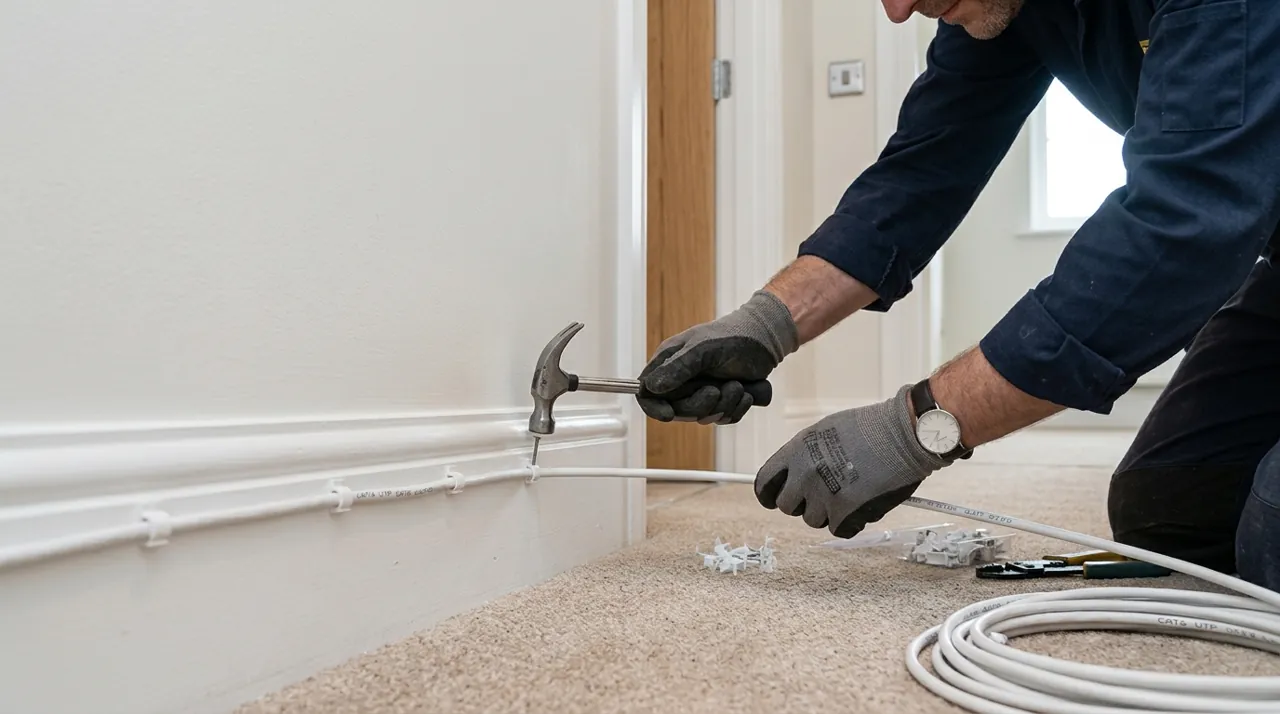
The core job is simple to describe. Run a single Ethernet cable from the camera's mounting position back to a PoE source. Then terminate both ends with the correct connector — typically an RJ45 plug crimped on-site, or a pre-terminated cable fished through a wall and a weatherproof coupler. For an exterior camera, that usually means routing the cable through a soffit or fascia, or through a small drilled hole into an attic or wall cavity. Seal the entry point against water afterward. Indoors, the cable typically runs through a wall cavity or along a baseboard to a wiring closet, a network cabinet, or the NVR itself.
Tools stay modest for a single-camera install. You need a drill for the entry hole, an RJ45 crimper and connectors if terminating on-site, a cable tester to confirm the run passes signal cleanly, and weatherproof sealant for any exterior penetration. Multi-camera installs add one more step: a punch-down block or patch panel at the switch end, to keep every run organized as the camera count grows.
Common PoE Problems and How to Diagnose Them.
A camera that will not power on at all is almost always one of three things. The port it is plugged into may be data-only, with no PoE at all. The cable run may have a wiring fault — a bad crimp is the single most common culprit. Or the camera's power draw may exceed what that specific port can deliver. Most managed PoE switches and PoE-enabled NVRs show per-port power draw and negotiation status in their admin interface. That is the fastest way to confirm whether a port is even trying to supply power.
A camera that powers on but drops out intermittently points to something different. Cable length pushing toward the practical limit is one cause. A marginal or partially damaged run is another. A switch that is oversubscribed — trying to supply more total wattage than its power budget allows — is a third. Check the switch's total PoE budget against the combined draw of every connected camera. That single check catches most of these dropouts before they turn into a mysterious, hard-to-reproduce fault.
Sources & References
- What Is Power over Ethernet (PoE)? — Cisco
- IEEE 802.3bt-2018 (Power over Ethernet over 4 pairs) — IEEE Standards Association
- Power over Ethernet — Wikipedia
- Reolink TrackMix PoE specifications — Reolink