
Affiliate Disclosure
Some links on this page are affiliate links. As an Amazon Associate, we earn from qualifying purchases — at no extra cost to you. We do not buy, install, or physically handle the cameras we cover; our rankings come from aggregated owner reviews, ratings and expert consensus. Commissions never change our verdicts. How we rank · full disclosure.
Short version: indoor cameras are the cheapest useful security you can buy, and the deciding factors are almost never resolution. What separates a camera you keep from one that ends up in a drawer is whether it stores video without a subscription, whether the app sends alerts you trust, and whether it has a way to be switched off when you are home. Resolution matters far less than field of view and night vision, and both of those matter less than notification quality.
How we work: we do not buy, install or physically handle any of these cameras. Our rankings come from aggregated owner reviews, star ratings weighted by review volume, and expert consensus across the category. The full method is on how we rank, and the way we make money is on our affiliate disclosure. For specific models, start with the best indoor security cameras rankings.

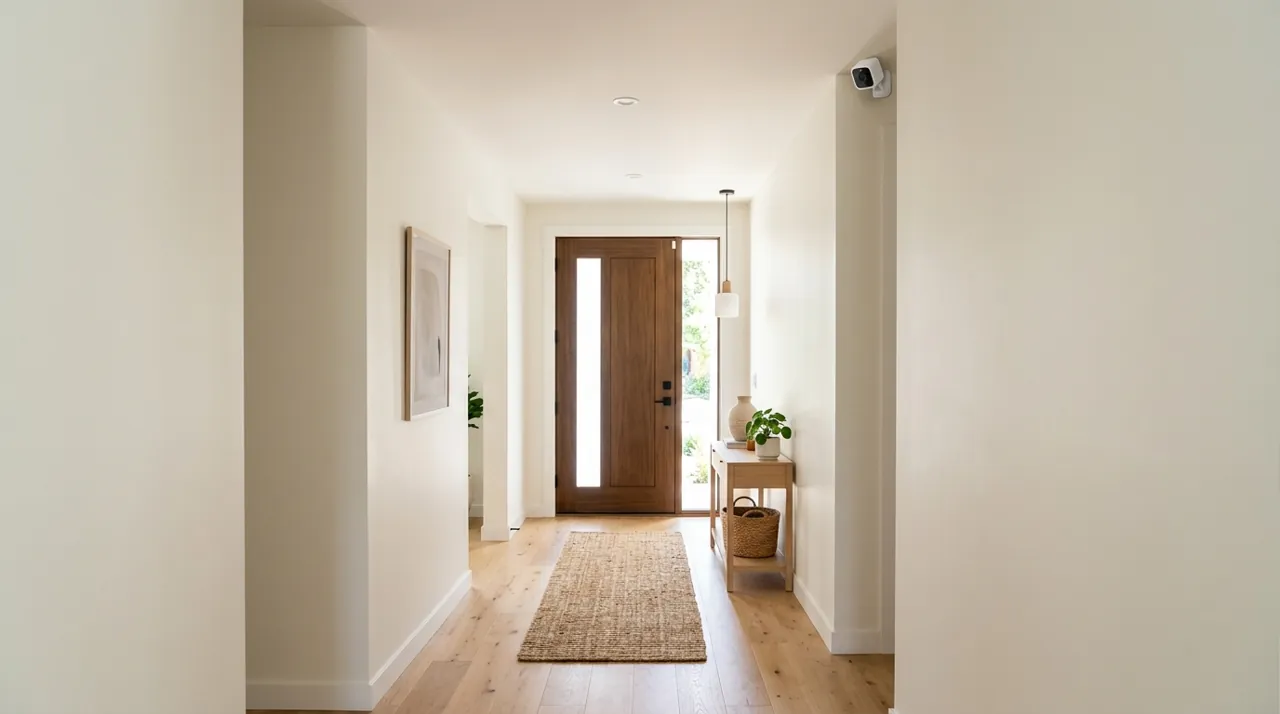
Top 3 Recommended Indoor Cameras

The Tapo C100 is the most review-validated budget indoor camera tracked on this site, holding a strong rating across a deep base of owner ratings at an entry-level price. It records 1080p video with night vision, two-way audio and motion alerts, storing locally to a microSD card with no forced subscription. Owners consistently cite the price-to-feature ratio as the reason they buy two or three at once. The tradeoff against pricier options is basic motion detection and a fixed lens rather than pan-tilt coverage.
Why You Should Get This
If you want to outfit more than one room without a big outlay, and you have no interest in a monthly fee, this is the honest default.
| Resolution | 1080p HD (1920x1080) |
| Field of view | 117° diagonal (98.8° horizontal) |
| Power | Plug-in, standard outlet |
| Night vision | Infrared, up to 30ft |
| Audio | Two-way audio |
| Storage | MicroSD up to 128GB, or cloud |
| Smart home | Works with Alexa and Google Home |
Benefits
- Cheapest genuinely well-reviewed indoor camera tracked on this site.
- MicroSD local recording with no forced subscription.
- Two-way audio doubles as a basic intercom.
Pros and Cons
- Very low price for the review volume behind it.
- No subscription required for core recording.
- Works with Alexa and Google Home.
- Fixed lens, no pan-tilt coverage.
- Basic motion detection, not smart person/vehicle distinction.
- 1080p rather than 2K.
Features
- Night vision up to 30ft.
- MicroSD up to 128GB, or cloud.
- Two-way audio.

Wyze Cam Pan v3 turns a single indoor camera into whole-room coverage with a full 360-degree horizontal and 180-degree vertical pan-tilt range, solving the fixed-lens blind spot that limits cheaper cameras. It ships with color night vision and an IP65 rating that allows indoor or outdoor placement from the same unit. Owners consistently praise the pan range for covering an entire living room or apartment from one shelf position. It is AC powered rather than battery, so it needs an outlet at the mounting spot.
Why You Should Get This
If one fixed-lens camera keeps leaving a blind spot in a room, this is the camera built to sweep the whole space instead.
| Resolution | 1080p (1920x1080) |
| Field of view | 120° lens |
| Pan/tilt range | 360° horizontal, 180° vertical |
| Night vision | Color night vision, 4 IR LEDs |
| Weather rating | IP65 (indoor/outdoor) |
| Power | AC powered |
Benefits
- Full 360° horizontal pan covers an entire room from one position.
- Color night vision rather than grey infrared.
- IP65 rating allows indoor or outdoor use.
Pros and Cons
- Genuine whole-room pan-tilt coverage.
- Color night vision.
- Works indoors or outdoors.
- AC powered, needs an outlet at the mount point.
- Motorized head is audible when moving.
- 1080p rather than 2K.
Features
- 360° horizontal, 180° vertical pan-tilt.
- 4 IR LEDs for color night vision.
- 8x digital zoom.

The Google Nest Cam Indoor is the premium pick for households already in the Google smart-home ecosystem, delivering 1080p HDR video with a 2-megapixel sensor and up to 3 hours of event history included at no extra cost. Its 135-degree field of view and 6x digital zoom give it more usable detail than most fixed budget cameras. Owners rate its Google Home integration and notification quality as the strongest reasons to pick it over cheaper rivals. Full-length recorded history beyond the included window requires a Nest Aware subscription.
Why You Should Get This
If you already run Google Home and want tightly integrated notifications with some free event history included, this is the natural premium pick.
| Resolution | Up to 1080p at 30fps |
| Field of view | 135° diagonal |
| Sensor | 2-megapixel color, HDR video |
| Zoom | 6x digital zoom |
| Power | AC wired |
| Connectivity | 2.4GHz and 5GHz WiFi |
| Storage | Up to 3 hours event history included |
Benefits
- Up to 3 hours of event video history included with no subscription.
- HDR video handles bright windows and dark corners better than budget sensors.
- Deep Google Home integration for smart-display viewing.
Pros and Cons
- Some free recorded history included by default.
- HDR video quality.
- Strong Google Home ecosystem fit.
- Full history needs a Nest Aware subscription.
- AC wired, needs an outlet at the mount point.
- Premium price versus budget cameras.
Features
- 135° diagonal field of view.
- 6x digital zoom.
- 2.4GHz and 5GHz WiFi.
What an Indoor Camera Is Actually For
The direct answer: an indoor camera is a witness, not a deterrent. Outdoor cameras and floodlights change behavior before anything happens. An indoor camera almost never does — by the time someone is inside, the deterrent phase is over. What it does instead is tell you something is happening, right now, and give you a recording afterward.
That reframing changes what you should buy. If the job is evidence and awareness rather than deterrence, the important specifications become the ones that decide whether you get a usable clip: how quickly the alert arrives, whether the camera caught the person entering rather than just their back leaving, whether the recording survived, and whether you could tell who it was. Owner reviews across every price tier are consistent on this. The one-star reviews are almost never about image quality. They are about alerts that arrive four minutes late, clips that were not saved, and apps that will not load a live view when it matters.
The second real job, and for many buyers the main one, has nothing to do with intruders. Indoor cameras are overwhelmingly bought to watch a dog, check on a baby or keep an eye on an elderly parent — uses that want two-way talk that works, pan and tilt, and a live view that loads in under three seconds.
What to Look For: Field of View, Night Vision and Two-Way Audio
Four numbers on the box matter. The rest is marketing.
Field of view decides how much of the room you see, and it is the specification buyers ignore most often. A 110-degree lens covers a doorway. A 130-degree lens covers a typical living room from a corner. A pan-tilt camera covers the whole room from one mount, which is why 360-degree models dominate the mid-range now. If you are buying one camera for one open-plan space, field of view matters more than every other number on this page.
Resolution is 1080p, 2K or 4K, and the honest position is that 2K is the sweet spot indoors. At typical indoor distances of eight to fifteen feet, 1080p already resolves a face well enough to recognize someone you know. What extra resolution buys is the ability to crop in — reading a label, catching a detail in the corner of the frame — and 2K delivers most of that benefit at a fraction of the storage and bandwidth cost of 4K. Owner reviews of 4K indoor cameras frequently mention that the footage looks great and that the app is slower and the microSD card fills faster.
Night vision comes in two kinds and the difference is significant. Infrared night vision produces a monochrome image and is invisible in a dark room, which is what you want for a bedroom hallway or a nursery. Color night vision uses a small white spotlight or a starlight sensor, and it produces far more identifiable footage — clothing color alone is a huge identification advantage — but the spotlight version lights up the room. Several cameras now do both and switch automatically.
Two-way audio quality varies wildly and almost never appears in a spec comparison. The recurring complaint in owner reviews is latency and half-duplex audio: you talk, then wait, then hear. For scaring a dog off the couch it is fine. For a real conversation with a family member it frustrates people enough to show up in review text repeatedly.
Baby Monitor, Pet Camera or Security: Matching the Job
Most indoor cameras are bought for one of three jobs, and the specification that matters flips completely between them.
As a baby monitor, what counts is infrared night vision that stays invisible in a dark nursery, reliable two-way audio so a voice actually calms a child rather than startling them, and a live view that loads instantly at 3am. Continuous streaming beats event clips here, so check the camera does not sleep between motion events.
As a pet camera, pan and tilt is close to essential, because a dog does not stay in frame. Wide field of view, a speaker loud enough to be heard across a room, and motion detection tuned low enough that a cat on a windowsill does not generate forty alerts a day are the practical requirements.
For actual security, none of that matters much and alert speed, recording reliability and a clear face at the door matter almost entirely. Buying one camera for all three jobs usually means compromising the security one.
Types of Indoor Camera: Fixed, Pan and Tilt, and Plug In Cameras
Almost every indoor model is a mains-powered WiFi camera, and the meaningful split is in the body rather than the electronics.
- Fixed cameras. One lens, one view, no motors. Cheapest, most reliable, and the right answer when the job is a single doorway or a crib.
- Pan and tilt cameras. A motorised head that sweeps the room from one mount, usually 360 degrees. Best value in an open-plan space, at the cost of a moving part and a camera that may be pointed the wrong way when something happens — most let you set a default home position, which is worth doing.
- Plug in cameras and socket-mounted units. Designed to sit directly on an outlet or a shelf with no mounting at all, which is what makes them the practical choice for renters.
Battery indoor cameras exist but rarely make sense: indoors there is almost always an outlet, and a plug in camera removes the only maintenance task the category has.
Accessories Worth Adding

Best for local recording on any indoor camera with a card slot.
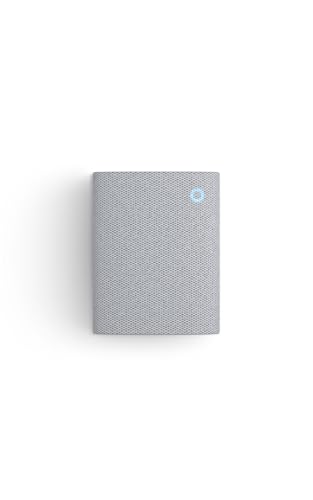
Best for hearing indoor camera alerts without checking your phone.

Best for a corner shelf-height mount for a fixed indoor camera.
Local Storage vs Cloud Storage: The Subscription That Costs Most
The direct answer: buy a camera with local storage unless you have a specific reason not to. A modest monthly cloud plan adds up to a real sum over five years, which is more than every camera in our indoor rankings costs.
Cloud storage genuinely has advantages: footage is off-site if the camera is stolen, and cloud plans usually include the smarter person-versus-pet detection because it runs on the company servers.
Cloud storage is also what most brands mean by "storage" in their marketing, so read the plan tiers before the spec sheet.
Local storage on a microSD card or built-in flash reverses those trade-offs. It costs nothing after the card, it works when the internet is down, and the video never leaves your house. The risks are manageable: cheap microSD cards fail under a camera’s constant-write load, so buy one rated for surveillance use, and a stolen camera takes its own evidence with it.
The trap to watch for is a camera that has a microSD slot but disables the useful features unless you subscribe. Several brands now gate person detection, rich notifications with a thumbnail, or even clip playback behind a plan while still advertising local storage on the box. Owner reviews are the reliable place to find out which ones do this, and it is one of the things we weight heavily. Our cameras without a subscription guide separates the genuinely subscription-free models from the ones that just claim to be.
Privacy Shutter, Audio Recording and Housemates
An indoor camera creates a problem an outdoor camera does not: it watches you. Every household that keeps its cameras long-term has solved this in one of three ways.
The first is a physical privacy shutter — a cover that rotates over the lens when the camera is disarmed, and the only solution verifiable at a glance. The second is geofenced automatic arming, which works well in a one-adult household and poorly in a family where somebody is almost always home. The third is placement — cameras in the entry hall, none in the living room where people relax.
Audio deserves its own paragraph because it carries the only real legal exposure most buyers will encounter. Video recording inside your own home is broadly permissible in the US. Audio recording of a conversation is governed by state wiretapping law, and roughly a dozen states require all parties to consent. If anyone who is not a member of your household spends time in the space — a nanny, a house cleaner, a roommate, a short-term rental guest — disclose the camera in writing and turn audio recording off. The same logic rules out bathrooms and any bedroom used by someone else, entirely and without exception.
Installation and Setup: Outlets and WiFi Camera Pairing
Indoor installation is the easiest in home security, and the mistakes are still predictable. Almost every model here is a plug in camera: a USB or barrel adapter, a shelf or a two-screw wall bracket, and a five-minute app pairing. Renters can do the whole job with a shelf and no drilling at all.
The one genuine constraint is the outlet. A camera tethered to a six-foot cable ends up wherever the socket is rather than where the coverage is, so measure before you buy and add a short extension if the good corner is bare. The second is WiFi: nearly every indoor unit is a 2.4GHz wifi camera, and pairing fails constantly on modern routers that broadcast 2.4GHz and 5GHz under one network name. Splitting the bands temporarily, or using the router app to force a 2.4GHz join, resolves the majority of setup complaints in owner reviews.
Placement: Where Owners Say Cameras Actually Earn Their Keep
Read enough reviews from people whose camera caught something real and the same three placements come up.
- Facing the interior side of the main entry door. Anyone coming in has to walk toward the lens, which produces the one thing a police report can use: a clear face, straight on, well lit by the light spilling in from the doorway.
- Covering the door from an attached garage. This is the entry point homeowners under-secure most, and it is the one burglars use most often in single-family homes because a closed garage door hides the entry attempt entirely.
- At the top or bottom of the stairs. In a two-story house, everyone moving between floors passes one point. One camera there does the work of three.
Two placements consistently disappoint: pointed at a window, where backlight makes silhouettes and infrared bounces off the glass into glare; and high on a ceiling looking down, which gives you the top of a head. Mount at roughly seven feet, angled down slightly, with a wall behind the subject.
What Each Budget Buys: Indoor Security Cameras by Price Tier
Indoor cameras are the one category where the cheap end is genuinely good, which is unusual in home security.
Entry-level. A fixed or pan-tilt 1080p camera with microSD storage, motion alerts, night vision and two-way talk. This tier carries some of the highest review volumes on Amazon, which means the failure modes are well documented rather than speculative. What you give up is detection intelligence — expect motion alerts for a moving curtain — and app polish.
Lower-mid range. The heart of the market. 2K resolution, pan and tilt, better low-light performance, and detection that can usually distinguish a person from a pet. Most households buying two or three cameras should be shopping here. Cross-reference the budget cameras hub if price is the binding constraint.
Upper-mid to premium. Wired premium models: better sensors, on-device AI processing so detection works without a subscription, ecosystem integration that actually holds up, and build quality you notice. This is also where physical privacy shutters become common. The premium cameras hub covers what the extra money buys across the whole site.
The Brands, Honestly
Four names dominate indoor camera reviews in the US, and each has a clear character.
Ring has the deepest review base of any indoor camera on the market and the most reliable notification pipeline, which is the thing that matters most. It is also the most subscription-dependent: without a plan you get alerts and live view, and no recorded history at all. TP-Link Tapo owns the value end with enormous review volumes and genuine local microSD storage, at the cost of a less polished app and detection that is more likely to alert on a passing shadow. Wyze sits between them with strong hardware for the money and a company history of security incidents that owners still bring up. Google Nest and eufy anchor the premium end, Nest on detection intelligence and Google Home integration, eufy on local storage and no-subscription operation.
Ecosystem is the tiebreaker most buyers should use: match the camera to the assistant your household already runs. The full head-to-head is in the brand comparisons hub.
Alexa, Google Home and App Notifications That Get Read
Voice assistant support sounds like a checkbox and turns out to be the feature people use daily. With Alexa, an Echo Show becomes a live view you can call up by voice, which is far more convenient than unlocking a phone. Google Home does the same on a Nest Hub, and Google Nest cameras integrate most deeply there. Tapo and Wyze support both, which is a good reason to prefer them if your household is mixed.
App notifications are the part that decides whether the camera stays useful. The failure pattern is always the same: motion detection with no person filtering sends thirty alerts a day, someone mutes the app in week two, and the camera silently stops being security. Fix it on day one by drawing activity zones that exclude windows, doorways to the street and anything that moves in wind, then lower sensitivity until the alerts that arrive are ones you would want to see at work.
More Accessories

Best for eufy indoor camera households.

Best for a discreet, clean cable entry for an indoor camera.

Best for a matching mount for a dome-style indoor camera.
Where to Start: How to Choose an Indoor Camera
If you want specific models with real ratings attached, go to the best indoor security cameras rankings — that is the page most readers of this hub need. Renting, or working around a landlord, start with the best security camera for an apartment, which is built entirely around no-drilling installs. If a monthly fee is a dealbreaker, read cameras without a subscription first, because that one decision constrains everything after it.
And if you are securing a whole home rather than one room, an indoor camera is the second purchase, not the first. Start at the door with a video doorbell, add outdoor coverage for the approach, then come back inside. The frequently asked questions below deal with placement, legality, bandwidth and account security, and the rest of this buying guide is linked from the topical map at the foot of the page.