
Affiliate Disclosure: Some links on this page are affiliate links. As an Amazon Associate, we earn from qualifying purchases — at no extra cost to you. We do not buy, install, or physically handle the cameras we cover; our rankings come from aggregated owner reviews, ratings and expert consensus. Commissions never change our verdicts. We're reader-supported: commissions fund hosting, research and updates, so if a guide helped, buying through our links keeps it going. How we rank · full disclosure.
Short answer: blurry security camera night vision is almost always caused by something fixable rather than a defective camera. The most common causes, roughly in order of frequency, are a dirty or fogged lens, condensation trapped inside or on the housing after a temperature swing, infrared light reflecting off a nearby surface like a window, spider web or wall, and motion blur from a slower shutter speed the camera uses automatically in low light to gather more light per frame. Working through these in order resolves the large majority of blurry night vision complaints without needing to replace the camera.
Recommended Cameras for Clear Night Vision

Best for strong color night vision that avoids common infrared blur causes.
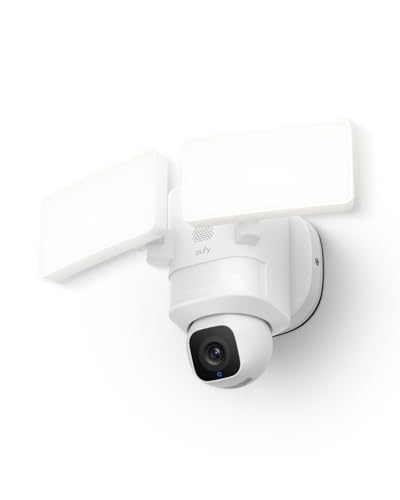
Best for AI-tracked floodlight coverage that lights the scene instead of relying on infrared alone.

Best for a high-resolution sensor that holds detail better in low light.
Why Does My Security Camera Night Vision Look Blurry? The Usual Suspects
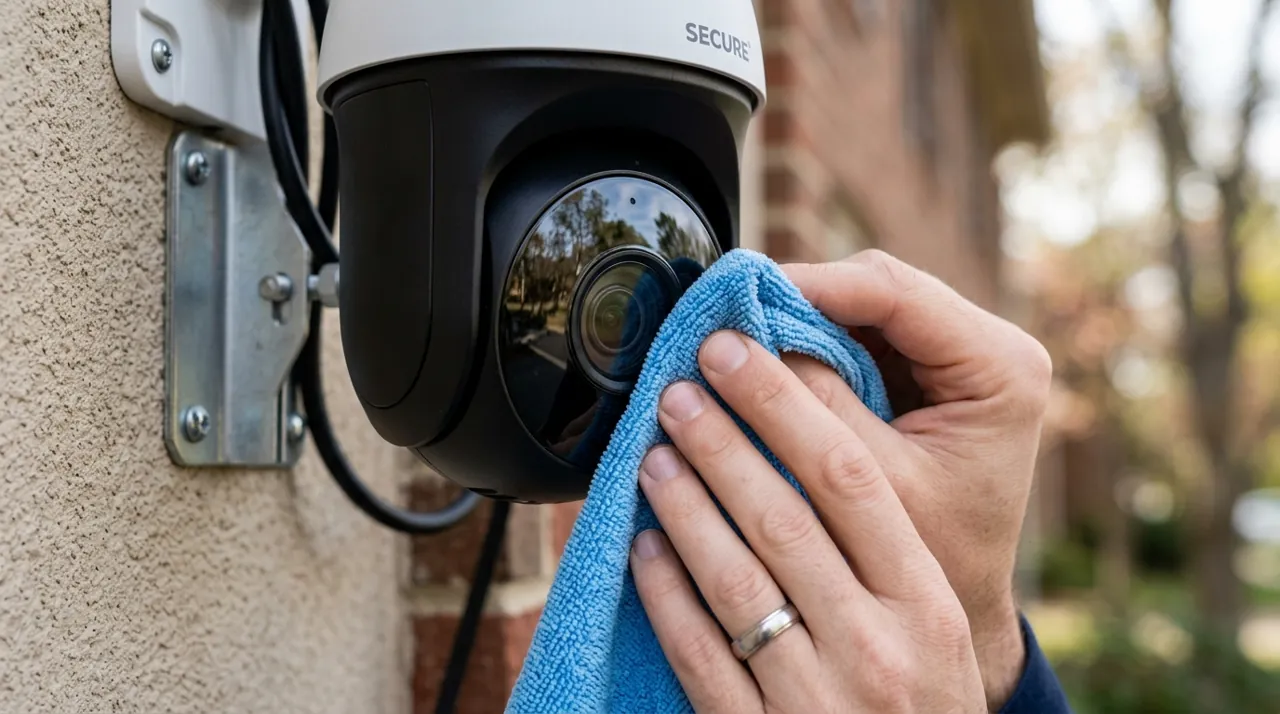
A dirty lens is the single most common cause, and outdoor cameras accumulate grime, dust, pollen and water spots far faster than most owners expect, particularly in the weeks after installation before a regular cleaning habit forms. A lens that looks clean to the naked eye can still carry a thin film that scatters infrared light specifically, since infrared behaves differently from visible light and a residue invisible in daylight can still meaningfully degrade a night image. Wiping the lens with a soft, lint-free cloth is worth trying first, before assuming any deeper problem.
Condensation is the second most common cause, particularly after a rapid temperature swing between a warm day and a cold night, or in humid climates generally. Moisture forming on the inside of the lens cover produces a soft, hazy image that looks remarkably similar to a dirty lens but requires letting the unit fully dry out rather than wiping the exterior, since the moisture sits inside the housing rather than on the visible surface.
Infrared Reflection: The Cause Owners Rarely Suspect
Infrared LEDs illuminate a scene with light invisible to the human eye, and that light reflects off nearby surfaces the same way visible light does — a window, a spider web, a wall too close to the camera, or even rain or snow in the air can bounce infrared straight back into the lens, producing a washed-out, blurry or glary image that has nothing to do with the lens's cleanliness or the sensor's quality. This is especially common on cameras mounted too close to a wall or ceiling, where the IR LEDs illuminate the nearby surface as strongly as they illuminate the actual scene being recorded. Reolink’s own night-vision troubleshooting guide lists an obstructed or dusty lens, direct bright light and IR reflecting off a nearby wall among the main causes, and Ring advises against pointing cameras toward windows for the same reason.
The fix is almost always repositioning — moving the camera further from a reflective nearby surface, reangling it away from a window, or clearing a spider web that has formed directly in front of the lens, which is a surprisingly frequent and easily overlooked cause given how often outdoor cameras attract exactly that kind of web-building activity.
Motion Blur From Low-Light Shutter Behavior
In low light, many cameras automatically slow their shutter speed to gather more light per frame, which is a reasonable tradeoff for overall brightness but introduces motion blur on anything moving through the frame during that longer exposure. A person walking normally can appear as a soft, smeared shape under this behavior, even though a stationary object in the same frame looks reasonably sharp. Some cameras offer a setting to prioritize frame clarity over brightness in low light, which trades a slightly darker image for less motion blur — worth checking in the camera's settings if moving subjects specifically are the blurry element rather than the whole scene.
See what is color night vision for how color night vision handles low light differently from infrared, and do security cameras work in the dark for the broader night vision comparison.
When a Firmware Update or Setting Change Fixes It
Manufacturers periodically improve night vision processing through firmware updates, tuning exposure algorithms and infrared timing in ways that can noticeably sharpen a previously blurry image with no hardware change at all. Checking for and installing available firmware updates is a quick, free step worth trying before assuming a hardware problem, and it is easy to overlook since many owners never revisit the update screen after initial setup. Some cameras also expose manual night vision settings — infrared intensity, exposure priority — that default to a compromise setting out of the box and can be tuned specifically for a given position's distance and reflectivity.
If none of the lens, condensation, reflection, motion-blur or firmware factors explain the issue, and the daytime image remains sharp by comparison, that pattern specifically points toward a genuine night-vision hardware fault rather than an environmental or settings cause, and is worth raising with the manufacturer or checking the warranty for.
When the Subject Is Simply Too Far for the Infrared Range
Every camera's infrared illuminator has a maximum effective range, typically stated on the spec sheet as something like thirty or sixty-five feet, and image quality does not hold steady right up to that number before suddenly failing. It degrades gradually as the subject moves further from the lens, and the far third of the stated range is often soft or blurred well before the image goes fully dark, particularly on cameras with a shorter, budget-tier illuminator. A driveway or backyard camera that looks perfectly sharp on a person at the door can produce a genuinely blurry image of the same person standing at the property line, and that is expected behavior rather than a fault.
This matters most for anyone comparing footage across two different cameras and wondering why one looks noticeably sharper at range than the other — the difference is very often the stated infrared range and illuminator strength, not sensor quality. If a specific distant zone matters, check a camera's rated IR range against the actual distance to that zone before assuming a fixable problem, and consider positioning the camera closer to the area that needs to stay sharp rather than relying on a longer illuminator to cover the whole scene evenly.
A Quick Order to Check Things In
Given how many possible causes exist, working through them in a sensible order saves time. Start by physically inspecting and cleaning the lens, since it is the fastest check and the most common cause. Next, look for a nearby reflective surface, spider web or window the infrared light might be bouncing off, and reposition or clean accordingly. Then check for a pending firmware update in the app. Only after ruling out those three — lens, reflection, firmware — is it worth suspecting condensation trapped internally or a genuine hardware fault, both of which take longer to confirm and, in the case of internal condensation, longer to resolve since the unit needs time to dry out fully before the image clears.
Sources & References
- Reolink Camera Night Vision Blurry — Reolink
- Positioning Doorbells and Security Cameras — Ring
- Reolink Camera Installation Tips — Reolink