
Affiliate Disclosure: Some links on this page are affiliate links. As an Amazon Associate, we earn from qualifying purchases — at no extra cost to you. We do not buy, install, or physically handle the cameras we cover; our rankings come from aggregated owner reviews, ratings and expert consensus. Commissions never change our verdicts. We're reader-supported: commissions fund hosting, research and updates, so if a guide helped, buying through our links keeps it going. How we rank · full disclosure.
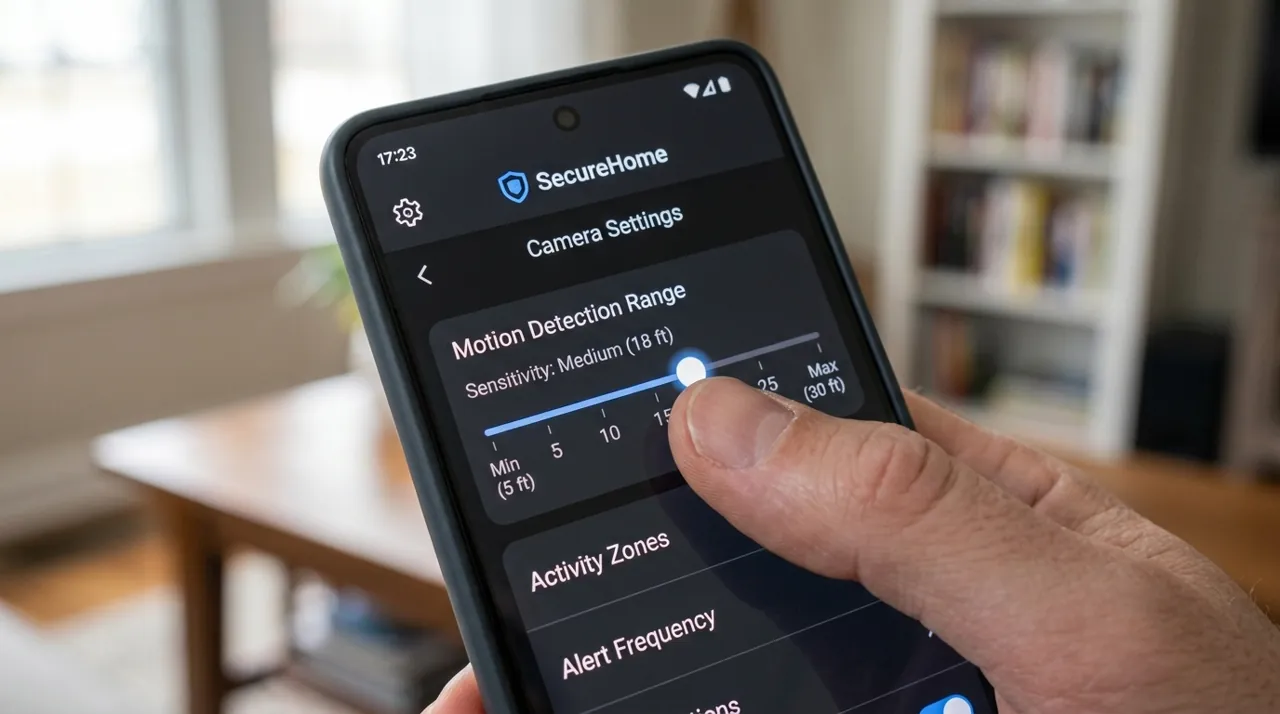
Short answer: security camera false alerts are almost always a settings problem, not a hardware fault, and three adjustments fix the large majority of them. Draw a tight activity zone that excludes the sidewalk, the road and the neighbor’s driveway. Switch detection from generic motion to person detection if your camera offers it. Then step sensitivity down one notch at a time until wind and shadows stop triggering it. Most owners who describe a camera as unusable are describing a camera left on its factory defaults.
This matters more than it sounds: alert fatigue is the single most common way a home security system dies. A camera that pings forty times a day gets muted within a month, and a muted camera is decoration.
Recommended Cameras

Best for wired outdoor coverage with the deepest review base tracked on this site.

Best for front-door coverage with no wiring required.

Fix Them in This Order
The sequence matters, because each step narrows the problem for the next one. Out of order, it tends to end with sensitivity turned so low that real events get missed.
- Activity zones first. Free on essentially every platform, and the highest-value change available. Exclude the street, the sidewalk, any shared driveway and any tree that moves.
- Detection type second. Turn on person, package or vehicle detection as appropriate, and turn off plain motion where the platform lets you choose.
- Sensitivity third. One notch at a time, with two or three days between changes so you see the real effect rather than an hour of coincidence.
- Physical causes last. If it is still noisy, the cause is in front of the lens rather than in the app.
- Notification rules as a finish. Most apps allow a cooldown window, per-camera toggles and quiet hours. Recording and notifying are separate settings on most platforms, so keep the camera recording generously and notify narrowly.
Activity Zones: Draw Them Tighter Than Feels Right
An activity zone tells the camera which part of the frame it should care about. The instinct is to draw it around everything visible, which recreates the original problem. Draw it around the answer to one question: where would something have to be for me to want my phone to buzz?
For a front-of-house camera that usually means the walkway, the porch and the parked car — and explicitly not the public sidewalk crossing the bottom of the frame, not the road behind it, and not the neighbor’s path. Sidewalk traffic is the number one source of nuisance alerts in residential positions, and it is removable in about two minutes.
Two practical notes. Zones are frame-relative, so if the camera droops on its ball joint over a season the zone drifts with it and stops covering the right ground — worth checking if a well-behaved camera turns noisy months later. And some cameras apply zones only to notifications while others stop recording outside the zone entirely.
Person Detection vs Plain Motion Detection
Plain motion detection compares frames and flags change. Anything that changes the pixels counts: a branch, a shadow moving across a wall, rain, a cat, a car’s headlights sweeping the garage door. It is cheap, it runs on the camera, and it is why default settings are so noisy.
Person detection adds a recognition pass and discards events that do not resolve as a human. On a busy street-facing camera that alone can cut alerts by most of their volume. Several brands extend the idea to vehicle, animal and package detection — a package alert on the porch is worth having, and an animal alert usually is not.
The catch is commercial rather than technical. On some major platforms smart detection sits behind a subscription while plain motion is free — Ring’s smart alerts, Wyze’s person detection (Cam Plus) and Blink’s person detection all require a plan — so the fix for false alerts is a monthly fee. That is worth knowing before you buy, and it is one of the main threads in our look at whether Ring is worth it. Brands that keep detection on-device tend to include it without a plan; eufy, for example, runs human and pet detection locally with no monthly fee.
The Physical Causes: Trees, Shadows, Cars, Pets and Spiderwebs
When settings alone do not settle a camera, the cause is in the scene. These are the recurring ones owners report.
- Spiderwebs and insects on the lens. The most underrated cause of night-time false alerts. Infrared illuminators sit right beside the lens, so a strand of web or a moth an inch away is lit up enormously and reads as a large object moving fast, producing clusters of alerts that all look like nothing on playback. Wipe the housing seasonally.
- Trees, shrubs and tall grass. Wind-driven foliage is constant, uneven motion. Exclude it from the zone if you can; trim it if you cannot. A hedge that grows into the frame in midsummer is a classic cause of a camera that behaves for ten months and misbehaves for two.
- Shadows and changing light. A hard shadow line crossing a driveway is a moving high-contrast edge, which is exactly what motion detection looks for. So is cloud shadow, and so is a security light switching on. East and west aims are worst, because dawn and dusk sweep the frame.
- Passing cars and headlights. A road in frame produces steady daytime triggers, and at night the headlight sweep changes the whole exposure at once. Zones fix the daytime half; vehicle-aware detection or a tighter aim fixes the rest.
- Pets and wildlife. Cats, dogs, possums and raccoons trip motion sensors happily. Animal-aware detection helps, and so does raising the bottom edge of the zone above ground level.
- Rain, snow and fog. Precipitation lit by an infrared illuminator produces bright streaks close to the lens. A soffit or overhang that shelters the unit helps enormously, which is one of several reasons that placement is recommended in our security camera installation guide.
When It Is Not the Settings
A small share of persistent alert problems really are hardware or network. Two patterns to recognize.
A weak connection. Cameras on a marginal signal generate strange event patterns — duplicate alerts, alerts with no viewable clip, alerts that arrive an hour late. If the camera also drops offline, treat it as a network issue rather than a detection issue.
PIR sensor position. Battery cameras commonly use a passive infrared sensor to wake the camera, and PIR reacts to heat rather than to pixels. Aimed across a sun-warmed wall, a metal roof or a heat vent, it triggers on warm air movement no matter how carefully the software zone is drawn. The fix is physical: re-aim so the sensor looks across cool ground.
What Good Looks Like
A well-tuned residential camera generates a handful of alerts a day, all of them worth knowing about, while recording everything else quietly for the times you need to go looking. Getting there is usually twenty minutes of app work plus one lens wipe — not new hardware.
If you are still choosing equipment, detection quality deserves heavy weighting, because it is the feature you interact with daily. Our rankings for outdoor security cameras and video doorbell cameras both call out which models include smart detection without a plan, and how we rank explains the evidence behind those calls.
When It's Worth Contacting Support Instead of Tweaking Further
Most false-alert problems resolve through the settings and physical fixes above, but a smaller share genuinely warrant a support call rather than another round of tuning. If a camera keeps generating alerts with no matching clip at all — a notification arrives but playback shows nothing, or the timestamp does not line up with any recorded footage — that pattern points toward a firmware or sync bug rather than an over-sensitive setting, and it is worth reporting to the manufacturer directly.
A sudden change in alert behavior on a camera that was previously well-tuned is another signal worth escalating past self-troubleshooting. If nothing physically changed at the mounting position and no settings were touched, yet alert volume spiked overnight, that is more consistent with a firmware update, a server-side change on the manufacturer's end, or a genuine hardware fault than with a scene that suddenly grew noisier on its own. Checking the brand's support forums or status page for known issues before spending another evening on manual tuning can save real time in that specific case.
Sources & References
- Ring Protect Plans — Ring
- Wyze Cam v4 (Cam Plus AI detection) — Wyze
- Blink Subscription Plans — Blink (Amazon)
- Local Security with No Monthly Fees — eufy