
Affiliate Disclosure: Some links on this page are affiliate links. As an Amazon Associate, we earn from qualifying purchases — at no extra cost to you. We do not buy, install, or physically handle the cameras we cover; our rankings come from aggregated owner reviews, ratings and expert consensus. Commissions never change our verdicts. We're reader-supported: commissions fund hosting, research and updates, so if a guide helped, buying through our links keeps it going. How we rank · full disclosure.
Short answer: a camera bundle makes the most sense when you already know how many cameras you need and where, since it delivers matched hardware at a meaningfully lower cost per camera than buying the same units individually. Individual cameras make more sense when your needs are still uncertain, when you want to phase a rollout over time, or when different positions genuinely call for different camera types — a doorbell at the front door, a PoE camera on the garage, a battery unit in the backyard — rather than four identical units from one bundle.
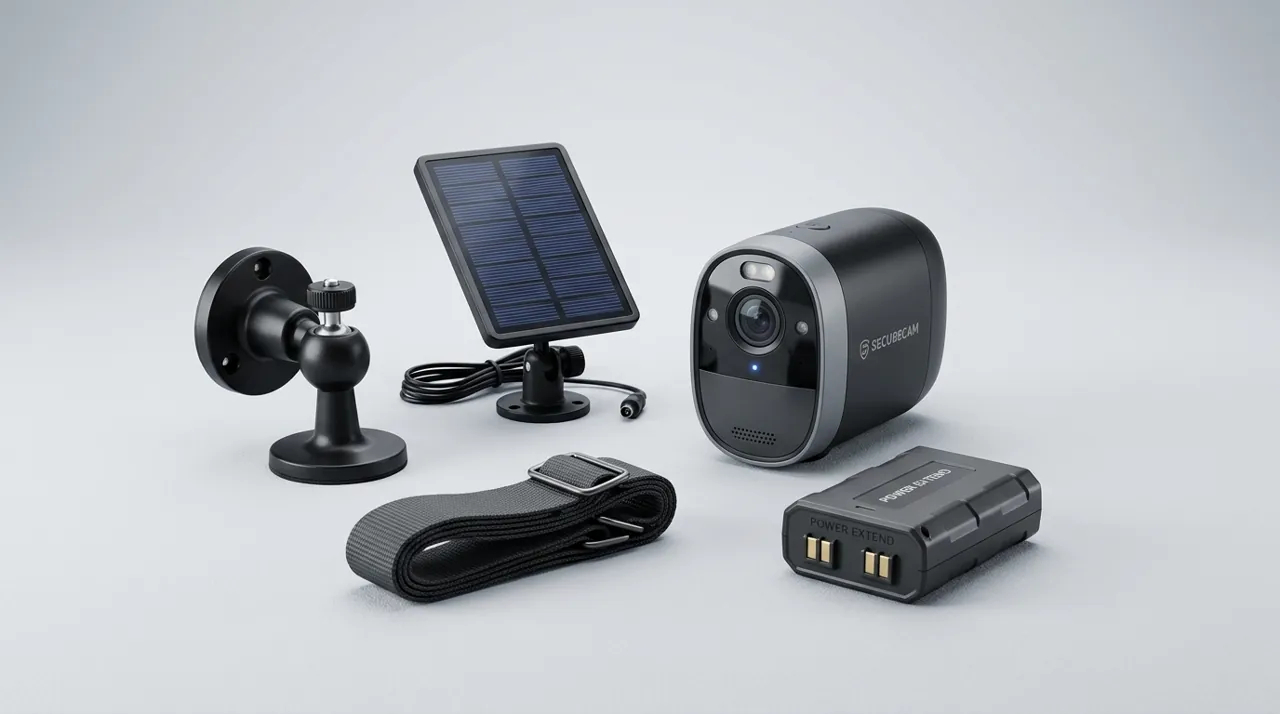
Recommended Bundle and Individual Options

Best for a complete matched-hardware bundle for whole-property coverage.

Best for a strong single-device starting point before expanding.

Should I Buy a Camera Bundle or Individual Cameras? Weighing the Real Tradeoffs
Cost is the most obvious factor, and bundles genuinely deliver a lower per-camera price than buying the equivalent units separately in nearly every case, since manufacturers price multi-packs and complete kits specifically to reward committing to more hardware at once. For anyone confident they want three, four or eight cameras covering a defined set of positions, a bundle captures real savings that buying incrementally simply does not match.
Matched hardware is the bundle's other structural advantage — every camera in the set shares the same resolution, night vision capability and feature set, which simplifies both the buying decision and later troubleshooting, since you are not managing several different models with different quirks and different apps. A whole-property NVR system bundle in particular is built around this consistency, with the NVR itself designed specifically around the included camera specifications.
When Buying Individual Cameras Is the Smarter Choice
Positions genuinely differ in what they need — a front door benefits from a doorbell's specific head-to-toe framing, a driveway benefits from PoE's continuous recording, and a rented apartment benefits from a battery camera's no-drill flexibility — and a single bundle of identical cameras cannot serve all three well simultaneously. Buying individually lets each position get the camera actually suited to it, rather than compromising every position to fit one bundled model's capabilities.
Uncertainty about final needs also favors buying individually. Starting with one or two cameras at the highest-priority positions, then adding more as the actual usage pattern and remaining gaps become clear, avoids the sunk cost of a bundle that turns out to include more cameras than a household genuinely ends up using, or the wrong camera type for a position that only becomes obvious after living with the system for a while.
Expandability is worth checking either way. Some NVR bundles support adding cameras beyond the ones included — Reolink’s RLN8-410 recorder, for example, ships in four-camera kits but has eight PoE ports and supports up to 12 cameras — which lets a starter bundle grow later without a full system replacement — a genuine middle ground between the two approaches, provided the specific NVR model actually supports the extra channels rather than shipping fully populated with no room to add more.
A Middle Path Many Households Land On
A common and reasonable compromise is a bundle for the core, well-understood need — a matched multi-camera system covering the main property perimeter — supplemented by individually chosen cameras for specific positions with different requirements, like a doorbell at the entry or a battery camera in a spot that changes seasonally. This captures the bundle's cost efficiency for the bulk of the coverage while preserving the flexibility individual purchases offer for the positions that genuinely need something different.
What's Actually Inside a Typical Camera Bundle
A camera bundle is rarely just a box of identical cameras. Most NVR-based bundles include the recorder itself, the cameras, the Ethernet or coaxial cabling to connect them, a power supply (PoE recorders power the cameras through the Ethernet cable), and often a hard drive already installed in the recorder — Reolink’s RLK8-800B4 kit, for example, ships with a 2TB drive, four 18-meter Ethernet cables, an HDMI cable and a USB mouse. Wireless bundles are simpler — usually the base station or hub plus the battery cameras and their mounting brackets — but still bundle the coordinating hardware alongside the cameras themselves, which is exactly what an individual purchase does not include.
Reading the specific contents list matters more with a bundle than with a single camera, because two bundles that look similar in a product photo can differ meaningfully in drive capacity, cable length, or whether a monitor is included at all. A bundle advertised as an eight-camera kit with a one-terabyte drive stores noticeably less continuous footage than the same kit with a four-terabyte drive, and that difference rarely jumps out from the headline price. Checking the fine print on capacity and cable length before ordering avoids a surprise extra purchase during installation.
Questions Worth Answering Before You Buy Either Way
A short set of questions tends to settle this decision faster than comparing prices directly. First: do you already know exactly how many cameras you want and roughly where they will go? A confident yes points toward a bundle. A genuine "not sure yet" points toward starting with one or two individual cameras and learning from actual use.
Second: do your camera positions actually need different capabilities from each other? A property where every position is a similar outdoor wall mount suits a bundle's matched hardware well. A property with a front door, a detached garage and a rented granny flat needs genuinely different device types, which a single bundle cannot supply on its own.
Third: how do you feel about being tied to one brand's app and ecosystem for that batch of cameras? A bundle commits you to one manufacturer for its full set of units, which is fine for buyers who have already settled on a brand and mildly limiting for buyers who want to compare ecosystems as they go.
Answering these three honestly, before comparing a single price tag, is what actually determines whether a bundle or an individual purchase is the better fit — the sticker price difference matters far less than whether the hardware matches the actual plan. A five-minute walk of the property with these questions in mind, notepad in hand, is a better use of time than an hour spent comparing bundle listings side by side before the actual coverage plan is settled.
See NVR camera systems for the fuller range of complete bundles, and how many cameras do I need for the planning question that usually comes before this one.
Sources & References
- Reolink RLK8-800B4 4K 8CH PoE Camera System — Reolink
- Reolink RLN8-410 NVR specifications — Reolink
- ONVIF Profile S — ONVIF