
Affiliate Disclosure
Some links on this page are affiliate links. As an Amazon Associate, we earn from qualifying purchases — at no extra cost to you. We do not buy, install, or physically handle the cameras we cover; our rankings come from aggregated owner reviews, ratings and expert consensus. Commissions never change our verdicts. How we rank · full disclosure.
Short version: most camera problems are fixed by a soft reset (unplug or power-cycle it) rather than a full factory reset, and it’s worth trying the smaller fix first. A factory reset should be your second step, not your first — it wipes all settings, WiFi credentials and the camera’s pairing to your account, meaning you’ll need to set it up again from scratch afterward.
Cameras This Guide Applies To

The most-reviewed video doorbell in the US market with one of the deepest, highest-rated review bases we track. Its head-to-toe view shows the package on the mat. Reset instructions and troubleshooting are well-documented given the size of its owner base.
Why You Should Get This
If you own this doorbell and need reset guidance, this is one of the most-documented devices in the category.
Benefits
- Deepest review base of any doorbell on the market.
- Well-documented reset process.
- No wiring required.
Pros and Cons
- Largest, most trustworthy review base.
- Extensive community troubleshooting resources.
- Simple reset button access.
- Recorded clip history needs a Ring subscription.
- 1080p rather than 2K.
- Factory reset requires full re-setup.
Features
- Head-to-toe 1:1 view.
- Removable battery or hardwiring.
- Two-way talk.

A common outdoor camera with its own documented reset process, with a solid owner rating. It runs on two AA lithium cells rated for up to two years. Weather-resistant, wire-free mounting works virtually anywhere.
Why You Should Get This
If you own a Blink camera and need reset guidance, this is the flagship outdoor model most owners run.
| Resolution | 1080p HD (1920x1080) |
| Field of view | 143° |
| Power | 2x AA lithium batteries, up to 2-year life |
| Night vision | Infrared |
| Audio | Two-way audio |
| Install | Wireless, wall-mount bracket |
Benefits
- Two-year rated battery life.
- Well-documented Sync Module reset process.
- Weather-resistant mounting.
Pros and Cons
- Longest rated battery life in its category.
- Free local storage via Sync Module.
- Amazon ecosystem integration.
- Lower star rating than premium alternatives.
- 1080p resolution.
- Reset process involves the Sync Module too.
Features
- Two-year rated battery life.
- 1080p HD video.
- Weather-resistant mounting.

A common indoor/outdoor camera with a simple reset button, at an entry-level price and a solid owner rating. 2.5K resolution with color night vision. Local microSD recording works with no plan required at all.
Why You Should Get This
If you own a Wyze camera and need reset guidance, this is the current flagship model most owners run.
Benefits
- Simple physical reset button.
- Genuine no-subscription local recording.
- Indoor/outdoor rated.
Pros and Cons
- Straightforward reset process.
- No subscription required for core recording.
- Built-in spotlight and siren.
- MicroSD card sold separately.
- Cam Plus needed for smart detection after reset.
- Smaller ecosystem than Ring.
Features
- 2.5K, color night vision.
- Local microSD recording.
- Indoor/outdoor rated.
Soft Reset vs Factory Reset: Not the Same Thing
A soft reset (also called a power cycle) simply restarts the camera — unplug it or remove the battery for 30 seconds, then reconnect it. This clears temporary glitches, refreshes the WiFi connection, and fixes the majority of "camera is unresponsive" or "camera won’t load live view" problems without losing any settings.
A factory reset wipes everything: WiFi credentials, account pairing, custom activity zones, notification settings, all of it. The camera returns to its out-of-box state and needs to be set up again from the beginning, exactly as if newly purchased. Only do a factory reset if a soft reset hasn’t fixed the problem, if the camera won’t connect to a new WiFi network (common after a router change), or if you’re preparing to sell, give away, or return the camera.
How to Soft Reset
Unplug the camera from power (or remove the battery on a battery-powered model), wait a full 30 seconds, then reconnect. For PoE cameras, this means unplugging the Ethernet cable at the camera or switch. Give the camera one to two minutes to fully reboot and reconnect to WiFi before checking the app again.
How to Factory Reset
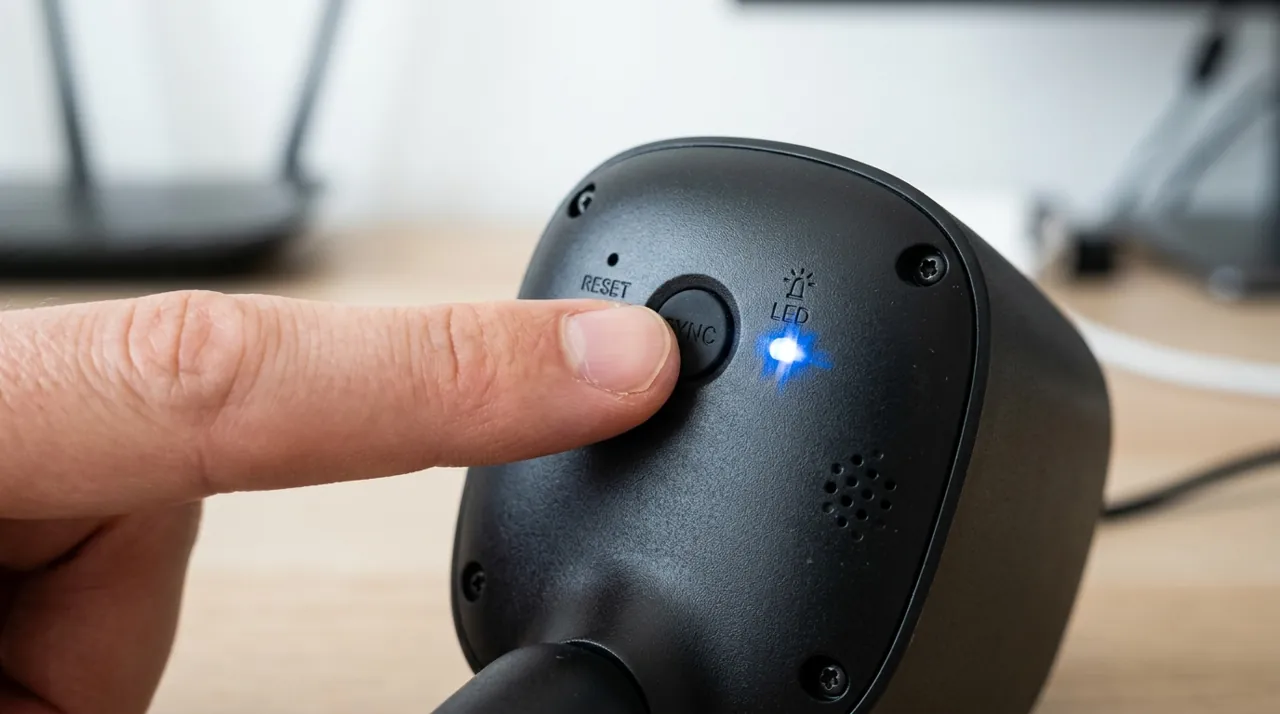
Nearly every consumer camera has a small, recessed reset button, usually on the underside or back of the unit, requiring a paperclip or the SIM-eject tool included in the box to press. Hold it down for the duration specified in the manual — commonly 10 to 30 seconds — until you see a status light change color or flash in a specific pattern, which signals the reset has completed. Exact button location and hold time vary by brand and model, so check the manufacturer’s support page for your specific camera if the light doesn’t behave as expected; a mistimed press (too short) often does nothing at all.
Some newer cameras support a factory reset directly from within the app instead of the physical button — check the device settings menu first, since it’s often faster and confirms the reset completed successfully rather than guessing from a light pattern.
Setting the Camera Back Up After a Factory Reset
After a factory reset, the camera behaves exactly like a brand-new unit: open the manufacturer’s app, choose "add a device," and follow the same QR-code or setup-code pairing process used the first time. You will need to re-enter your WiFi password, rebuild any activity zones, and reconfigure notification preferences — none of that carries over from before the reset. Our how to connect a security camera to WiFi guide covers that pairing step in detail if it doesn’t go smoothly.
When a Reset Is (and Isn’t) the Right Fix
Reset for: a camera that won’t connect after a router or WiFi password change, persistent app crashes tied to one specific camera, preparing to sell or return the unit, or a camera that has become completely unresponsive to both the app and a soft reset. Don’t reset for: a camera that’s simply offline right now (try why does my camera keep going offline first), or missed notifications, which is usually a phone settings issue covered in how to view your camera on your phone.
Accessories Worth Having on Hand

Best for re-inserting fresh local storage after a factory reset wipes the card.

Best for remounting a camera after a reset and re-pairing.
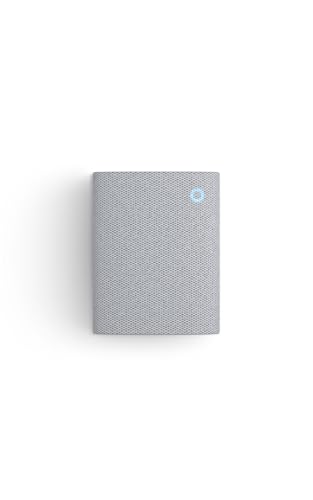
Best for re-pairing an indoor chime after a Ring device reset.
If a Reset Doesn’t Fix It
If a full factory reset and fresh setup still doesn’t resolve the problem, that points to a genuine hardware fault or a firmware bug rather than a configuration issue, and it’s worth contacting the manufacturer’s support directly — most consumer cameras carry at least a one-year warranty, covered in our install guide's warranty section.