
Affiliate Disclosure
Some links on this page are affiliate links. As an Amazon Associate, we earn from qualifying purchases — at no extra cost to you. We do not buy, install, or physically handle the cameras we cover; our rankings come from aggregated owner reviews, ratings and expert consensus. Commissions never change our verdicts. How we rank · full disclosure.
Short version: installing a battery Ring camera or doorbell is a same-day DIY job — mount, pair, done. The wired Floodlight Cam is a different category of install involving mains electrical work, and that’s the version where hiring an electrician is genuinely common rather than optional caution.
Ring Devices This Guide Applies To

The most-reviewed video doorbell in the US market with one of the deepest, highest-rated review bases we track. It runs on a removable rechargeable battery with no wiring required, a genuine fifteen-minute install.
Why You Should Get This
If you’re installing a battery Ring device, this is the most review-validated example of the simple no-wiring install.
Benefits
- Deepest review base of any doorbell on the market.
- Genuine fifteen-minute install, no wiring.
- Head-to-toe view shows the whole doorstep.
Pros and Cons
- Largest, most trustworthy review base.
- No electrical work required.
- Motion zones cut sidewalk false alerts.
- Recorded clip history needs a subscription.
- 1080p rather than 2K.
- Mounting height still matters for a good frame.
Features
- Head-to-toe 1:1 view.
- Removable battery, no wiring.
- Two-way talk.

A common wired install, with one of the highest ratings and deepest review bases we track, connecting to an existing outdoor fixture. Installation is a real project — a meaningful share of buyers hire an electrician rather than work at a breaker panel themselves.
Why You Should Get This
If you’re installing a wired Ring camera, this is the most review-validated example of what that installation involves.
| Resolution | 1080p HD |
| Field of view | 140° horizontal |
| Power | Hardwired, existing outdoor fixture |
| Night vision | Color night vision |
| Audio | Two-way talk |
| Siren | 105dB built-in siren |
| Lighting | Motion-activated LED floodlights |
| Smart home | Works with Alexa |
Benefits
- Highest-rated outdoor camera tracked on this site.
- Connects to an existing outdoor fixture.
- Never needs a battery recharge once installed.
Pros and Cons
- Massive, consistent review base.
- No ongoing recharge maintenance.
- Motion-activated floodlights double as a deterrent.
- Needs an existing wired fixture or electrician.
- Real installation project, not a 15-minute job.
- Recorded clip history needs a subscription.
Features
- Motion-activated LED floodlights.
- Hardwired install.
- Two-way talk.

The simplest install of the three, with one of the deepest, highest-rated review bases in the category — plug into an outlet and pair in the app, no mounting hardware required unless you choose to mount it.
Why You Should Get This
If you want the simplest possible Ring install with no drilling at all, this is it.
Benefits
- Most-reviewed inexpensive camera in the category.
- Plug-in power, no wiring or drilling required.
- Physical privacy cover.
Pros and Cons
- Massive, trustworthy review base.
- Simplest install of any Ring device.
- Low price for a first camera.
- Recorded clip history needs a subscription.
- 1080p rather than 2K.
- Indoor use only.
Features
- 1080p HD, two-way talk.
- Physical privacy cover.
- Plug-in power.
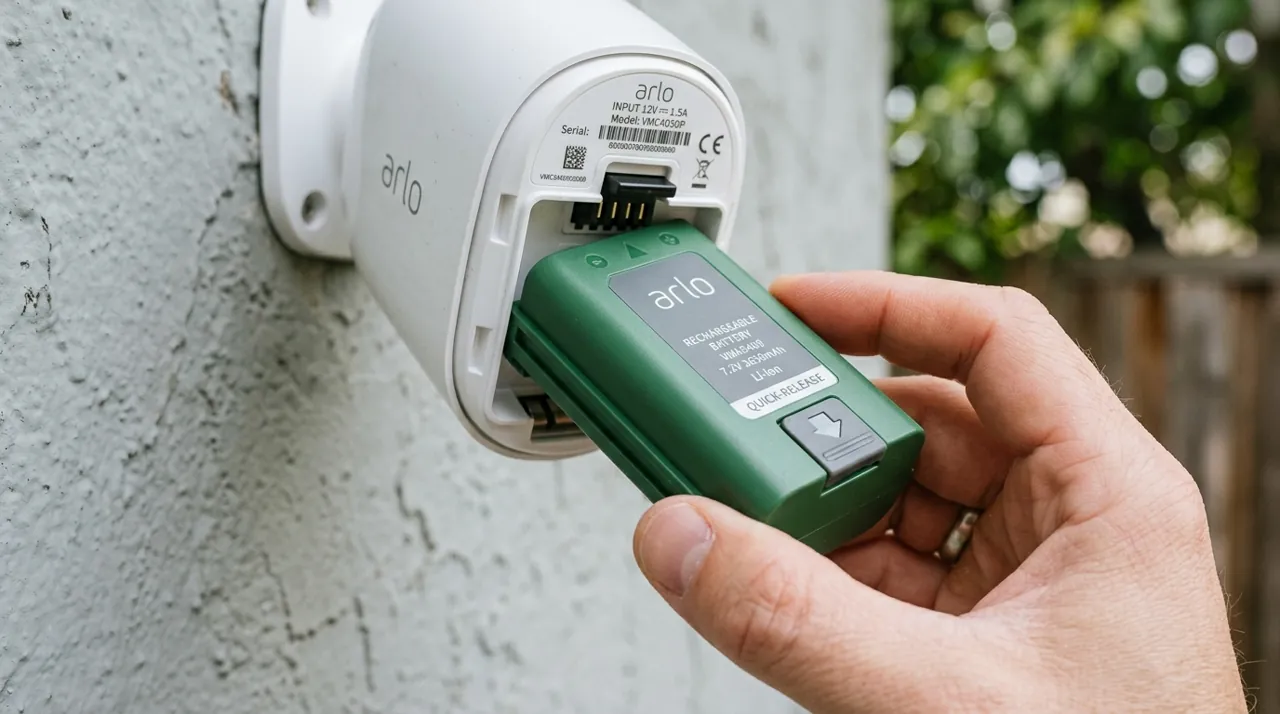
Installing a Battery Ring Camera or Doorbell
Charge the battery fully before mounting — most units ship at a partial charge and won’t pair reliably while low. Use the included mounting bracket and template to mark screw positions, drill pilot holes if mounting into siding or brick, and secure the bracket with the provided screws and anchors. Clip or screw the camera onto the bracket, then open the Ring app and follow the QR-code setup flow, which walks through WiFi pairing (see our dedicated connect Ring to WiFi guide if this step stalls).
Installing a Wired Ring Floodlight Cam
This replaces an existing hardwired floodlight fixture, so the process starts with switching off power at the breaker — never skip this step. Remove the old fixture, note which wires are line, neutral and ground, and connect the Ring unit’s corresponding wires the same way, typically using wire nuts. Secure the mounting plate, attach the camera unit, then restore power and complete WiFi pairing through the app. If there’s no existing fixture or the wiring looks unfamiliar, this is the point to bring in an electrician rather than guess.

Where to Mount It
For doorbells, install at standard doorbell height (around 48 inches) beside the door rather than directly above it, so the field of view captures approach angles rather than just the top of a visitor’s head. For standalone cameras covering a driveway or side yard, mount around 7-9 feet up with a slight downward tilt — high enough to deter tampering, low enough to keep faces identifiable within the useful detection range.
Checking WiFi Strength Before You Commit to a Spot
Before drilling anything permanent, hold the camera at the intended mounting position and check the WiFi signal indicator during the app’s setup flow — Ring will warn if the signal is too weak to reliably pair. A spot that looks ideal for coverage but sits at the edge of your WiFi range is the single most common cause of Ring cameras that seem to "install fine" and then drop offline within days; see why is my Ring camera offline if that happens.
Install Accessories Worth Having on Hand

Best for angling a Ring camera precisely under an eave or soffit during install.

Best for a clean, weatherproof cable entry point on a wired Ring install.
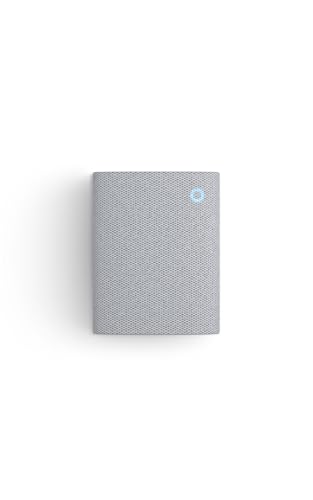
Best for adding an audible indoor chime as part of a Ring doorbell install.
Related Guides
Once installed, decide whether a Ring Protect plan is worth adding — see is Ring worth it. If you’re still deciding between models before you buy, best Ring cameras compares the current lineup.