
Affiliate Disclosure: Some links on this page are affiliate links. As an Amazon Associate, we earn from qualifying purchases — at no extra cost to you. We do not buy, install, or physically handle the cameras we cover; our rankings come from aggregated owner reviews, ratings and expert consensus. Commissions never change our verdicts. We're reader-supported: commissions fund hosting, research and updates, so if a guide helped, buying through our links keeps it going. How we rank · full disclosure.
Short version: buy a high-endurance card, not a standard consumer microSD card, full stop. A security camera writes and overwrites footage in a continuous loop, which is a fundamentally different workload from what a normal SD card is rated for, and it is the single most common cause of a camera that silently stops recording. The SanDisk 128GB High Endurance card is the clear consensus pick, with over 75,000 verified owner ratings — more than any other accessory on this entire site. The Samsung PRO Endurance is an equally well-reviewed alternative brand, and the SanDisk 32GB MAX Endurance is the right choice if one camera and a shorter retention window is all you need.
In Plain English
A security camera records in a loop. When the card fills up, the camera deletes the oldest clip and records over it, again and again, every day.
Picture a whiteboard that gets wiped and rewritten hundreds of times. A normal memory card is built for photos you save once and rarely touch. Constant wiping wears it out, and it can stop recording without any warning. A high-endurance card is built for exactly that wiping.
You will see small speed labels such as U3 or V30 (symbols that promise a minimum recording speed). They tell you the card can keep up with video. The word “Endurance” in the product name tells you it is built to keep doing it for a long time. You want both.
The one thing to do: buy a card with “Endurance” in its name, check the largest size your camera supports, and format the card in the camera itself.
Top Rated Picks at a Glance
The Ranked Field: Star Rating, Consensus and Price

Best for most single-camera and multi-camera setups that need reliable, high-capacity storage.
- Built specifically for continuous-loop recording (dash cam and home monitoring rated).
- C10, U3, V30 speed class for smooth continuous write.
- 128GB holds weeks of footage on most cameras before overwriting.
- Over 75,000 verified owner ratings — the deepest review base of any accessory on this hub.
Why buy it: The single most-reviewed accessory on this entire site, and the consensus pick for a reason: it is built for exactly the overwrite workload a security camera puts on a card.

Best for buyers who want a second trusted brand or a card rated for extended continuous recording.
- Endurance-rated for continuous recording, not standard consumer use.
- Over 9,600 verified owner ratings.
- Wide temperature tolerance for exposed outdoor camera housings.
- Samsung’s dedicated surveillance/dash cam endurance line.
Why buy it: A close second on rating with a smaller but still substantial review base — the pick if you specifically want a non-SanDisk option from an equally established storage brand.

Best for a single indoor camera or a budget setup that does not need 128GB.
- Purpose-built "MAX Endurance" line for home security cameras specifically.
- Nearly 6,900 verified owner ratings.
- Lower capacity keeps the price down for buyers who do not need weeks of footage.
- A separate SanDisk endurance line from the 128GB High Endurance card, at a smaller capacity.
Why buy it: Same rating as the 128GB card above, at a lower capacity and a lower price — the right buy if one camera and a shorter retention window is all you need.
Comparison Table
| Product | Best for | Buy |
|---|---|---|
| SanDisk 128GB High Endurance MicroSDXC Card | Best Overall | Price |
| Samsung PRO Endurance 128GB MicroSDXC Card | Best Premium | Price |
| SanDisk 32GB MAX Endurance MicroSDHC Card | Best Budget / Smaller Capacity | Price |
How We Rank
We do not buy or physically test these SD cards. Every star rating and review count on this page comes from licensed Amazon data. Review volume is weighted deliberately heavily here — a card’s endurance claim is only meaningfully validated after months of real continuous-recording use, which is exactly what a review base in the thousands or tens of thousands actually demonstrates. Full method on how we rank.
Buying Guide: Endurance Rating, Capacity and Compatibility
Endurance Rating Is Non-Negotiable
Look specifically for "High Endurance," "MAX Endurance" or "PRO Endurance" in the product name — these are purpose-built product lines, not marketing terms applied to a standard card. Manufacturers rate them for a specific number of continuous recording hours — SanDisk, for example, rates its 128GB High Endurance card for up to 10,000 hours of Full HD recording and its 512GB version for up to 40,000 — which standard cards simply do not publish because they are not designed for that use.
Capacity vs Retention Window
More capacity buys more retention before old footage overwrites. A quiet indoor camera with infrequent motion can run comfortably on 32GB for weeks; a busy outdoor camera facing a street can fill even a 128GB micro SD card for a security camera faster than expected. Check your specific camera’s estimated hours-per-GB at your recording resolution rather than assuming a number applies universally.
Check Your Camera’s Maximum Supported Capacity
Not every camera supports every card size — some older or budget models cap out at 128GB or even 32GB regardless of what card you insert. Check your camera’s specification sheet before buying a larger card than it can actually use.
What Consumer Reports says: In its home security camera buying guide, Consumer Reports observes that a growing number of brands, including Aqara, Eufy, Reolink and TP-Link, offer free local storage on a microSD card or internal memory, which avoids subscription fees. It also cautions that an intruder could simply steal the camera to get rid of the evidence, a trade-off worth weighing before you rely on a card alone.
Speed Class, Write Speed and Continuous Recording: What the Labels Mean
MicroSD cards carry a cluster of speed ratings on the label. It's easy to assume a higher number is always better. But only one rating matters for a security camera's continuous recording workload. U3 and V30 both guarantee a minimum sustained write speed of 30MB/s. That's the figure that matters for continuous video. The older Class 10 rating only guarantees 10MB/s and is less relevant today. A2 is an application performance class for apps and games, not sequential video writing, so it's not a meaningful factor here. Look for U3 or V30 on the label alongside the endurance rating. Speed class alone doesn't say how the card holds up to repeated overwrite cycles — that's what endurance rating measures.
4K Cameras Need a Faster Sustained Write Speed
A 1080p or 2K camera's bitrate sits comfortably within what a standard U3/V30 card can sustain, and so does a consumer 4K camera's: the 30MB/s minimum works out to roughly 240 Mbps, far above typical security-camera bitrates. What a 4K camera does change is how quickly the card fills and overwrites, which is why endurance rating matters more than extra speed. Both the SanDisk High Endurance and Samsung PRO Endurance cards recommended above carry V30/U3 ratings and are marketed for Full HD and 4K recording.
How to Confirm a Card Actually Fits Your Camera
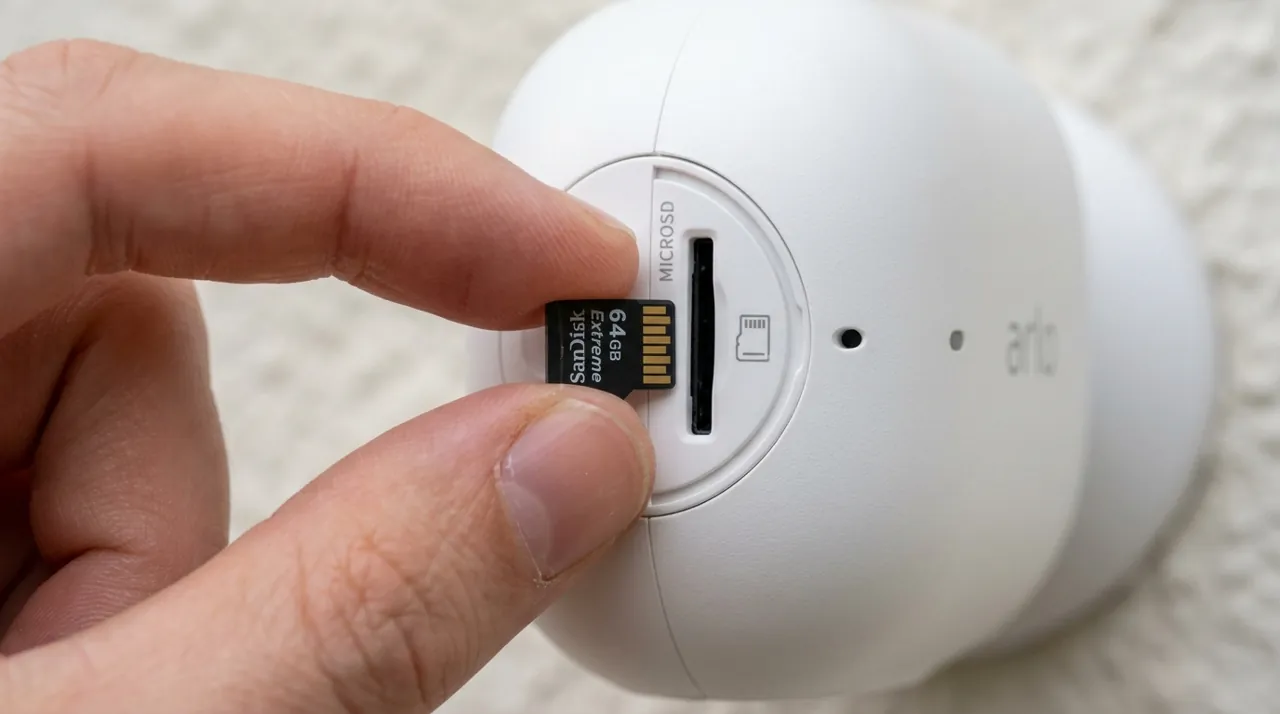
Nearly every consumer security camera today takes a microSD card, not a full-size SD card. It's still worth confirming rather than assuming, especially on older NVR-style systems that sometimes use a full-size slot instead. Check the camera's own specification sheet for two things: the physical card format, and the maximum capacity the camera's firmware actually recognizes. A camera that only supports SDHC cards is limited to 32GB, because the SD Association defines SDHC as up to 32GB using FAT32, while larger SDXC cards (over 32GB, up to 2TB) use the exFAT file system. Other cameras cap out at 128GB or 256GB in firmware, so a 256GB SD card for a security camera only helps if the camera recognizes it, even if the slot itself could physically accept a larger card. Manufacturer firmware updates occasionally raise these limits. A camera bought a few years ago may support a larger card today than its original manual states. Check the current listing or the manufacturer's support page before buying a large-capacity card — it takes two minutes and avoids an easy return.
Warning Signs Your Footage Is at Risk: A Failing SanDisk or Samsung Card
A handful of symptoms show up consistently in owner reviews right before a card fails outright. Catching them early avoids the worst outcome: a gap in footage exactly when you need it.
- Recorded clips that won't play back, or that freeze partway through, are one of the earliest signs.
- A camera app reporting "SD card error," or repeatedly asking to reformat, is another — especially after a successful format has already happened once.
- Recording that silently stops with no error at all is the most dangerous version, since nothing prompts you to check.
That's specifically why buying a card rated for the continuous-overwrite workload matters so much in the first place, rather than relying on catching a failure after it happens. Most camera apps show the card's remaining capacity and health status somewhere in settings. Checking it periodically, rather than only when something goes wrong, catches a failing card before it goes completely silent.
Formatting, Storage Health and Basic Card Maintenance
- Format a new card in the camera itself, not on a computer. The camera's own formatting sets up the storage exactly the way its firmware expects for continuous overwrite recording.
- Reformat periodically — roughly every few months for a card in heavy continuous use. Several long-term owners in the review base describe this habit as extending a card's useful life, since it clears file-system fragmentation from months of constant overwriting.
- Pull the card only after stopping recording through the app, not while the camera is actively writing to it, to avoid corrupting the file currently being recorded.
- A dedicated card reader, rather than a cheap adapter, is worth the few extra dollars if you're regularly pulling the card to review footage on a computer.
Tip Check the card's remaining capacity and health status in your camera app's settings now and then, not only when something goes wrong.
SanDisk vs Samsung PRO Endurance: Is It Worth Paying More Per Gigabyte?
Comparing the two top picks on a strict cost-per-gigabyte basis, the SanDisk 128GB High Endurance card is meaningfully cheaper than the Samsung PRO Endurance at the same capacity. It also carries a far deeper review base to back the endurance claim. That combination is exactly why it's the default pick, not simply the cheapest option. The gap narrows, and sometimes reverses, at other capacities or during sales — check the current price on both before assuming the ranking above holds at every tier. Paying extra for a second established brand mainly buys peace of mind through supplier diversification, not a specific durability advantage, since both brands are purpose-built for the same continuous-recording storage workload.
Going Deeper: Speed Ratings vs Endurance Ratings
The labels on a microSD card answer two different questions. The first is whether the card can write fast enough. The SD Association says speed class symbols indicate a minimum writing speed, because recording video needs a constant minimum write speed to avoid dropped frames and keep playback smooth. SanDisk’s High Endurance data sheet spells out the V30 and U3 marks as a sustained video capture rate of 30MB/s. That is a floor the card commits to, not a peak it reaches on a good day.
The SD Association also explains why that floor needs defining so carefully. Repeatedly deleting and writing files gradually fragments a card’s data area, and writing to a fragmented area is generally slower. Speed Class performance is defined for sequential writes into a completely unfragmented area. A security camera does exactly that repeated delete-and-write cycle, all day, every day, which is the background to the maintenance advice above about formatting the card in the camera.
The second question is how long the card is built to last under that workload, and speed ratings don’t cover it. SanDisk rates the High Endurance line in hours of Full HD recording instead: up to 2,500 hours for 32GB, 5,000 for 64GB, 10,000 for 128GB, 20,000 for 256GB and 40,000 for 512GB. It notes that total hours are lower for 4K video. The rating doubles with each capacity step, which matches the arithmetic of loop recording. A bigger card takes longer to fill, so it goes around the loop fewer times for the same footage.
The same data sheet lists an operating range of -13°F to 185°F (-25°C to 85°C) and write speeds of up to 40MB/s. Both are useful to know for an outdoor camera housing that bakes in summer. Put together, the speed class tells you the card can keep up without dropping frames, and the endurance rating tells you how many hours of recording it is designed to survive.
The Verdict
The SanDisk 128GB High Endurance card is the default recommendation for the overwhelming majority of setups — its review base alone (over 75,000 verified ratings) makes it the best-evidenced accessory purchase on this entire site. Buy the Samsung PRO Endurance if you specifically want a second trusted brand, and step down to the SanDisk 32GB MAX Endurance if a single camera with a shorter retention window is all you need.
Sources & References
- Speed Class Standards for Video Recording — SD Association
- Capacity (SD/SDHC/SDXC/SDUC) — SD Association
- SanDisk High Endurance microSD Card Data Sheet — SanDisk
- PRO Endurance microSDXC 128GB (MB-MJ128KA/AM) — Samsung
- Home Security Camera Buying Guide — Consumer Reports