
Affiliate Disclosure
Some links on this page are affiliate links. As an Amazon Associate, we earn from qualifying purchases — at no extra cost to you. We do not buy, install, or physically handle the cameras we cover; our rankings come from aggregated owner reviews, ratings and expert consensus. Commissions never change our verdicts. How we rank · full disclosure.
The short version: apartment security is the best-value corner of this entire category, because the constraints push you toward cheap indoor cameras rather than expensive outdoor ones. The Ring Indoor Cam is the most review-validated pick, backed by one of the deepest review bases we track, and needs nothing more than an outlet. If you would rather not pay monthly, the Tapo C211 two-pack records to a microSD card for free and its pan-and-tilt head covers a whole one-bedroom from one shelf. And at an entry-level price, the Tapo 1080p is the cheapest camera on this site that still holds a genuinely strong owner rating.
What makes an apartment different is not the size — it is the lease. Nothing may be drilled, nothing may be attached to shared property, and everything has to come with you when you move. That single constraint eliminates most of what a normal buying guide would recommend, and it is why this page is indoor-first. Before you buy, our use-case guides hub explains why the situation matters more than the spec sheet, and indoor cameras covers the wider category.

Top Rated Picks at a Glance
Best Overall Pick: Ring Indoor Cam
The Ring Indoor Cam earns the top spot on the strength of the largest and best-rated review base in this comparison. In a category where most cheap indoor cameras have a handful of glowing reviews and a short life on the market, that volume is the most trustworthy signal available.
Consensus Score █████████░ 9.2 — from one of the deepest, highest-rated review bases we track.
For a renter, its virtues are practical rather than technical. It is small enough to live on a bookshelf, which means zero mounting and zero damage. It plugs into a standard outlet. It has a physical privacy cover, which matters more in a one-room apartment than in a house, because the camera is in the room you live in. And it drops into the largest smart-home ecosystem in the category, so if you later add a doorbell or a plug, it all lives in one app.
The honest weaknesses are two. It is 1080p in a market where 2K is now the mainstream default, and detail at the far end of a living room shows it. More importantly, without a Ring Home plan it keeps no recorded video history — you get live view and an alert, but no clip to go back to. For a renter whose main worry is documenting an incident rather than checking on a dog, that is a real cost. We work through that math in detail on is Ring worth it.
The Ranked Field: Star Rating, Consensus and Price

Best for renters who want the most review-validated indoor camera available.
- 1080p HD video with two-way talk.
- Small enough to sit on a shelf with no mounting at all.
- Manual privacy cover for when you’re home.
- Plugs into a standard outlet — nothing screwed to a wall.
Why buy it: It carries the highest owner rating of any camera here across one of the deepest review bases we track, and it installs with zero damage to a rented wall.

Best for covering an entire one-bedroom with a single rotating camera.
- 2K resolution with 360-degree pan and tilt.
- Records to a microSD card with no subscription required.
- Two-way audio and a built-in siren.
- Two cameras in the box for around the price of one.
Why buy it: Pan and tilt turns one camera into whole-apartment coverage, and local recording means no monthly bill for a renter.

Best for a first camera, a pet cam, or a second angle on a tight budget.
- 1080p video with night vision and motion detection.
- MicroSD and cloud storage options, card recording is free.
- 2-way audio with a siren alert.
- Works with Alexa and Google Home.
Why buy it: An entry-level price with a deep base of owner ratings behind it — the cheapest genuinely well-reviewed camera in this comparison.

Best for pet owners who want the camera to follow the action by itself.
- 360-degree PTZ with automatic motion tracking.
- Dual-band 2.4GHz and 5GHz WiFi.
- 24/7 recording to a TF card, no subscription.
- Ships as a two-camera set.
Why buy it: The auto-tracking and dual-band radio are unusual at this price — but the review base is tiny, so treat the rating as provisional.
Quick Comparison Table
| Product | Best for | Price | Buy |
|---|---|---|---|
| Ring Indoor Cam (1080p) | Best Overall | $49.99 | Price |
| TP-Link Tapo 2K Pan/Tilt Camera C211 (2-Pack) | Best Value | $39.90 | Price |
| TP-Link Tapo 1080p Indoor Camera | Best Budget | $17.99 | Price |
| AOQEE G5 Dual-Band Indoor Camera (2-Pack) | Best Auto-Tracking (Unproven) | $24.99 | Price |
How We Rank: Owner Reviews and Star Ratings
We do not buy, install or physically handle these cameras. There is no test apartment behind this page and we are not going to imply one exists. What we do instead is read the evidence that already exists at scale: aggregated owner star ratings weighted by review volume, so that a 4.8 from 83 buyers does not automatically outrank a 4.7 from 44,900; the recurring themes inside negative reviews, which are far more informative than the positive ones; verified specifications; and expert consensus across the category. A camera with a thin review history can still place here, but it gets flagged as unproven rather than presented as equivalent. Full method on how we rank.
The Apartment Cameras, Reviewed
1. Ring Indoor Cam — Best Overall
The default answer for a renter who wants something that simply works. Shelf-sized, outlet-powered, 1080p, two-way talk, physical privacy shutter. What owners praise: notification speed and app polish, which is the thing cheap cameras get wrong most often; the privacy cover; and the fact that setup takes minutes with no configuration knowledge. What owners complain about: 1080p resolution that looks dated next to 2K rivals at similar money, the discovery that recorded clips require a paid plan, and a short power cable that dictates where the camera can sit more than people expect.
2. TP-Link Tapo C211 2K Pan/Tilt, 2-Pack — Best Value
The pick that solves the apartment problem most elegantly. A 360-degree pan-and-tilt head means one camera on a shelf can sweep an entire open-plan living space, the entry door and the hallway — coverage a fixed lens cannot match without buying three cameras. 2K resolution, microSD recording with no subscription, and two units in the box at an entry-level price. What owners praise: the value of a two-pack at this price, genuinely useful pan control from the app, and free local recording. What owners complain about: the motorized head is audible when it moves, which is noticeable in a quiet apartment; the app pushes cloud upsells; and card-based recording means a stolen camera takes its own footage with it.
3. TP-Link Tapo 1080p Indoor — Best Budget
At an entry-level price, with a deep base of owner ratings and a strong average — the cheapest camera on this site that is genuinely well-reviewed rather than just cheap. Night vision, motion detection, two-way audio, a siren, microSD recording and Alexa and Google Home support. What owners praise: the price against the feature list, reliable app notifications, and that it works as a pet or baby monitor without a subscription. What owners complain about: a fixed lens that sees only one part of a room, 1080p detail that softens across a large space, and motion alerts that need manual sensitivity tuning before they stop firing at shadows.
4. AOQEE G5 Dual-Band, 2-Pack — Best Auto-Tracking, Unproven
Included because the specification is unusual at the price, and flagged because the evidence base is thin. Automatic motion tracking, 360-degree PTZ, dual-band 2.4GHz and 5GHz WiFi and 24/7 card recording at an entry-level price for the pair is a lot on paper. The caveat: it holds a strong rating but across only a thin base of owner ratings, which is far too small a sample to be treated the same way as a deeply reviewed score. New listings with small review counts are the least reliable data in this category. What early owners praise: tracking that genuinely follows a pet across a room, and 5GHz support that most budget cameras lack. What to watch: long-term reliability and app support are unknown, and a brand with no track record carries real risk on firmware and security updates.
Buying Guide: What Actually Matters in a Rental
The direct answer: buy for removability first, coverage second and resolution third. In a house you optimize the camera; in an apartment you optimize the install.
Mounting With No Drilling
Three approaches work in a rental. A camera that simply sits on a shelf, side table or bookcase is the cleanest option and the reason small indoor cameras dominate this page. Removable adhesive mounts hold a light camera on a wall and come off cleanly if you warm the pad first, though they struggle on textured paint and in humid bathrooms. Clamp and magnetic mounts attach to a shelf edge or a metal surface with no fixings at all. What does not work is anything requiring a wall anchor, and anything attached to the exterior of the building.
Coverage From One Position
Apartments reward pan-and-tilt heavily, and this is the biggest difference from a house. A single rotating camera placed centrally in a one-bedroom can cover the entry door, the main room and part of a hallway. In a house that same camera would be one of five. If you are buying one camera, buy one that moves.
Local Storage Over Subscriptions
A renter’s setup should be cheap to own, not just cheap to buy. Cameras that record to a microSD card have no recurring cost, which over three years in a rental is the difference between a small one-time cost and several hundred. The tradeoff is that a stolen camera takes its card with it — which matters less indoors than out, and is one reason the calculus differs from our backyard picks. Eufy is the other brand renters ask about specifically for this reason — its indoor line leans on local storage the same way Tapo does, so it belongs in the same shortlist if you land on this page after already narrowing to a no-subscription camera.
Privacy in a Space You Live In
An indoor camera in a small apartment is pointed at your own life, and that is a genuine consideration rather than a footnote. A physical privacy shutter, a schedule that disables recording while you are home, or simply unplugging when you are in are all reasonable. Owner reviews from renters mention this far more often than reviews of outdoor cameras do.
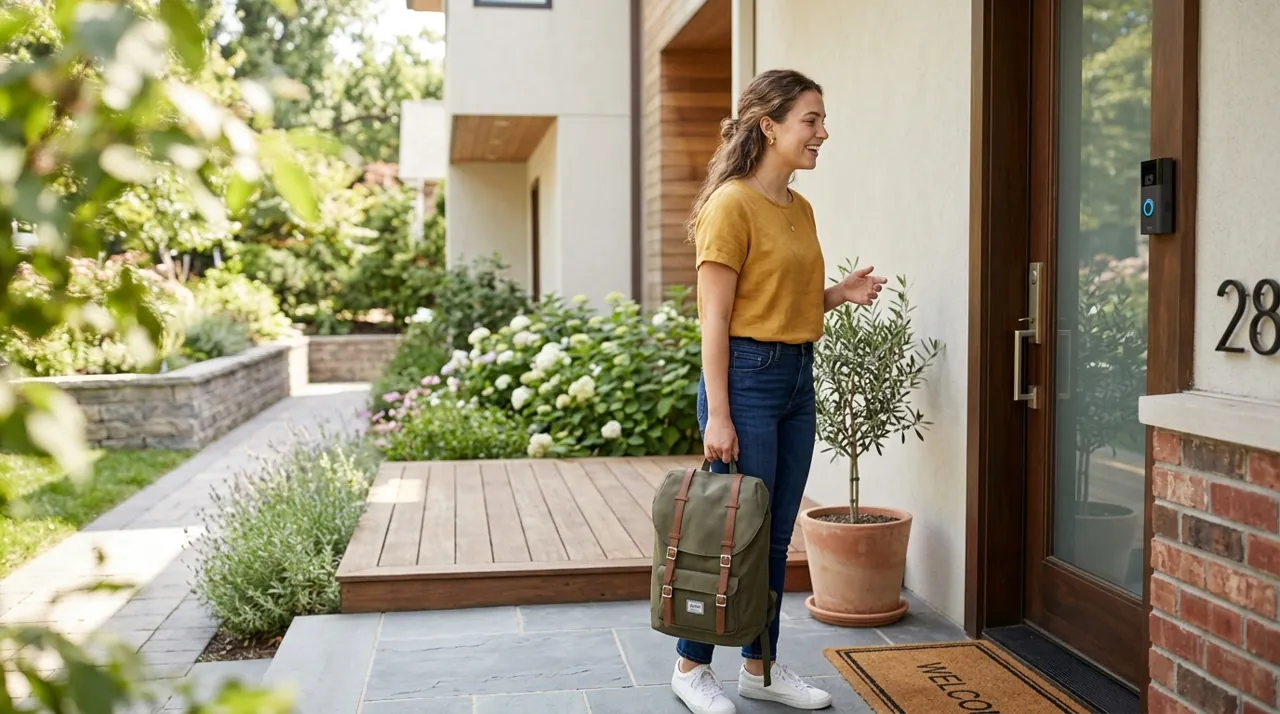
Renter Friendly Rules: Lease Agreement, Landlord Approval and HOA Rules
The direct answer: anything that leaves no mark is almost always fine, and anything fixed to the building is a conversation before it is a purchase.
The clause that governs this is the alterations clause in your lease agreement. It is written to cover fixtures, fittings and holes, which is why a camera sitting on a bookshelf is outside it and a doorbell screwed to the door frame is inside it. If you want anything on the frame, the corridor or an exterior wall, get landlord approval in writing rather than assuming — a short email asking permission costs nothing and settles the deposit argument two years early.
In a condo or a managed building there is a second layer. HOA rules and building bylaws commonly treat corridors, lobbies, stairwells and exterior elevations as common property, which means the board rather than your landlord controls what goes on them. Those rules also frequently prohibit cameras pointed at shared space, for the sensible reason that they record every other resident.
The renter friendly conclusion is the same one the picks on this page are built around: keep the whole setup indoors, keep it removable, and keep it aimed at your own doorway from inside. That combination needs nobody's permission and moves house with you.
Package Theft in an Apartment Building
Package theft looks different in a building than it does at a house, and it changes what a camera can realistically do for you.
In most buildings the parcel never reaches your door. It is left in a lobby, a mailroom, a parcel locker or a shared entryway — all common property, all outside what you may cover with your own camera. An indoor camera aimed at your entry door catches the last few feet of the journey and nothing before it, which is worth knowing before you buy one expecting evidence of a lobby theft.
What genuinely helps in this specific situation is mostly logistics rather than hardware: delivery to a locker or a pickup point, a signature requirement for anything valuable, and asking the building manager whether the existing lobby camera footage can be retrieved after an incident. Where parcels are left in an internal corridor outside your own door and the building permits it, a peephole camera covers that spot without a single screw. Beyond that, the honest answer is that this is a building-management problem more than a camera problem.
What About a Doorbell?
Most renters want one and many cannot have one. A wired doorbell replacement involves the building’s electrical fixtures and is nearly always a landlord conversation. A battery doorbell mounted to the door frame with screws is a modification of a surface you do not own, and in an apartment building the corridor is usually common property with its own rules.
The workarounds renters actually use are peephole cameras, which replace an existing peephole with no permanent change, and adhesive-mounted battery doorbells where the building allows it. If your building is relaxed about it, our video doorbells hub and best security camera for front door cover the full field. If it is not, an indoor camera aimed at the door from inside does most of the same job with none of the friction.
Best Premium Upgrade for an Apartment: The Pros and Cons
Everything on this page sits at the budget end, and that is deliberate rather than a gap. Still, renters do ask what spending more buys, so here is the honest pros and cons of upgrading in a rental.
Pros. The best premium indoor cameras add 2K or 4K detail that holds up across a large open-plan room, on-device person and pet detection that cuts false alerts without a subscription, better low-light performance, and faster, more reliable apps. In a two-bedroom where one camera has to cover a long sight line, the extra resolution is genuinely visible.
Cons. Most of what a premium camera buys is outdoor performance — weatherproofing, spotlights, long-range night vision — and none of that applies indoors. The apartment constraints that actually matter, removability and coverage from one position, are solved by an entry-level pan-and-tilt two-pack rather than by a premium camera. And a rental setup is more likely to be replaced at the next move than to be kept for a decade, which weakens the case for buying long.
The short version: spend up only if you have one large space and want detail at distance. Otherwise the money is better spent on a second camera. Wyze sits at the opposite end of that trade, competing hard on price rather than premium detail, which is worth knowing if a second cheap camera is genuinely the better buy for your apartment. The wider category sits in premium cameras.
Warranty and Return Policy Notes
Indoor cameras at this price typically carry a one-year limited warranty, and on subscription platforms the cover is sometimes extended while a plan is active — worth knowing if you plan to run the camera without paying. More useful in practice is the return policy: apartment WiFi is congested on the 2.4GHz band that most budget cameras use, and whether a camera holds a stable connection in your particular building is something you can only find out at home. Keep the packaging and run the camera for a few days inside the return window before deciding it is a keeper.
What Owner Reviews Actually Complain About
Across thousands of indoor camera reviews, four themes repeat regardless of brand.
Motion alerts fire too often at default settings. This is the leading complaint in the whole indoor category. A camera pointed at a living room will trigger on a curtain, a pet, a sunbeam moving across the floor. Every camera here supports sensitivity adjustment and most support activity zones; ten minutes of setup is the difference between a system you use and one you mute.
Subscription discovery after the fact. Buyers who did not read the storage terms find out during an actual incident that no clip was saved. This is by far the most common source of angry one-star reviews on the Ring device here, and it is entirely avoidable.
WiFi drops on 2.4GHz. Most budget indoor cameras join only the 2.4GHz band. In an apartment building with dozens of overlapping networks, that band is congested, and cameras that appear offline are usually reporting a congestion problem rather than a defect. Our install guide covers the fix.
Short or fixed power cables. A small complaint that shapes real installs. Several cameras here ship with a cable barely long enough to reach from a shelf to a baseboard outlet, and the position you wanted becomes the position you get.
How to Choose for Your Specific Situation
If you want the most proven option and do not mind a plan: the Ring Indoor Cam, on the strength of one of the deepest, highest-rated review bases we track.
If you want one camera to cover a whole one-bedroom with no monthly bill: the Tapo C211 2K pan-and-tilt two-pack. This is the pick we would give most renters.
If the budget is genuinely tight or you want a pet cam: the Tapo 1080p, at an entry-level price, does the job and has the reviews to prove it.
If you specifically want auto-tracking and accept the risk: the AOQEE G5, understanding that a thin ratings base is not evidence in the way a deep one is.
If you are about to move to a house: read best security camera for front door before buying anything, because the right answer changes completely once drilling is allowed.
The Verdict
For most renters, the Tapo C211 two-pack is the pick we would actually hand over. Pan and tilt solves the apartment coverage problem from a single shelf, 2K is a visible step up from 1080p, microSD recording means the running cost is zero, and two cameras for an entry-level combined price covers a two-bedroom outright. It is the most apartment-shaped product in this comparison.
The Ring Indoor Cam remains the better answer if you want the most polished app in the category, already own Ring gear, or simply want the option with the deepest owner-review base behind it — provided you go in knowing that recorded clips mean a subscription. Either way, keep the install removable, tune the motion settings in the first week, and check the lease before anything touches a wall. When you are ready to mount, how to install a security camera covers placement and signal, and budget cameras covers what else the low end of the market is doing well.
Related Accessories

Best for local recording on a camera with a card slot.

Best for angling a camera precisely under an eave, soffit or shelf.

Best for a clean, weatherproof cable entry point on an outdoor mount.