
Affiliate Disclosure: Some links on this page are affiliate links. As an Amazon Associate, we earn from qualifying purchases — at no extra cost to you. We do not buy, install, or physically handle the cameras we cover; our rankings come from aggregated owner reviews, ratings and expert consensus. Commissions never change our verdicts. We're reader-supported: commissions fund hosting, research and updates, so if a guide helped, buying through our links keeps it going. How we rank · full disclosure.

Ring Pan-Tilt Indoor Cam (Newest Model)
The highest-rated pan-tilt camera this site tracks, from the Ring ecosystem with the largest review base in home security.
Check Price →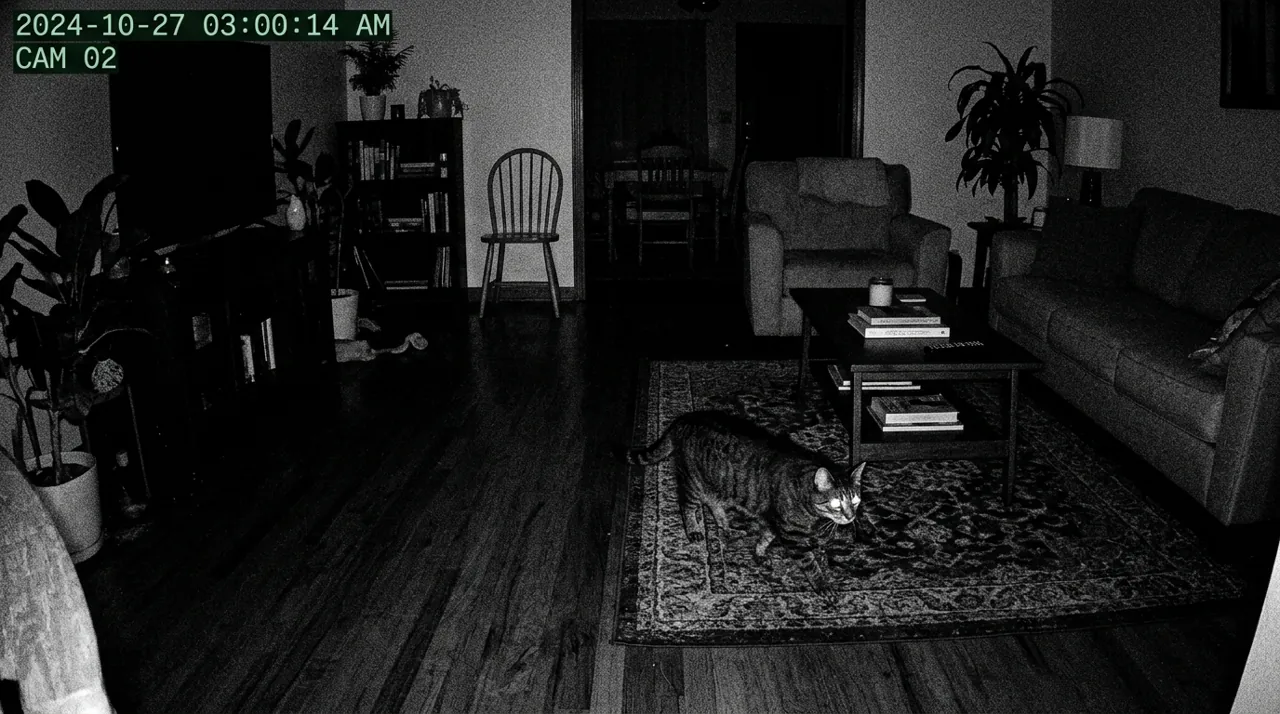
In Plain English
The Ring Pan-Tilt Indoor Cam is a small indoor camera on a swivelling base. From the Ring app you can turn it all the way around and tilt it up and down, so one camera can cover a whole living room.
Think of it as a camera on a neck you steer by remote. It does not turn by itself to follow movement, so it keeps looking wherever you last pointed it.
Why it matters: live video and motion alerts are free, but Ring saves no recordings unless you pay for a plan. Without one, you can watch live but cannot rewind to see what happened earlier.
It has a manual privacy cover you slide over the lens, which also turns off the microphone, useful when you are home and want the camera properly off. It needs to stay plugged in and connects on 2.4GHz WiFi (one of the WiFi bands your router broadcasts).
The one thing to decide before buying: whether you are happy to pay for a Ring plan to keep recordings.
Full Specifications
| Coverage | 360° pan, 169° tilt, manual control from the app (no automatic motion tracking listed) |
| Privacy | Manual audio and video privacy cover |
| Placement | Flat surface, wall or ceiling; plug-in power |
| WiFi | 2.4GHz |
| Recording | Paid Ring plan required to save and review video |
| Ecosystem | Ring app, Alexa integration |
Summary
The Ring Pan-Tilt Indoor Cam holds the highest rating of any pan-tilt indoor camera this site tracks, across a deep base of verified owner ratings. It pans 360 degrees and tilts 169 degrees on command from the app, covering a whole room from a single mounting point, backed by Ring’s broad ecosystem and app reliability.
What owners praise
Notification speed and reliability, consistent with the rest of the Ring lineup, are the most frequently cited positives, alongside responsive pan-tilt control from the app. Ecosystem integration with Alexa and other Ring devices is also praised.
What owners complain about
Without a paid Ring plan, no video is saved — the same structural limitation across Ring’s entire lineup, and a real cost to budget for. Some reviewers note the motor is audible in a quiet room. A handful of reviewers also mention that the camera needs to stay plugged in, so placement options are limited compared to a battery-powered indoor camera.
Design and Build Quality
The Ring Pan-Tilt Indoor Cam uses a compact cylindrical body mounted on a rotating base. That base is what lets the camera pan side to side and tilt up and down on command. The housing is plastic, in keeping with Ring's indoor camera line generally, and Ring lists flat-surface, wall and ceiling placement. Owners describe the build as solid for an indoor unit, with a status light on the front that shows recording and connection state at a glance. A short power cable runs from the base to a nearby outlet, so placement depends on having power within cable reach.
Key Features: Pan-Tilt Control and Motion Zones
The core feature is remote pan and tilt. You swing the camera from the app to look anywhere in a room, extending coverage well beyond what a fixed indoor camera manages from the same shelf. Ring does not list automatic motion tracking, so the lens stays wherever you last pointed it. A manual privacy cover blocks both the lens and the microphone when you want it off. Motion zones let you focus detection on specific areas of a room and mask out spots like a TV screen or a ceiling fan that would otherwise trigger constant false alerts. Two-way talk through the built-in speaker and microphone is standard across Ring's camera lineup. Night vision switches on automatically in low light, keeping the camera useful after dark for checking on pets or an empty room overnight.
Ring Pan-Tilt Camera Wall Mount, Installation and Placement
Setup follows the same process as the rest of the Ring lineup: plug the camera in, open the Ring app, and follow the pairing steps to connect it to home WiFi. Ring pan tilt mount installation on a wall is optional, since it can also sit on a flat surface, though a shelf or table with a clear view of the room works better than a low or obstructed spot. Because it needs continuous power, placement is limited to locations within reach of an outlet or extension cable, unlike Ring's battery-powered outdoor cameras that can go anywhere. Most owners describe the whole setup process as quick, typically well under fifteen minutes from unboxing to a working camera.
App, Alexa Integration and Notifications
The Ring app is the control center for live view, motion zone configuration, two-way talk and event history. Owners generally describe it as reliable and consistent with the rest of the Ring ecosystem, since the same app already handles Ring's doorbells and outdoor cameras for many households. Alexa integration is a genuine strength here, letting an Echo Show display the live feed on request or announce motion alerts through voice. Push notifications fire quickly on detected motion, and owners specifically praise the notification speed as one of the most reliable parts of the Ring lineup.
Subscription and Recording Storage
Live view and real-time motion alerts work without any subscription, but saved video history requires a paid Ring plan, the same structural model across Ring's entire camera range. Without a subscription, you can still see what's happening live and get notified, but there's no way to go back and review a recorded clip after the fact. This is the single most common complaint in the aggregated reviews, not because the camera itself performs poorly, but because the ongoing cost isn't always obvious to a first-time Ring buyer at checkout.
Performance and Reliability From Owner Reviews
Pan-tilt responsiveness is the standout trait owners call out, letting them swing the view to a pet or person rather than losing them at the edge of a fixed camera's view. Video quality is described as sharp and consistent with Ring's broader camera lineup, both in daylight and under night vision. Notification speed and reliability get consistently strong marks, a known strength across Ring's ecosystem. The most repeated reliability note isn't about the camera failing, but about the audible whir of the pan-tilt motor being noticeable in an otherwise quiet room, which a small number of owners find distracting at night.
Who It’s For
Alexa households already invested in the Ring ecosystem who want the highest-rated pan-tilt indoor camera available. It particularly suits anyone who already owns a Ring doorbell or outdoor camera, since managing every device in one app is a real convenience. A household with pets or an open-plan living room, where a single fixed camera can't cover the whole space, gets the most value from the pan-tilt range specifically.
Who Should Skip It
If avoiding a subscription matters, see Wyze Cam Pan v3 review for a local-storage alternative. Anyone needing a battery-powered camera for a spot without a nearby outlet should also look elsewhere, since this model requires continuous power.
Pros and Cons
Pros: highest-rated pan-tilt camera on this site, responsive pan-tilt control, strong Ring ecosystem integration, reliable alerts.
Cons: subscription required for recorded video, no automatic motion tracking, motor audible in quiet rooms.
Going Deeper: What the Privacy Cover, Encryption and Night Vision Actually Do
Ring’s own product page describes the privacy features in specific terms. The manual privacy cover turns off video and audio streaming and recording; you swivel it to the side to reactivate the camera, or remove it entirely. The same page points to the Ring app’s privacy settings, where you can choose End-to-End Encryption to control who can see your videos, alongside account security options. A physical cover is the stronger guarantee of the two, because it does not depend on software settings being right, which is why owners value it on a camera that can point anywhere in a room.
The page also lists what the camera connects with: single-band 2.4GHz WiFi, where some other Ring models offer dual-band 2.4GHz and 5GHz, which Ring says gives a faster, more stable connection. On a single-band camera, the 2.4GHz signal strength where the camera sits is what decides how quickly the live view loads and alerts arrive.
On storage, Ring’s page says that with an eligible plan, recorded videos, motion events and Live View events can be saved, shared and replayed for up to 180 days. That is the feature the subscription buys; without it, the camera is a live window with alerts, as this review describes.
Ring lists HD video with color night vision. Axis Communications explains how day-and-night cameras generally handle darkness: an IR-cut filter blocks infrared by day for accurate color, and is removed as light fades so the sensor can use near-infrared light, producing grayscale video. A lamp left on in the room keeps a color-capable camera on the color side of that switch for longer, which is useful if you are checking on a pet overnight.
Verdict
The best-rated pan-tilt indoor camera available, and the right default for Ring/Alexa households. Responsive pan-tilt control and fast, reliable notifications carry the review base, and the ecosystem integration is a real convenience for anyone already using other Ring devices. Buyers who specifically want to avoid a subscription, or who need battery power for a spot without an outlet nearby, should weigh those tradeoffs before buying. See best 360 security camera for how it compares against the field.
Accessories for This Camera

Best for local recording on a camera with a card slot.

Best for angling this camera precisely under an eave, soffit or shelf.

Best for a clean, weatherproof cable entry point on an outdoor mount.
Alternatives to Consider
Sources & References
- Pan-Tilt Indoor Cam — Ring
- Comparing Ring Home Plans — Ring Support
- Ring Subscription Plans — Ring
- IR in Surveillance: Day-and-Night Cameras and OptimizedIR (white paper) — Axis Communications