
Affiliate Disclosure: Some links on this page are affiliate links. As an Amazon Associate, we earn from qualifying purchases — at no extra cost to you. We do not buy, install, or physically handle the cameras we cover; our rankings come from aggregated owner reviews, ratings and expert consensus. Commissions never change our verdicts. We're reader-supported: commissions fund hosting, research and updates, so if a guide helped, buying through our links keeps it going. How we rank · full disclosure.
Short answer: no, an individual security camera does not use much electricity at all. A typical plug-in WiFi camera or a PoE camera draws roughly the same modest amount of continuous power as a phone charger or a small WiFi router. That's a trivial addition to a household electricity bill. The total starts to add up in two places: a full multi-camera system running continuously, and specific power-hungry features like a built-in floodlight or a heater in a cold-climate camera. Both draw meaningfully more than the camera's baseline sensor and radio.
Recommended Cameras by Power Efficiency


Best for one of the lowest-draw plug-in cameras in this comparison.
Do Security Cameras Use a Lot of Electricity? Breaking Down the Draw
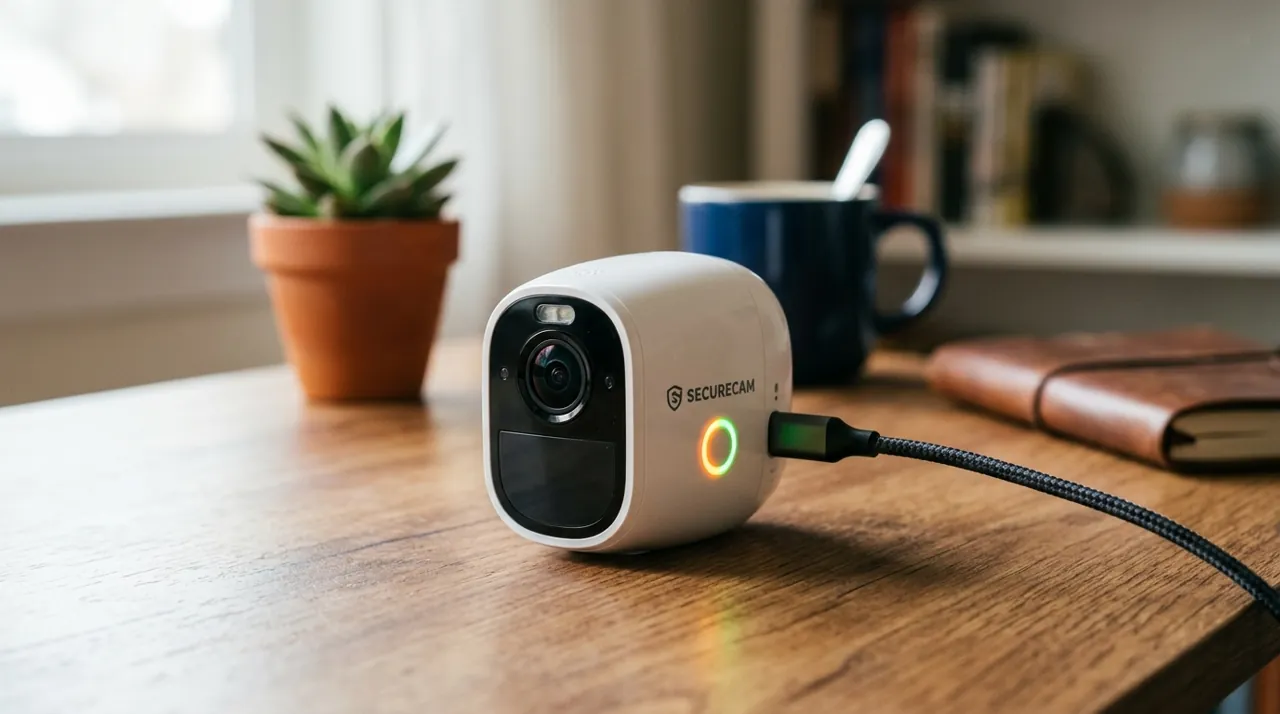
A standard plug-in security camera runs its sensor, processor and WiFi radio continuously. It draws in the range most small always-on electronics draw, comparable to a phone charger left plugged in, or a smart speaker. Multiply that by a household running several cameras, and the combined draw is still modest. It sits well below genuinely power-hungry appliances like a refrigerator, an air conditioner or a water heater, which dwarf anything a camera system adds to a bill.
Battery cameras use essentially zero continuous household electricity. They draw only briefly during a recharge cycle, and nothing at all between charges. The tradeoff is the recurring recharge labor, not an electricity cost. PoE cameras draw their modest power through the Ethernet cable from a PoE switch or NVR. That box itself draws a continuous but still modest amount, comparable to a small computer left running.
What Actually Pushes the Number Up: Floodlight and Heater Draw
Floodlight cameras are the clearest exception to the "cameras use little power" rule. The LED floodlight itself draws considerably more than the camera's baseline sensor and radio, especially if it stays on for extended periods rather than triggering briefly on motion. Cameras with built-in heaters, sold for extreme cold climates, keep the battery and electronics functioning in freezing temperatures. They add meaningful draw too, whenever the heater actively runs.
A large multi-camera NVR system running 24/7 continuous recording adds up to a more noticeable total than a single camera ever would. The NVR's own drive and processor add their share too. Even so, a substantial eight-camera system still lands well below the electricity cost of a major household appliance running the same hours.
Reducing Consumption Without Losing Coverage
For anyone specifically trying to minimize electricity use, motion-triggered recording is the single biggest lever, rather than continuous 24/7 recording. A camera doing meaningful processing only when triggered draws less on average than one running full video processing constantly. Setting a floodlight to a shorter on-duration, or to trigger only on person detection rather than any motion, cuts its contribution too, without meaningfully reducing the deterrent or coverage value. See how long do security camera batteries last for the battery side of the power question, and floodlight cameras for the category where power draw matters most.
Putting the Cost in Household Context
It helps to compare a security camera system against devices most households already run without a second thought. A WiFi router, a cable modem, a smart speaker and a phone charger left plugged in all draw roughly comparable modest amounts continuously. A camera system of similar scale simply joins that existing category of always-on electronics, rather than introducing a new class of consumption. Owners who track their electricity use closely after adding a camera system typically report the change is hard to isolate from normal month-to-month variation. That is itself a reasonable sign of how small the actual impact is.
The one genuine exception worth budgeting for deliberately is a large floodlight-heavy installation, running several bright, frequently-triggered lights through a high-traffic season. That specific combination is the closest a home camera system comes to meaningfully moving an electricity bill. Even then, the effect is modest next to seasonal heating or cooling costs.
Solar Cameras Sidestep the Question Entirely
For anyone who wants to avoid grid electricity for a camera altogether, rather than just minimize it, solar-powered cameras remove the household electricity question from the equation completely. They draw their power from a small panel instead. Solar works best on cameras positioned with consistent daily sun exposure. The same low baseline power draw that makes standard cameras cheap to run on grid power is exactly what makes them practical to run on a modest solar panel instead.
Comparing Power Draw Across Camera Types
Not every connection method costs the same, though the differences are all modest in absolute terms. A plug-in WiFi camera draws continuously, day and night, at a level comparable to a phone charger left in the wall. A PoE camera draws a similar modest amount, delivered over the Ethernet cable instead of a wall outlet. The NVR or PoE switch behind it adds its own small continuous draw. A battery camera draws essentially nothing from household power between charges. It shifts the "cost" from electricity to the labor of periodically recharging it instead.
Solar cameras sit apart from all three. A well-matched panel on a sunny mounting position can offset most or all of a camera's charging needs, turning an already-small electricity cost into close to zero. The tradeoff: solar performance depends entirely on the specific mounting position's real sun exposure through the year. That varies by house, by season and by which direction a wall faces.
Estimating Your Own System's Real Electricity Cost
For anyone who wants an actual number rather than a general reassurance, the calculation is the same one used for any household appliance. Check the camera or NVR's listed power draw in watts on the spec sheet or the product listing, if published. Multiply that figure by the hours it runs each day. Compare the result against your own electricity rate. As a worked example: Wyze Cam v4 ships with a 5V/1A (5-watt maximum) adapter, and Reolink rates its PoE RLC-1224A at under 12 watts. Even running flat out 24 hours a day, 5 watts is about 3.6 kWh a month and 12 watts about 8.6 kWh. At the U.S. average residential rate of about 18.3 cents per kWh (EIA, July 2026), that is roughly $0.66 and $1.58 a month respectively, and real-world draw is usually below those maximums. Manufacturers do not always publish an exact wattage figure for every model. Where that number is missing, comparing the camera system to other always-on household electronics — a WiFi router, a cable modem, a smart speaker — gives a reasonably honest sense of scale, without needing a precise figure.
A useful sanity check for a multi-camera system: add up the draw of every camera, plus an NVR if one is running. If that combined total still lands well below what a single major appliance uses, the system is behaving exactly as expected for this category. It is the floodlight-heavy or heater-equipped exceptions, covered above, where that comparison starts to shift.
Common Misconceptions About Camera Power Use
- "More cameras means a noticeably higher electricity bill." Rarely true at typical household scale. Each individual camera's draw is small enough that even several of them together stay modest next to major appliances.
- "4K cameras use dramatically more power than 1080p ones." The difference is real but modest for a single camera, since higher resolution means more data to encode, not a fundamentally different power draw.
- "A battery camera has zero electricity cost." Not quite — it draws power briefly during each recharge cycle, just not continuously between charges the way a plugged-in camera does.
- "Solar cameras never need any other power source." Depends entirely on sun exposure at that specific mounting position; a shaded or low-sun spot may still need occasional manual charging to supplement the panel.
Sources & References
- Wyze Cam v4 tech specs (power adapter rating) — Wyze
- RLC-1224A specifications (IEEE 802.3af PoE, power consumption) — Reolink
- Electric Power Monthly, Table 5.6.A: Average Price of Electricity to Ultimate Customers by End-Use Sector — U.S. Energy Information Administration