
Affiliate Disclosure: Some links on this page are affiliate links. As an Amazon Associate, we earn from qualifying purchases — at no extra cost to you. We do not buy, install, or physically handle the cameras we cover; our rankings come from aggregated owner reviews, ratings and expert consensus. Commissions never change our verdicts. We're reader-supported: commissions fund hosting, research and updates, so if a guide helped, buying through our links keeps it going. How we rank · full disclosure.
Short answer: most consumer security cameras use 2.4GHz WiFi specifically, not 5GHz, and this is a deliberate engineering choice rather than a limitation. 2.4GHz travels further and penetrates walls better than 5GHz, both of which matter more for a camera than raw bandwidth does, since even a modest-resolution video stream fits comfortably within 2.4GHz's available bandwidth. A smaller number of dual-band cameras support 5GHz as well, generally as an option layered on top of 2.4GHz support rather than a replacement for it. Wyze Cam v4 and the battery version of Ring's Outdoor Cam, for example, are specified as 2.4GHz-only, while Reolink's E1 Pro lists both 2.4GHz and 5GHz.
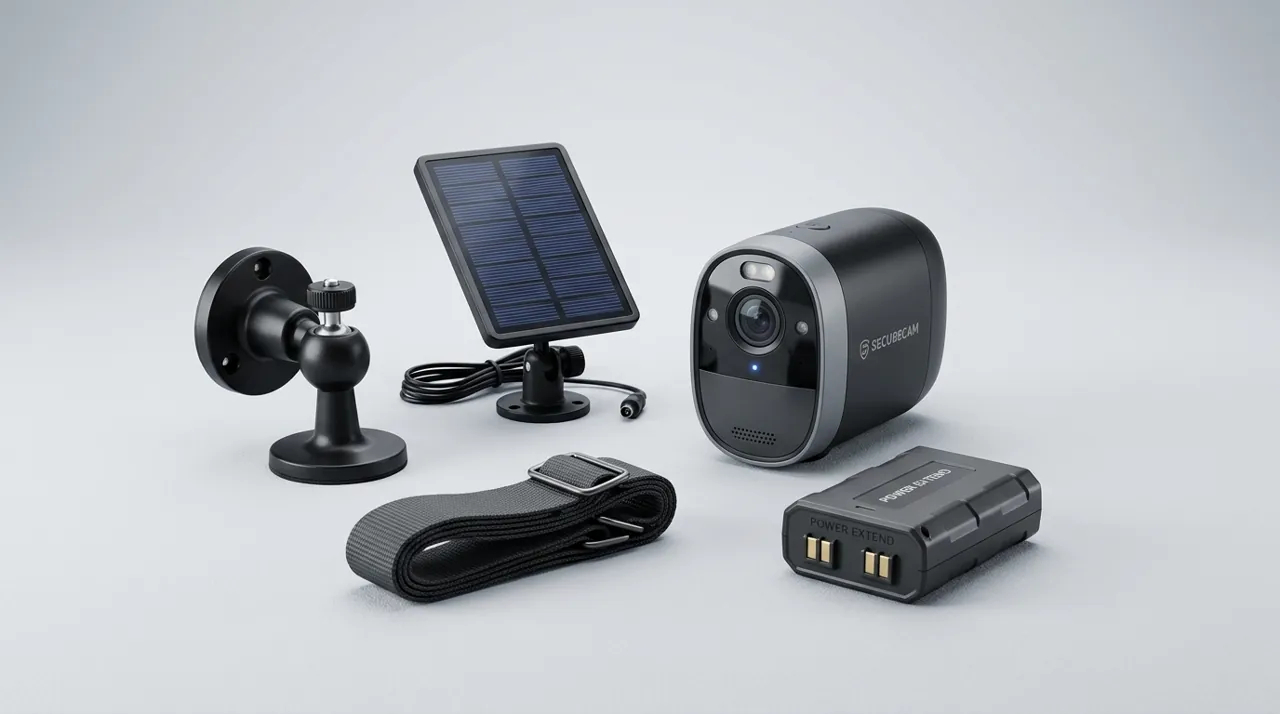
Recommended Cameras by Band Support


Best for reliable 2.4GHz connectivity documented across a large review base.

Best for a wired option that skips the band question entirely.
Do Security Cameras Need 5GHz or 2.4GHz WiFi? Why 2.4GHz Wins for This Job
The two bands make fundamentally different tradeoffs. 2.4GHz has a lower frequency, which physically travels further and passes through walls and other obstructions more effectively than the higher-frequency 5GHz signal, at the cost of lower maximum bandwidth and more susceptibility to interference from other household devices operating in the same crowded band. 5GHz offers substantially more bandwidth and less interference but with a shorter effective range and worse wall penetration.
For a security camera, range and reliability at distance generally matter more than raw bandwidth, since even continuous video streaming at reasonable quality fits well within what 2.4GHz can carry. This is precisely why manufacturers overwhelmingly design consumer cameras around 2.4GHz — it is the better engineering fit for a device that frequently sits at the edge of a router's practical range, like an outdoor camera at the far corner of a property, rather than sitting right next to the router the way a streaming device or a game console typically does.
A Common, Invisible Setup Mistake
Many modern routers broadcast a single combined network name that automatically steers devices to whichever band the router's logic favors, rather than exposing 2.4GHz and 5GHz as separately named networks. This convenience feature can quietly cause a 2.4GHz-only camera's setup attempt to fail, or connect a dual-band camera to 5GHz in a position where 2.4GHz's range would have served it far better, producing exactly the intermittent, hard-to-diagnose disconnection pattern that frustrates so many camera owners. Splitting the router's networks into separately named 2.4GHz and 5GHz options, where the router's settings allow it, and manually selecting the correct one during camera setup, removes this ambiguity entirely.
Checking Compatibility Before You Buy
Camera specifications generally state supported bands explicitly, and it is worth checking before buying rather than assuming — a camera advertised simply as "WiFi" without specifying the band is very likely 2.4GHz-only, which is fine for most positions but worth confirming if the intended router setup only broadcasts a combined or 5GHz-primary network. For anyone specifically troubleshooting an existing camera that seems to connect but behaves unreliably, confirming which band it actually landed on is one of the fastest diagnostic steps available.
See why cameras drop offline for the broader troubleshooting picture this band question often sits inside, and how far can a camera be from the router for how band choice affects real-world range.
Signal Range: Why 2.4GHz Reaches Farther Through Walls
Radio waves at a lower frequency travel farther and pass through solid material more easily than radio waves at a higher frequency, for the same transmit power. That single physical fact explains most of the practical difference between the two WiFi bands. 2.4GHz's lower frequency lets it push through exterior walls, floors and framing with less signal loss than 5GHz experiences over the same distance. For a camera mounted outdoors, at a detached garage or at the far edge of a yard, that difference in wall penetration is often the deciding factor in whether the connection stays stable at all.
5GHz's shorter range is the direct tradeoff for its extra bandwidth and reduced congestion. Indoors, close to the router, that tradeoff barely matters. Outdoors and at distance, it becomes the whole story, which is exactly why manufacturers default outdoor and battery cameras to 2.4GHz rather than leaving the choice open.
Mesh WiFi and Band Steering: A Common Camera Compatibility Problem
Modern mesh WiFi systems commonly broadcast one combined network name and quietly move connected devices between 2.4GHz, 5GHz and different mesh nodes using their own internal logic. That logic optimizes for the mesh system's overall performance, not for any single device's specific needs. A security camera can get band-steered onto 5GHz, or handed off between nodes as the mesh rebalances, producing exactly the kind of brief, hard-to-diagnose disconnection that frustrates so many camera owners.
Where the mesh app allows it, splitting the network into separately named 2.4GHz and 5GHz bands and manually pinning the camera to 2.4GHz on its nearest node removes this ambiguity. Some mesh systems restrict this level of manual control by design, in which case placing the nearest mesh node closer to the camera is the next-best fix.
What Actually Competes for Space on 2.4GHz
2.4GHz is the more crowded of the two bands. It's shared by a wide range of household devices: other WiFi networks in range, Bluetooth accessories, some cordless phones, and certain microwave ovens and baby monitors operating in the same general frequency range. 5GHz has more available channels and considerably less real-world competition for them, which is genuinely an advantage in a dense apartment building or a neighborhood with many overlapping WiFi networks.
For most camera placements, though, 2.4GHz's range and wall-penetration advantage still outweighs its interference disadvantage. A camera close to the router in a low-interference environment is the exception where 5GHz's cleaner spectrum can matter more than 2.4GHz's extra reach.
Dual-Band Cameras: When 5GHz Genuinely Helps
A dual-band camera mounted close to the router, with a clear line of sight and minimal obstruction, is a reasonable candidate for 5GHz. It gets a less congested connection without paying much of a range penalty, since the distance involved is short to begin with. The moment that camera moves outdoors, to an upper floor away from the router, or behind more than a wall or two, the calculation flips back toward 2.4GHz. Band choice should follow the camera's actual mounting position, not a general preference for whichever band sounds more advanced.