
Affiliate Disclosure
Some links on this page are affiliate links. As an Amazon Associate, we earn from qualifying purchases — at no extra cost to you. We do not buy, install, or physically handle the cameras we cover; our rankings come from aggregated owner reviews, ratings and expert consensus. Commissions never change our verdicts. How we rank · full disclosure.
Short version: the single biggest reason a Ring camera "isn’t recording" is not having an active Ring Protect subscription — without one, you get live view and alerts but no saved video history. If you do have a plan and clips still aren’t saving, check Snooze mode, motion zones and sensitivity before assuming a fault.
Ring Devices This Guide Applies To

The most-reviewed video doorbell in the US market with one of the deepest, highest-rated review bases we track. Recorded clip history requires an active Ring Protect subscription — the single most common reason owners find nothing saved.
Why You Should Get This
If this doorbell isn’t recording, check your Ring Protect subscription status first — that’s the most common cause.
Benefits
- Deepest review base of any doorbell on the market.
- Live view and alerts work with no plan.
- Head-to-toe view shows the whole doorstep.
Pros and Cons
- Largest, most trustworthy review base.
- Extensive community troubleshooting resources.
- Motion zones cut sidewalk false alerts.
- Recorded clip history needs an active subscription.
- 1080p rather than 2K.
- Snooze mode can silently disable recording.
Features
- Head-to-toe 1:1 view.
- Removable battery or hardwiring.
- Two-way talk.

The highest-rated Ring device tracked on this site with one of the highest ratings and deepest review bases we track. Like every Ring camera, recorded clip history requires an active subscription, and motion zones set too narrow can also silently limit recording.
Why You Should Get This
If this floodlight camera isn’t recording, check subscription status and motion zone settings before assuming a hardware fault.
| Resolution | 1080p HD |
| Field of view | 140° horizontal |
| Power | Hardwired, existing outdoor fixture |
| Night vision | Color night vision |
| Audio | Two-way talk |
| Siren | 105dB built-in siren |
| Lighting | Motion-activated LED floodlights |
| Smart home | Works with Alexa |
Benefits
- Highest-rated Ring device tracked on this site.
- Never needs a battery recharge.
- Wired power removes one variable from troubleshooting.
Pros and Cons
- Massive, consistent review base.
- Reliable wired connection.
- Motion-activated floodlights double as a deterrent.
- Recorded clip history needs an active subscription.
- Motion zones can silently limit what triggers recording.
- Needs an existing wired fixture or electrician.
Features
- Motion-activated LED floodlights.
- 105dB built-in siren.
- Two-way talk.

The most-reviewed inexpensive indoor camera tracked on this site with one of the deepest, highest-rated review bases in the category. Same subscription and motion-zone rules apply as every other Ring device.
Why You Should Get This
If this indoor camera isn’t recording, the same subscription and motion-zone checks apply as any Ring device.
Benefits
- Most-reviewed inexpensive camera in the category.
- Live view and alerts work with no plan.
- Physical privacy cover.
Pros and Cons
- Massive, trustworthy review base.
- Low price for a first camera.
- Simple plug-in setup.
- Recorded clip history needs an active subscription.
- 1080p rather than 2K.
- Indoor use only.
Features
- 1080p HD, two-way talk.
- Physical privacy cover.
- Plug-in power.
Check Your Subscription Status First
Open the Ring app, go to Settings > Ring Protect Plans, and confirm an active plan covers the specific device. Ring’s free tier (no subscription) still delivers live view and real-time motion notifications, but recorded clips you can review later require at least the basic Ring Protect plan on that device or an all-devices plan for the account. This single setting explains a large share of "my camera isn’t recording anything" reports.
Snooze Mode
Snooze disables motion detection and recording for a chosen period and is simple to trigger by accident from the app’s device controls or a linked routine (some smart-home automations turn it on unintentionally when set up for "do not disturb" style scenarios). Check for a moon icon on the device in the app — a snoozed camera looks different from an offline one and is a one-tap fix to clear.

Motion Zones and Sensitivity
If the camera is subscribed and not snoozed but still missing specific activity, check the motion zone editor — Ring lets you mask out parts of the frame (to avoid a busy street triggering constant alerts, for example), and an overly aggressive mask can exclude the exact area you actually want covered. Sensitivity set too low is the other common culprit, especially for activity at the edges of the frame or further from the camera.
Cloud Storage and Video History Length
Ring cloud plans retain video history for a set window (commonly up to 180 days depending on the plan), after which older clips are automatically removed to make room for new ones — this isn’t a recording failure, just normal rolling storage. If you need to keep specific clips longer, download them manually before they age out.
Accessories Worth Having on Hand

Best for a local-storage alternative on devices that support a card slot.
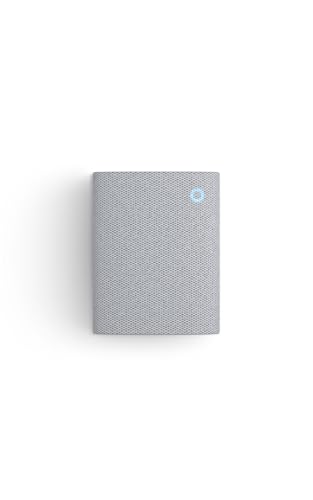
Best for confirming a Ring device is actually triggering events after a fix.

Best for repositioning a camera so motion zones capture the right area.
If It’s Still Not Recording
If subscription, Snooze, zones and sensitivity all check out and clips still aren’t saving, a reset is the next step — see how to reset a Ring camera. For the full cost breakdown of what a Ring Protect plan actually buys you, see is Ring worth it.