
Affiliate Disclosure
Some links on this page are affiliate links. As an Amazon Associate, we earn from qualifying purchases — at no extra cost to you. We do not buy, install, or physically handle the cameras we cover; our rankings come from aggregated owner reviews, ratings and expert consensus. Commissions never change our verdicts. How we rank · full disclosure.
The direct answer: there are four ways to power an outdoor camera — internal battery, a plug-in outdoor outlet, Power over Ethernet, or solar — and the right one is decided by the mounting position, not by preference. If the spot has an outdoor outlet under cover, plug in. If you can get an Ethernet cable there, use PoE, which is the most reliable option available to a homeowner. If neither is possible and the spot gets several hours of genuine direct sun, go solar. If none of that applies, a battery camera is the answer, and you accept a recharge cycle in exchange.
This page is only about the power decision. Choosing the camera itself — resolution, storage, brand, subscription — is a broader question that our buying guides hub owns, and it is worth reading first if you have not settled on a model.
Recommended Cameras

Best for wired outdoor coverage with the deepest review base tracked on this site.

Best for front-door coverage with no wiring required.

Best for a no-subscription camera with local microSD recording.
Start With the Position, Not the Product
Walk to the exact spot and answer three questions in order.
- Is there an outdoor outlet within cable reach, ideally under an eave? If yes, a plug-in camera removes the recharge problem entirely for no extra effort. Take it.
- Can an Ethernet cable get to this spot — through an attic, a crawlspace, a soffit, or along the outside in conduit? If yes and you are willing to spend an afternoon, PoE is the most dependable outcome.
- Does this spot get four or more hours of unobstructed direct sun, in winter as well as summer? If yes and the first two are no, solar works. If the answer is "mostly, except in the afternoon when the tree shades it," treat that as no.
If all three are no, you are buying a battery camera — so mount it where a stepladder reaches easily, because you will be up there more often than the box suggests.
The Four Options, Honestly
Battery. The easiest install in the category — a mounting plate, three screws, pair in the app, twenty minutes, no wiring and no electrician. It goes anywhere, including rentals, and comes off cleanly when you move. The cost is deferred rather than avoided: quoted runtimes assume light activity, and busy positions drain packs in weeks rather than months. Cold weather cuts capacity further. A removable, swappable battery pack is worth a premium, because charging in place takes the camera offline for hours. Category detail in wireless and battery cameras.
Plug-in outlet. Continuous power, no charging, no cable pulling, and it supports the features batteries ration — continuous recording, longer spotlight use. The constraint is where outlets exist. If you are adding one, an electrician fitting a weather-resistant GFCI receptacle under an eave is a short call-out and worth doing properly rather than improvising with a cord. Keep the adapter and plug junction sheltered; that connection is the usual failure point, not the camera.
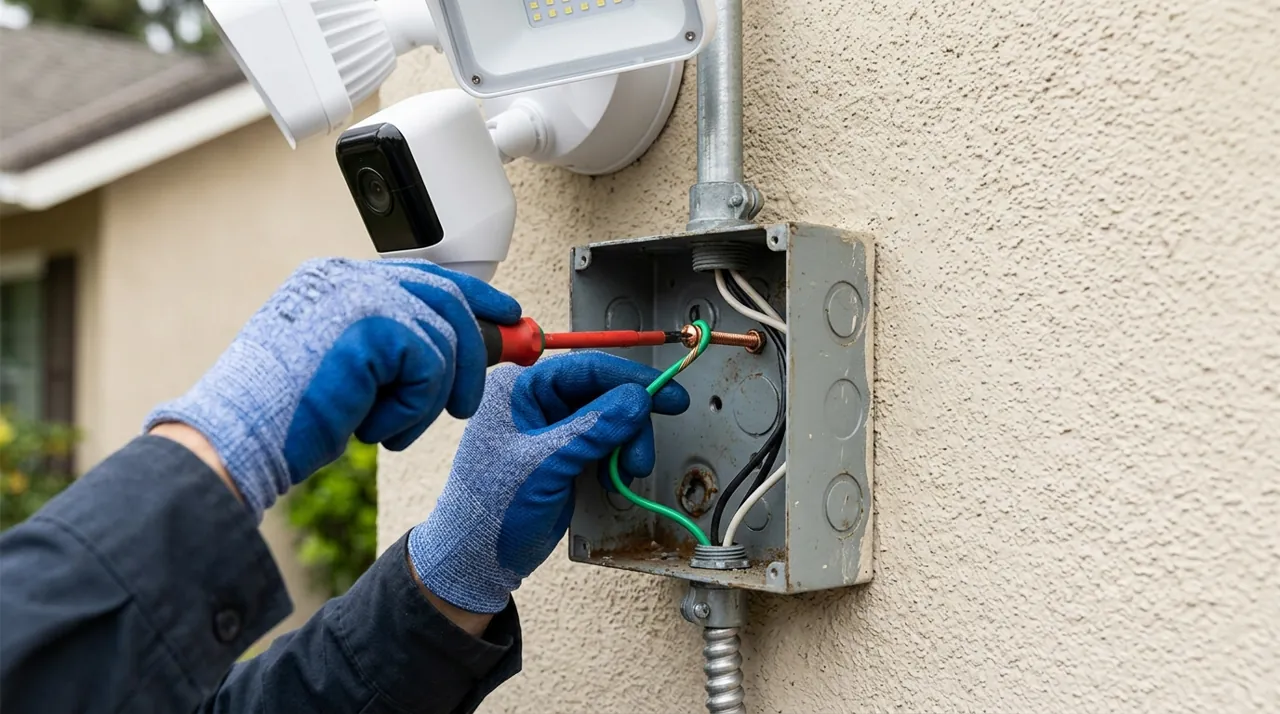
PoE. One Cat5e or Cat6 cable carries both power and data from a switch or a recorder. Nothing matches it for reliability: no batteries, no WiFi congestion, no clips dropped to a stalled upload, and power that survives a router reboot. Runs up to about 300 feet are standard. The cable is low voltage and safe to handle — the work is routing it, which means an attic, a wall cavity or outdoor-rated conduit, and an afternoon rather than half an hour. Drill the wall pass-through angled slightly upward from outside so water cannot track in, and leave a service loop. Full category in wired PoE cameras.
Solar. A battery camera with a panel keeping it topped up — the best answer for a position with sun and no infrastructure, such as a barn, a fence line, a gate or the far end of a yard. The critical detail is that the panel wants a different orientation from the camera, which is why most kits use a separate panel on its own bracket. In the northern hemisphere face it south and tilt it. Owner reviews split on one axis: panels in real sun work, panels under a tree do not, and no amount of wattage fixes shade. See solar cameras.
Where Each One Goes Wrong
Every option has a failure mode that shows up months later rather than on day one.
- Battery in a busy position. A camera facing a sidewalk with default motion settings is the classic mistake — constant triggering, weeks of runtime, and a ladder trip that gets progressively less appealing. Fix the activity zones before blaming the battery.
- Battery mounted high. Twelve feet up at the back of the house is fine for a wired camera and miserable for a battery one. Height and battery power are a bad combination.
- Plug-in with an exposed adapter. Water finds the plug. Shelter the junction or use a proper weatherproof outlet cover.
- PoE underestimated. The cable pull is the whole job, and an attic in August is a real commitment. Also confirm your switch or injector supplies enough power for the camera, particularly for PTZ or heated models that draw more.
- Solar under-sunned. A panel that gets two hours of dappled light will slowly lose the battle and the camera will die in winter. Check the shade line in December, not July.
- Any option in freezing climates. Battery capacity drops sharply below freezing and lithium cells charge badly in the cold. At a position you cannot easily reach in winter, favor wired or PoE.
Mixing Power Types Across a House Is Normal
People often assume a home system should be all one thing. It should not. Power each position according to what it offers: PoE on the front and driveway where a cable run is feasible, a battery camera on a side gate where drilling a cable path is not worth it, solar on the far fence, and a plug-in unit wherever an outlet already exists. Most brands run every model through one app, so a mixed system is still a single interface.
One practical note: put the wired or PoE camera at the position you care about most, because it is the one still recording through a long outage or a cold snap. Add a UPS to the router and switch and those cameras survive a short power cut, while battery cameras keep recording but lose their upload path.
Once the power source is settled, the physical job — mounting height, angle, sealing the cable entry, testing the signal before drilling — is covered step by step in our installation guide, and the broader outdoor category sits at outdoor cameras.