
Affiliate Disclosure
Some links on this page are affiliate links. As an Amazon Associate, we earn from qualifying purchases — at no extra cost to you. We do not buy, install, or physically handle the cameras we cover; our rankings come from aggregated owner reviews, ratings and expert consensus. Commissions never change our verdicts. How we rank · full disclosure.
The short answer: Wyze is worth it if your budget is the binding constraint and you have weighed the brand-trust question honestly. Nothing else in the category puts a 2.5K camera with color night vision, local recording and an outdoor rating on a shelf for around forty dollars. It is not worth it if privacy is the reason you are buying a camera in the first place, because Wyze has a public security record that a careful buyer has to factor in.
Both of those things are true at once, and most coverage of the brand picks one and ignores the other. The price is not a gimmick — the hardware genuinely does what the box says, backed by tens of thousands of owner ratings. The incidents are not internet rumor either; they are documented and acknowledged. Deciding between them is the whole job of this page.
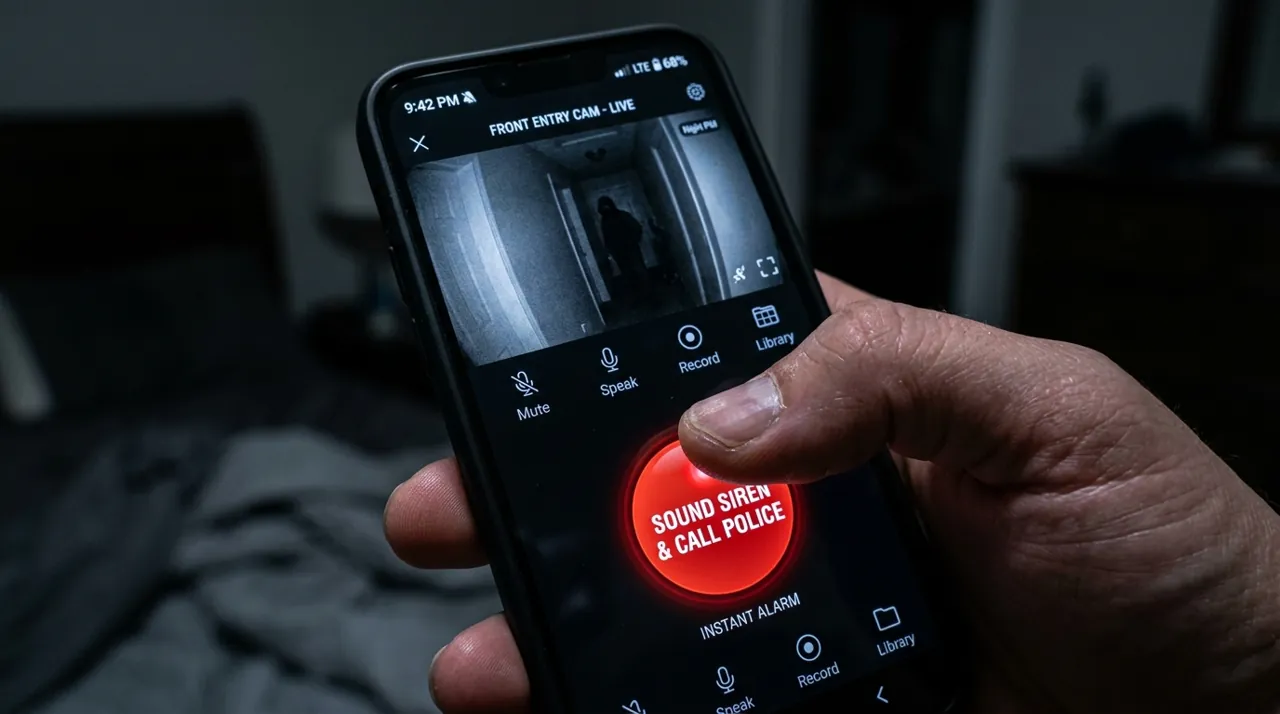
The Real Value Proposition: It Works With No Subscription
This is the part that separates Wyze from Ring, Arlo and Blink, and it is the reason the brand exists.
Put a microSD card in a Wyze camera and it records — continuously, or on motion, to storage you own, with no plan, no expiry and no cloud dependency for the footage itself. You also get live view, motion notifications and two-way talk for free. That means a plan-free Wyze is a functioning security camera. A plan-free Ring is a video intercom that saves nothing.
What Cam Plus adds is the detection layer and the cloud convenience: person and vehicle detection that cuts alert volume dramatically, longer cloud event history, full-length event clips rather than truncated ones, and no cooldown between recordings. It costs a low monthly fee for one camera or a modest monthly fee unlimited — genuinely cheap next to the much higher fee the subscription-first brands charge for their comparable tiers.
The honest framing: on Wyze the subscription is an upgrade, not an unlock. That is a structural difference, and it is worth more than any specification on the box. If your objection to the whole category is the monthly fee, Wyze answers it directly — and so do Eufy, Reolink and Tapo, at different points on the price-and-trust curve.
The Wyze Cameras Worth Buying

It records to a card and keeps its core function with no plan, which is the whole reason Wyze exists as a brand — at an entry-level price and a solid owner rating. A 2.5K QHD sensor delivers color night vision, and it is rated for indoor or outdoor use, unusual at this price point. Local microSD recording works with no subscription required. A built-in spotlight and siren round out the hardware.
Why You Should Get This
If you want a genuinely capable general-purpose camera with no monthly fee, indoors or under an eave, this is the default Wyze pick.
Benefits
- 2.5K QHD sensor with color night vision.
- Rated for indoor or outdoor use.
- Local microSD recording, no subscription required.
Pros and Cons
- Genuine no-subscription local recording.
- Indoor/outdoor rating unusual at this price.
- Built-in spotlight and siren.
- MicroSD card sold separately.
- Smaller ecosystem than Ring or Nest.
- Cam Plus subscription needed for smart detection.
Features
- 2.5K QHD, color night vision.
- Indoor/outdoor rated.
- Local microSD recording.

An entry-level price with a deep base of owner ratings behind it — the easiest camera in the category to justify buying two of, and one of the highest-rated in its class. 1080p video with a built-in spotlight delivers color night vision at a genuinely low price. It is indoor or outdoor rated in a compact housing, with motion detection and two-way audio. It works with Alexa and Google Assistant.
Why You Should Get This
If you want a second or third camera where the alternative is no camera at all, this is the cheapest way in that still holds a strong rating.
Benefits
- Lowest price of any camera in this comparison.
- Built-in spotlight for color night vision.
- Indoor or outdoor rated.
Pros and Cons
- Cheapest genuinely well-reviewed camera in the Wyze lineup.
- Color night vision at a low price.
- Works with Alexa and Google Assistant.
- 1080p rather than 2.5K.
- Smaller sensor than the Cam v4.
- Cam Plus subscription needed for smart detection.
Features
- 1080p, color night vision via spotlight.
- Indoor/outdoor rated.
- Motion detection, two-way audio.
The Wyze Cam v4 is the model to buy if you are buying one. A 2.5K sensor is well beyond what forty dollars normally gets you, color night vision produces footage you can actually describe someone from rather than gray shapes, and the indoor-or-outdoor rating means one camera covers a hallway or an eave without a second purchase. It holds a strong rating across a substantial, well-established review base. Owners praise the resolution, the color night footage and the spotlight; the complaints cluster on firmware updates changing behavior, occasional WiFi dropouts, and detection features sitting behind Cam Plus even though the recording does not.
The Wyze Cam OG is the cheaper, simpler answer at around thirty dollars, and with a deep review base and one of the strongest ratings here, it is both the highest-rated and the most thoroughly review-validated camera on this page. It drops to 1080p and a smaller housing but keeps the built-in spotlight, the indoor-outdoor rating and two-way audio. This is the camera people buy two or three of, and at that price the calculation changes: it is not competing against a better camera, it is competing against not covering the side gate at all.
Consensus Score █████████░ 9.0 — Wyze Cam OG, from a deep, highly-rated base of owner ratings.
The Part Most Reviews Skip: Wyze’s Security Record
A camera brand is asking for a level of trust that a phone case is not, so this belongs in the buying decision rather than in a footnote. Here is what is publicly documented, stated plainly and without embellishment.
A 2019 database exposure. An internal Elasticsearch database holding account data for roughly 2.4 million Wyze users — email addresses, camera nicknames, WiFi network names and similar metadata, and, per contemporaneous reporting, some API and Alexa authentication tokens plus limited health data for a subset of users, though not passwords or payment details — was left unsecured and reachable online for about three weeks in December 2019, until a security researcher flagged it and Wyze took it down. Reported at the time by Forbes, GeekWire and BleepingComputer, among others.
A February 2024 cross-account thumbnail incident. A third-party caching library mixed up device and account mappings, and roughly 13,000 users briefly saw camera thumbnails belonging to other households in their app; Wyze says around 1,500 of them tapped through to view an enlarged image or an attached clip. Wyze pulled the affected feature, added a verification check, and forced a re-login for all users. Reported by CNN, the Washington Post and CBS News, among others.
A slow patch on an older vulnerability. Security firm Bitdefender privately disclosed a set of flaws in Wyze’s older cameras in March 2019; the most serious — unauthenticated access to footage stored on a camera’s SD card — was not fully fixed until January 2022, and Bitdefender’s report noted the original Wyze Cam v1 was never patched at all. Covered by Consumer Reports and Forbes.
How to weigh it. Two things are worth saying honestly. First, most large connected-device companies have had security failures, and the brands with clean public records are often the ones with less scrutiny rather than better engineering — Wyze’s scale and press coverage guarantee incidents become news. Second, that context does not erase the pattern, and the pattern is the specific concern buyers raise: repeated issues, and disclosure that has not always been fast.
The practical upshot is about placement rather than a yes-or-no verdict. A Wyze camera on a driveway or a side gate carries a very different exposure than one in a bedroom or a nursery. Using local microSD recording rather than leaning on cloud storage reduces the surface further. If you cannot get comfortable with any of that, the answer is not a different Wyze model — it is a wired PoE system or a local-storage brand like Eufy, and you should skip the rest of this page.
What Owner Reviews Actually Say About Wyze
With more than 30,000 combined ratings across the two cameras here, the themes are well established.
The value is not disputed by anyone. Positive and negative reviews alike concede the price-to-specification ratio. Even the angry reviews tend to open by acknowledging what forty dollars normally buys.
Firmware updates are the leading complaint. Owners report updates that change behavior, break a feature they relied on, or require a re-pair. This is the single most consistent frustration in the review base and it is a software-process problem rather than a hardware one.
microSD card failure is common and avoidable. A camera writing continuously will destroy a generic card. Owners who buy a card rated for surveillance or dashcam duty stop having this problem, and the complaint largely disappears from their reviews.
The security history comes up unprompted. A steady minority of reviews across both models raise it directly, including from owners who still recommend the camera for outdoor use while saying they would not put one indoors. That is a reasonable position and probably the most common informed one.
Wyze Alternatives: Who to Buy Instead and Why
TP-Link Tapo is the closest like-for-like. Similar prices, microSD recording with no plan, strong pan-tilt options and 2K models, and no comparable public security history. For a lot of buyers who like the Wyze proposition but not the Wyze record, this is the straight swap. Our best indoor security cameras rankings put the two side by side.
Eufy is the upgrade if you want local storage taken seriously rather than bolted on. Higher hardware cost, better detection running on the device, a HomeBase you own, and no monthly fee for the core function. It is the standard recommendation for privacy-sensitive buyers who still want a wireless system.
Reolink and wired PoE is the answer if you want footage that never leaves your property, continuous 24/7 recording rather than clips, and no subscription of any kind. It costs more and requires cable runs. See wired PoE cameras and NVR camera systems.
Blink is the alternative if battery life is the priority over resolution, and is Blink worth it covers that case. Ring and Arlo are the opposite direction entirely — more money, more polish, a mandatory-in-practice subscription. See is Ring worth it and is Arlo worth it.
How We Reached This Verdict
We do not buy, install or physically handle Wyze cameras. There is no test bench here and we are not going to pretend otherwise. This verdict is built from aggregated owner star ratings weighted by review volume, the recurring themes inside negative reviews, published subscription pricing, publicly reported and company-acknowledged security incidents, and expert consensus across the category. Star ratings and review counts come from licensed Amazon listing data rather than from us. Full method on how we rank.
Buy Wyze If
- Budget is the binding constraint. Thirty to forty dollars for a camera with color night vision and local recording has no real competition, and the alternative is often no camera at that position at all.
- You will not pay a subscription. Wyze works properly without one. That is a structural advantage over Ring, Arlo and Blink, not a marketing claim.
- You are covering outdoor or low-sensitivity positions. A side gate, a driveway, a shed or a garage is where the brand-trust concern weighs least and the value weighs most.
- You want several cameras rather than one good one. Four Wyze cameras cost less than one premium camera plus a year of its plan, and coverage beats resolution more often than buyers expect.
- You have accepted the trade knowingly. The buyers happiest with Wyze are the ones who read the security history first and decided it did not apply to where they were mounting it.
Skip Wyze If
- Privacy or security sensitivity is your reason for buying. This is decisive. Buy Eufy or a wired PoE system and keep the footage on hardware you control.
- The camera is going in a bedroom, nursery or bathroom-adjacent space. The exposure calculation is different indoors, and there is no price low enough to make that a good place to economize.
- You need footage you might rely on formally. Cheaper sensors, aggressive compression and clip-based recording make for weaker material than a wired system produces.
- You want set-and-forget stability for years. Firmware churn is the leading complaint in the review base, and premium brands are genuinely better on this.
- You want continuous 24/7 recording at high resolution. Local microSD recording helps, but NVR camera systems are the category built for it.
Setup, microSD Cards and Getting the Most From a Cheap Camera
Two setup decisions do more for a Wyze camera than any amount of spending.
Buy the right card. A surveillance or dashcam-rated microSD card is a few dollars more than a generic one and removes the most common failure in the entire review base. Recording is a constant-write workload and ordinary cards are not built for it.
Draw the activity zones on day one. A cheap camera with untuned motion detection sends forty alerts a day, and an owner who mutes alerts has effectively unplugged the camera. Excluding the sidewalk and the road is ten minutes of work that decides whether the system survives month two.
Beyond that, the usual constraints apply: 2.4GHz WiFi reaches further but pairs badly on routers publishing both bands under one name, and mounting height and angle matter more than resolution for getting a usable face. How to install a security camera covers both properly.
The Verdict
Wyze earns its reputation on price and on one structural decision most of its competitors did not make: the camera keeps working without a subscription. The Cam OG, at an entry-level price with a deep, highly-rated owner-review base, and the Cam v4, a modest step up with a 2.5K sensor and color night vision, are both genuinely more camera than the money should buy. For a driveway, a side gate, a garage or a shed, they are easy to recommend.
The caveat is not a rumor and it does not go away by ignoring it. Wyze has a documented, company-acknowledged security history, and a careful buyer weighs it before deciding where the camera goes rather than after. Outdoors and on local storage, most people conclude the trade is fine. Inside a bedroom or a nursery, a lot of people conclude it is not — and that conclusion is reasonable too.
Next steps: if the price is what brought you here, budget cameras covers the low end across every brand, and best indoor security cameras ranks Wyze against Tapo, Ring and Nest directly. If the security record is what brought you here, go straight to wired PoE cameras. And for the brand-by-brand view, start at brand comparisons.